TABLE OF CONTENTS
- What is it?
- How does it work?
- Understanding the terms
- Where in the Parkwhiz Admin (seller console) can I set it up?
- Sample Settings/Scenarios
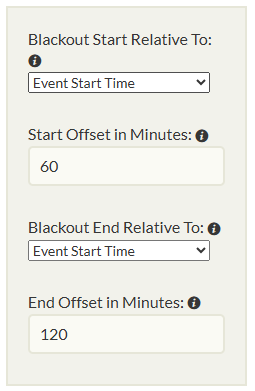
- Blackout Start Relative To: Event Start Time
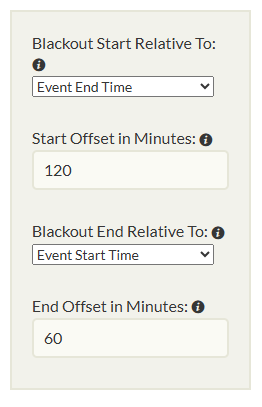
- Blackout Start Relative To: Event End Time
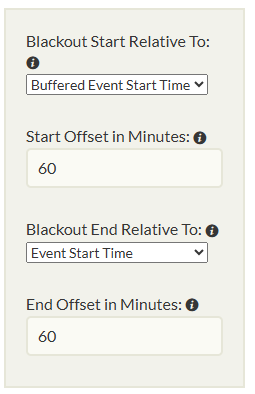
- Blackout Start Relative To: Buffered Event Start Time
- Blackout Start Relative To: Buffered Event End Time
- Blackout End Relative To: Event Start Time
- Blackout End Relative To: Event End Time
- Blackout End Relative To: Buffered Event Start Time
- Blackout End Relative To: Buffered Event End Time
What is it?
By default, event pricing supersedes or blacks out cheaper transient pricing from the event parking start time (arrival) through the event end time.
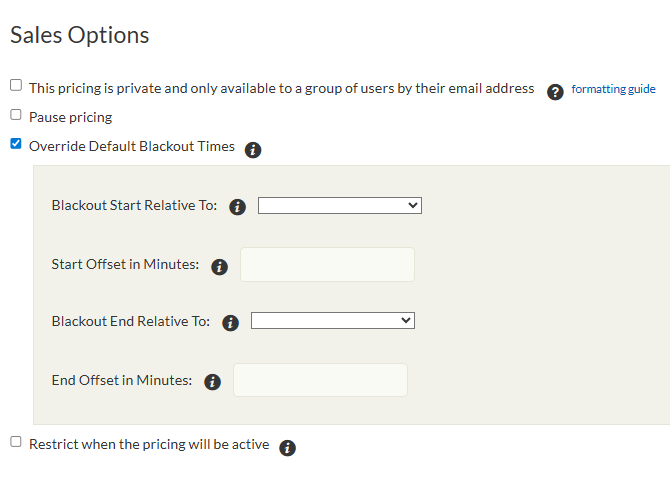
The Override Default Blackout Times Sales Options allows to set a specific time parameter based on a given time (minutes) where the transient pricing will now take over the event pricing until the set blackout override times.
How does it work?
We are creating a blackout in the quote engine so event pricings where the minute is set WILL NOT pull into the bookable quotes and instead it will default to the transient rate.
If a parking query does not overlap with or contain the “minute intersection” timeframe, the event pricing is not considered (transient pricing takes effect).
If a parking query does overlap with or contain the “minute intersection” timeframe:
If both a transient pricing and the event pricing can meet the desired parking timeframe, the pricing with the higher rate is returned.
If the rates are equal, the event pricing is returned.
If only the event pricing can meet the desired parking timeframe, it is returned.
If only a transient pricing can meet the desired parking timeframe and,
the rate is more than the event pricing, the transient pricing is returned
the rate is less than the event pricing, nothing is returned for that location
Understanding the terms
Override Default Blackout Times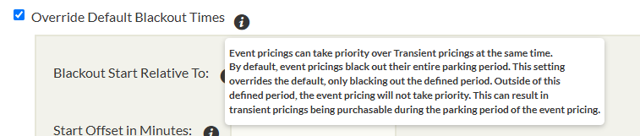 | Event pricings can take priority over Transient pricings at the same time. By default, event pricings black out their entire parking period. Outside of this defined period, the event pricing will not take priority. This can result in transient pricings being purchasable during the parking period of the event pricing. |
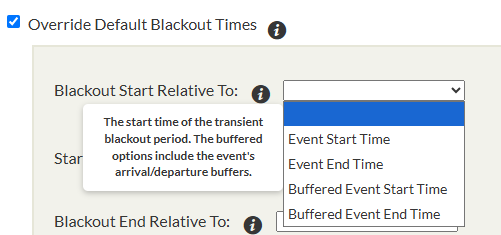
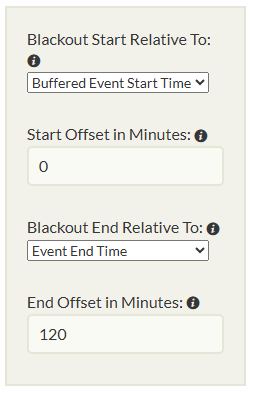
Blackout Start Relative To:
| The start time of the transient blackout period. The buffered options include the event's arrival/departure buffers. |
Start Offset in Minutes: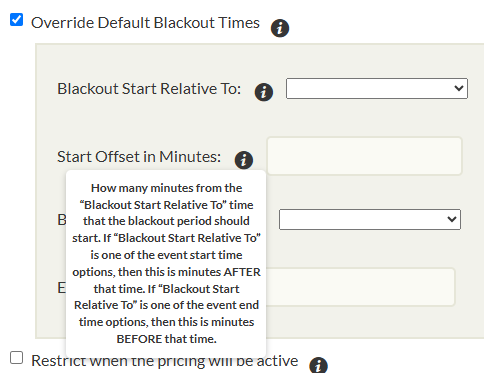 | How many minutes from the "Blackout Start Relative To" time that the blackout period should start. If "Blackout Start Relative To" is one of the event start time options, then this is minutes AFTER that time. If "Blackout Start Relative To" is one of the event end time options, then this is minutes BEFORE that time. |
Blackout End Relative To: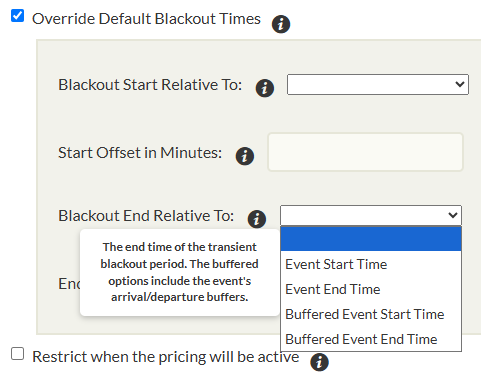 | The end time of the transient blackout period. The buffered options include the event's arrival/departure buffers. |
End Offset in Minutes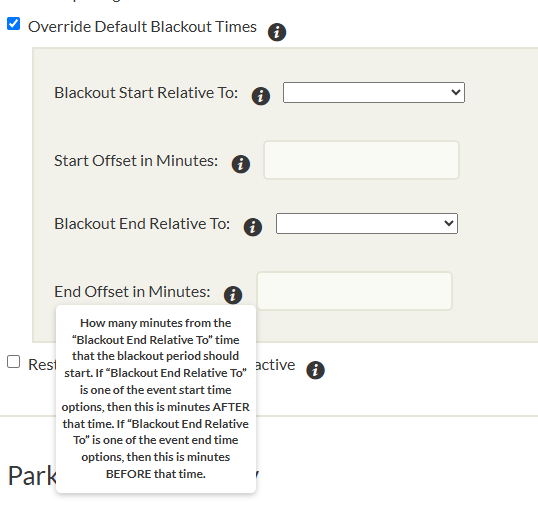 | How many minutes from the "Blackout End Relative To" time that the blackout period should start. If "Blackout End Relative To" is one of the event start time options, then this is minutes AFTER that time. If "Blackout End Relative To" is one of the event end time options, then this is minutes BEFORE that time. |
Where in the Parkwhiz Admin (seller console) can I set it up?
 New Event Pricing
When creating a new event pricing (one off or templated), look for the ‘Override Default Blackout Times’ checkbox under sales options.
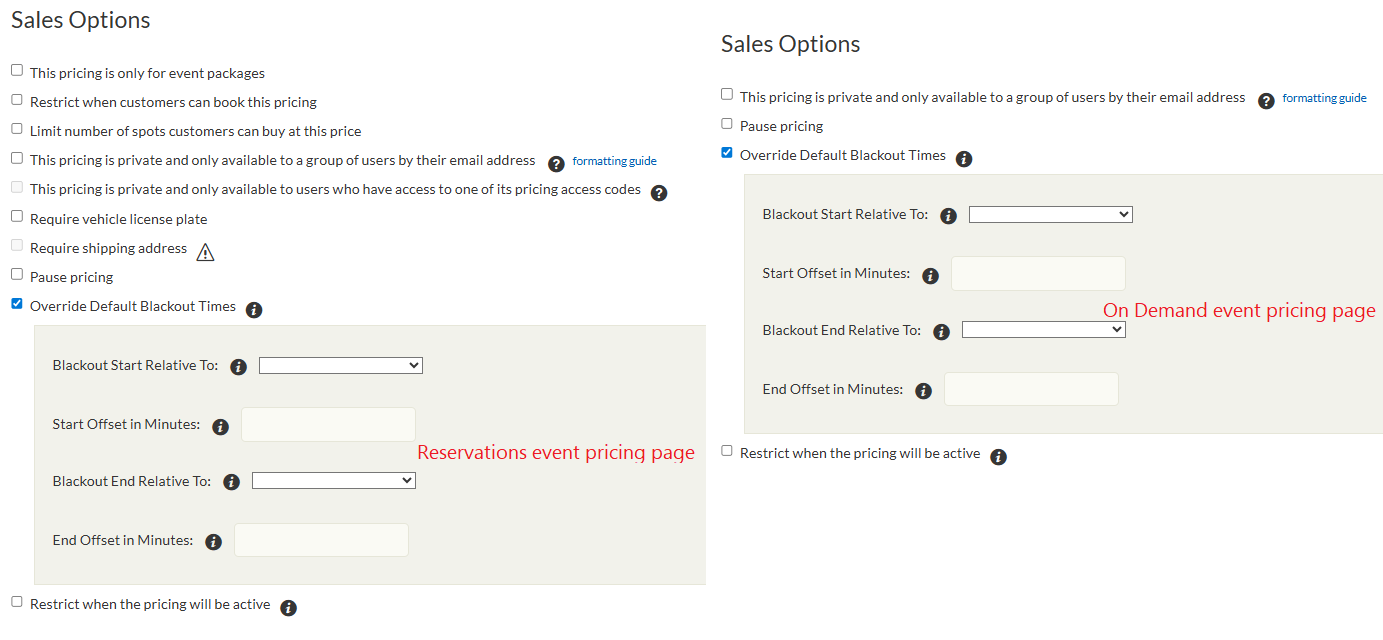
 Edit event pricing page
On Edit existing event pricing page, look for the ‘Override Default Blackout Times’ checkbox under sales options.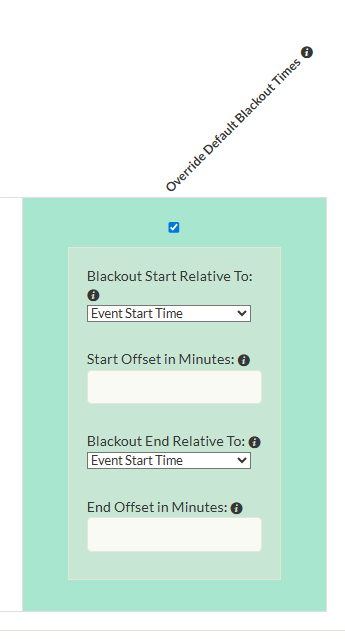
Sample Settings/Scenarios
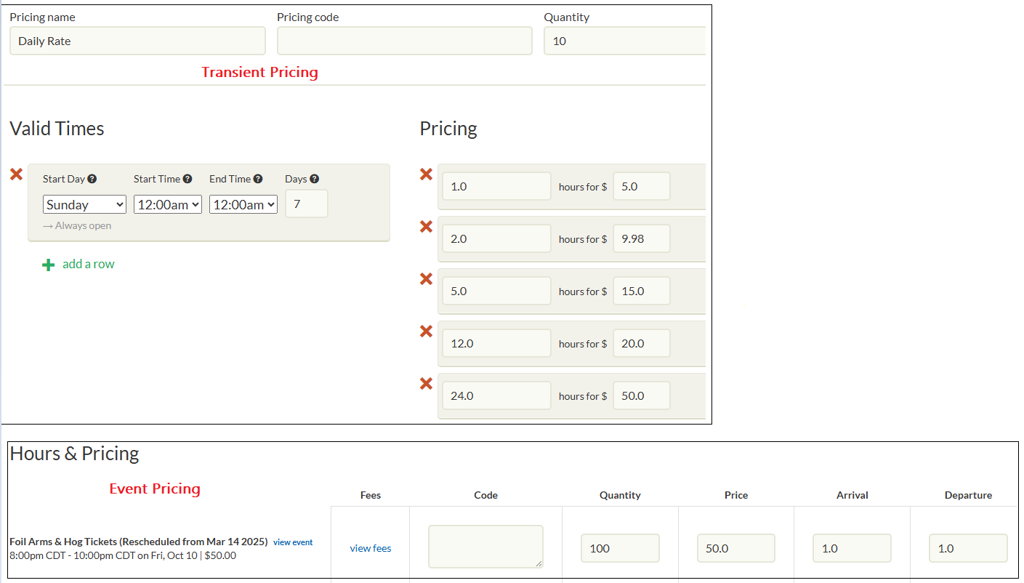
The below examples uses the below transient pricing and event pricing parameters.
Blackout Start Relative To: Event Start Time
| Blacks out cheaper transient pricing from 9pm instead of the default blackout of 7pm (1 hour arrival).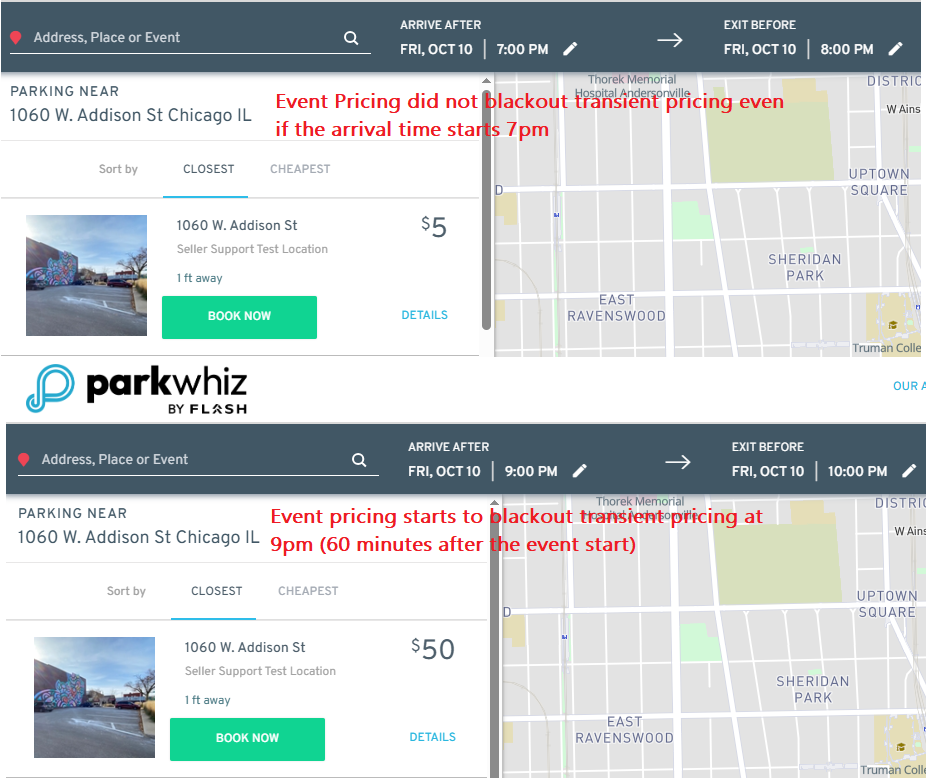 |
Blackout Start Relative To: Event End Time
| Blacks out cheaper transient pricing from 8pm instead of the default blackout of 7pm (1 hour arrival).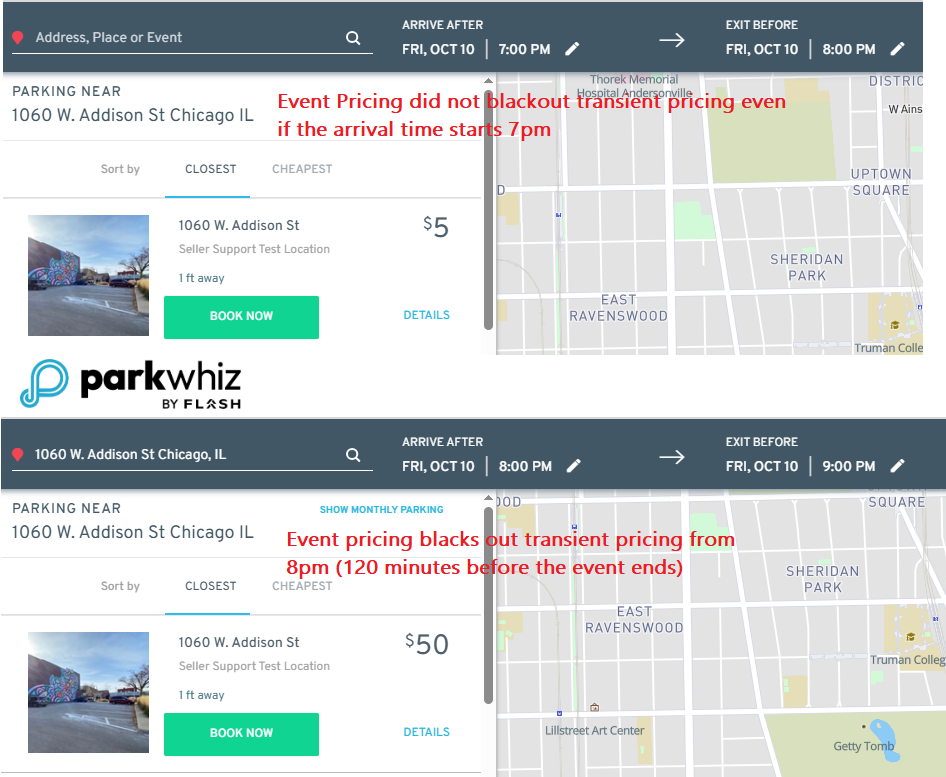 |
Blackout Start Relative To: Buffered Event Start Time
| Blacks out cheaper transient pricing from 8pm instead of the default blackout of 7pm (1 hour arrival).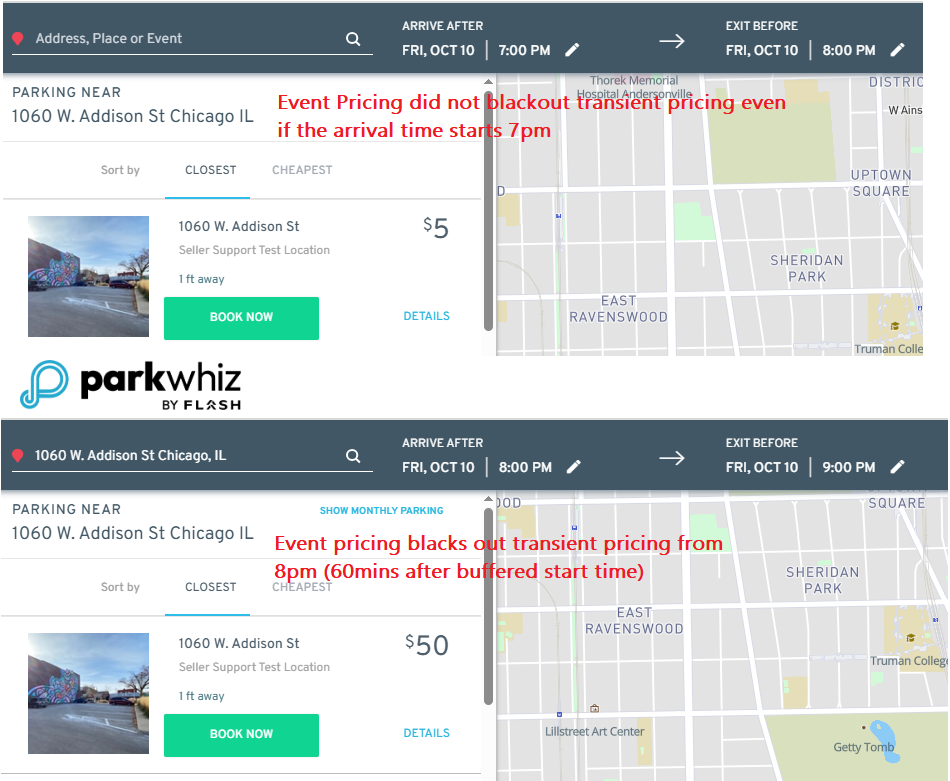 |
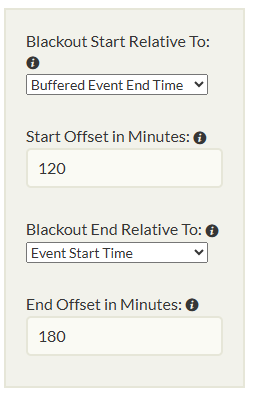
Blackout Start Relative To: Buffered Event End Time
| Blacks out cheaper transient pricing from 9pm instead of the default blackout of 7pm (1 hour arrival).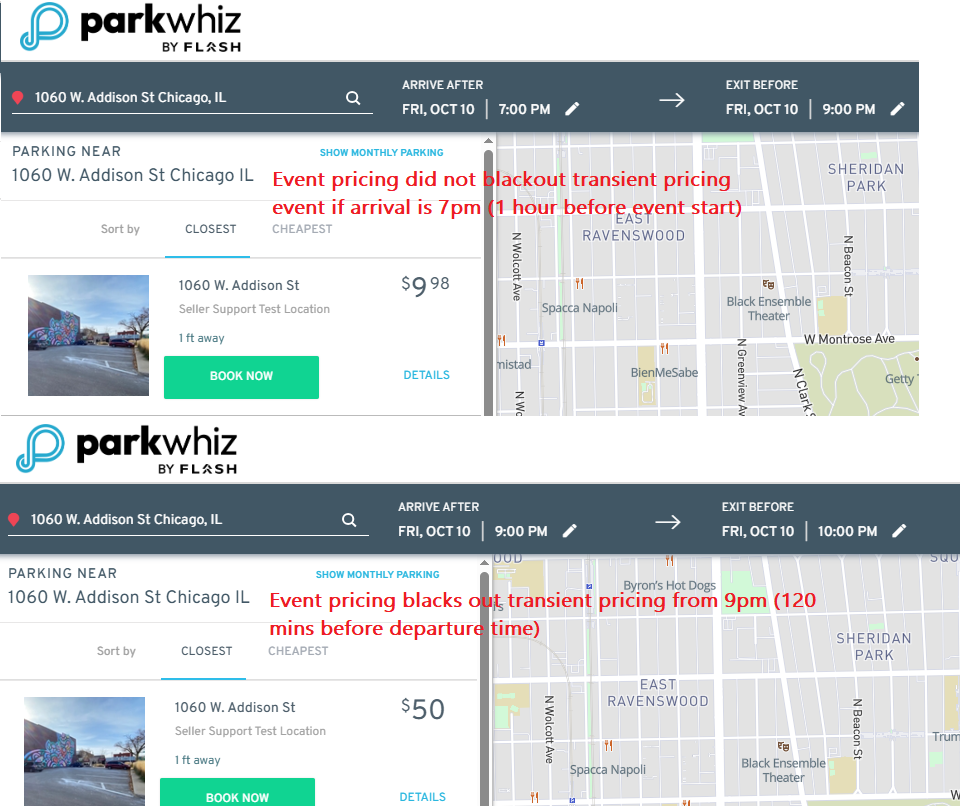 |
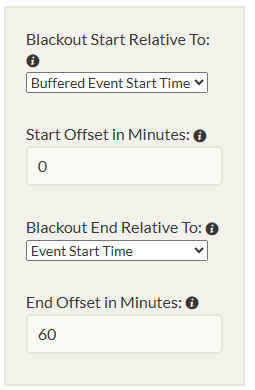
Blackout End Relative To: Event Start Time
| Makes the event pricing available until 9pm only even if the event ends at 10pm.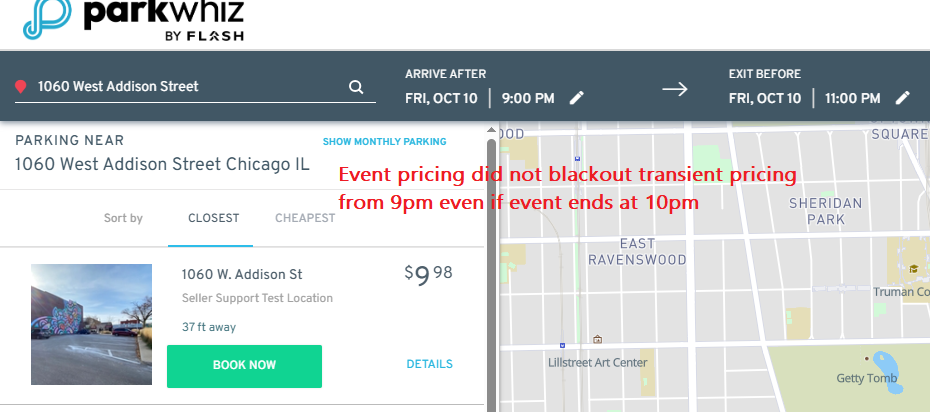 |
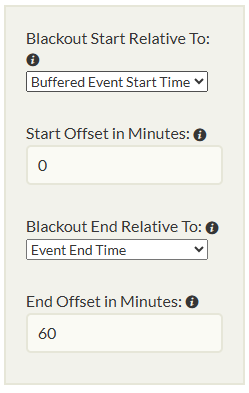
Blackout End Relative To: Event End Time
| Makes the event pricing available until 9pm only even if the event ends at 10pm.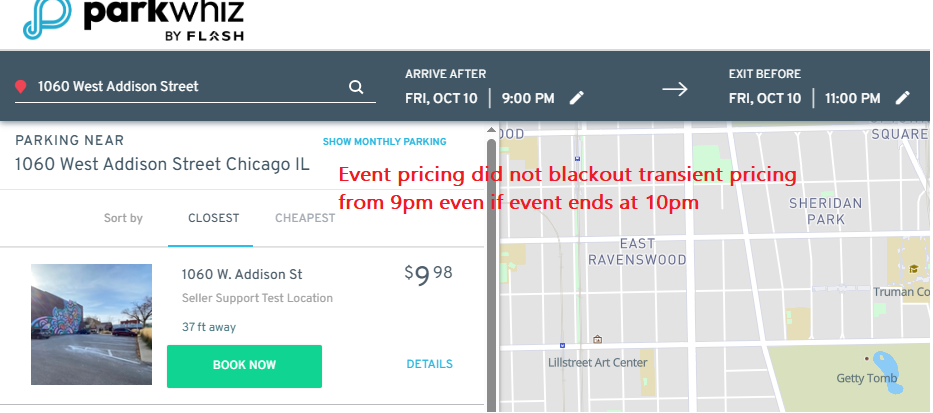 |
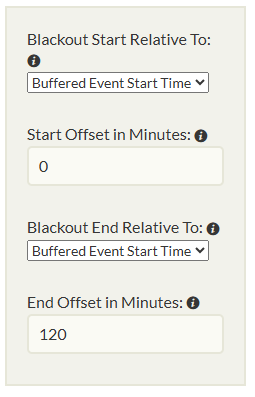
Blackout End Relative To: Buffered Event Start Time
| Makes the event pricing available until 9pm only even if the event ends at 10pm.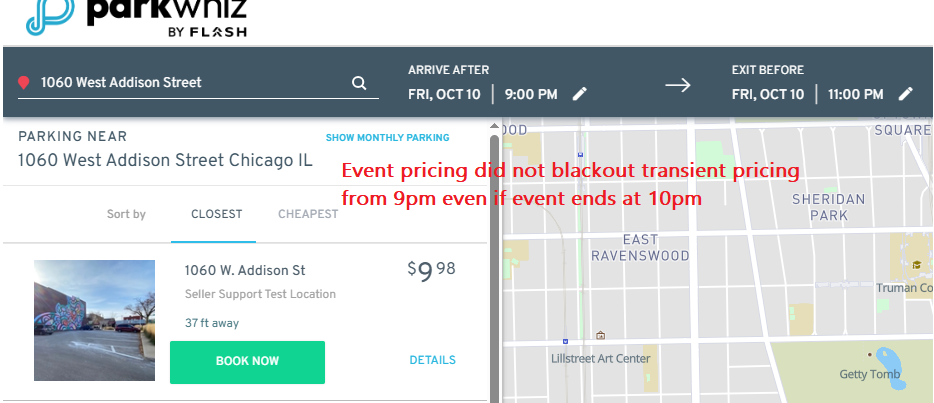 |
Blackout End Relative To: Buffered Event End Time
| Makes the event pricing available until 9pm only even if the event ends at 10pm.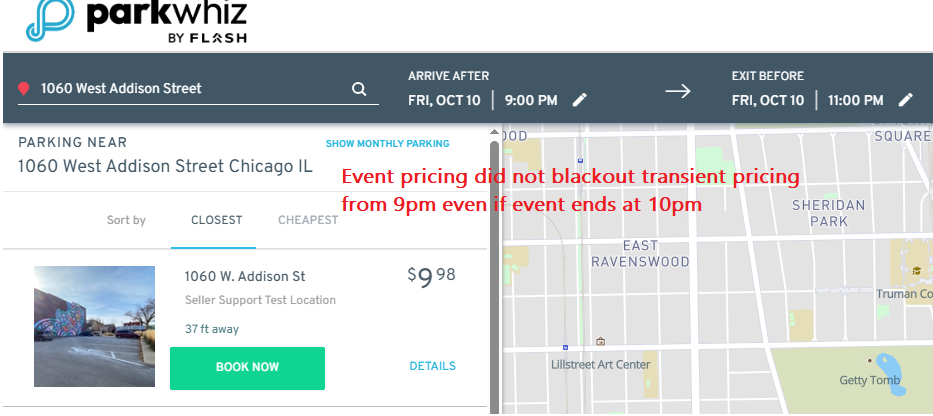 |
Was this article helpful?
That’s Great!
Thank you for your feedback
Sorry! We couldn't be helpful
Thank you for your feedback
Feedback sent
We appreciate your effort and will try to fix the article