ADYEN S1U2 EMV CREDIT CARD READER
 |
|
Supported Payment Methods
- Tap (NFC)
- Chip Insert (EMV chip)
- Swipe (MSR)
- Mobile Wallets: Apple Pay / Google Pay / Samsung Pay
S1U2 Installation Options
Standard/wall mount Kiosks
|  |
Retrofit Arm Mount
|  |
| Kiosk Form Factor | Compatibility |
|---|---|
| Standard Entry/Exit/POF | Supported |
| Wall Mount | Supported |
| Mini | Supported |
| Cash Machine | Supported |
| Door Reader | Not Supported |
| Cashier Kiosk | Not Supported |
Smart Station L3 Mini – Adyen
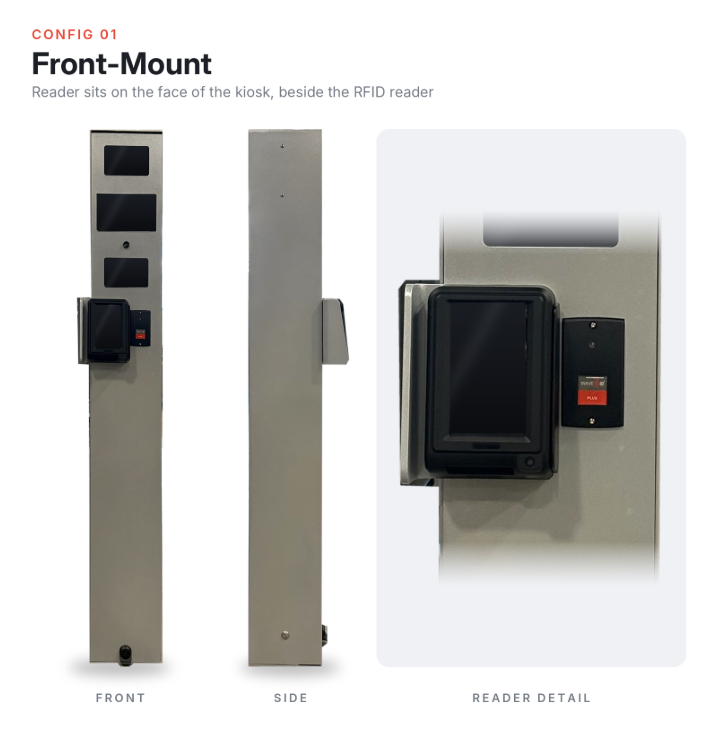
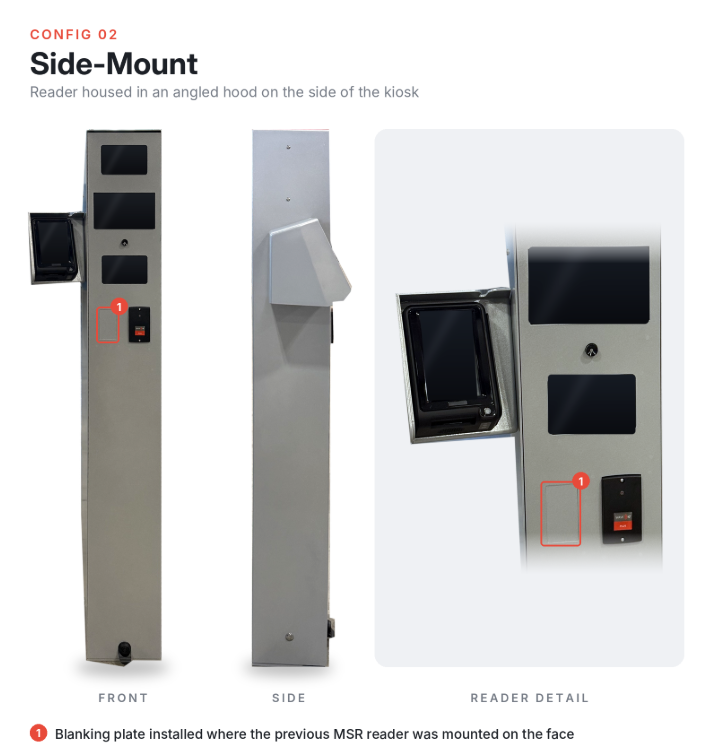
The Smart Station L3 Mini with Adyen integrates the S1U2 credit card reader into the compact lane terminal using Flash’s existing front-mounted and side-mounted solutions. It maintains the same functionality as the standard L3 Mini Kiosk while supporting Adyen payment processing. Existing units can be retrofitted with the card reader.
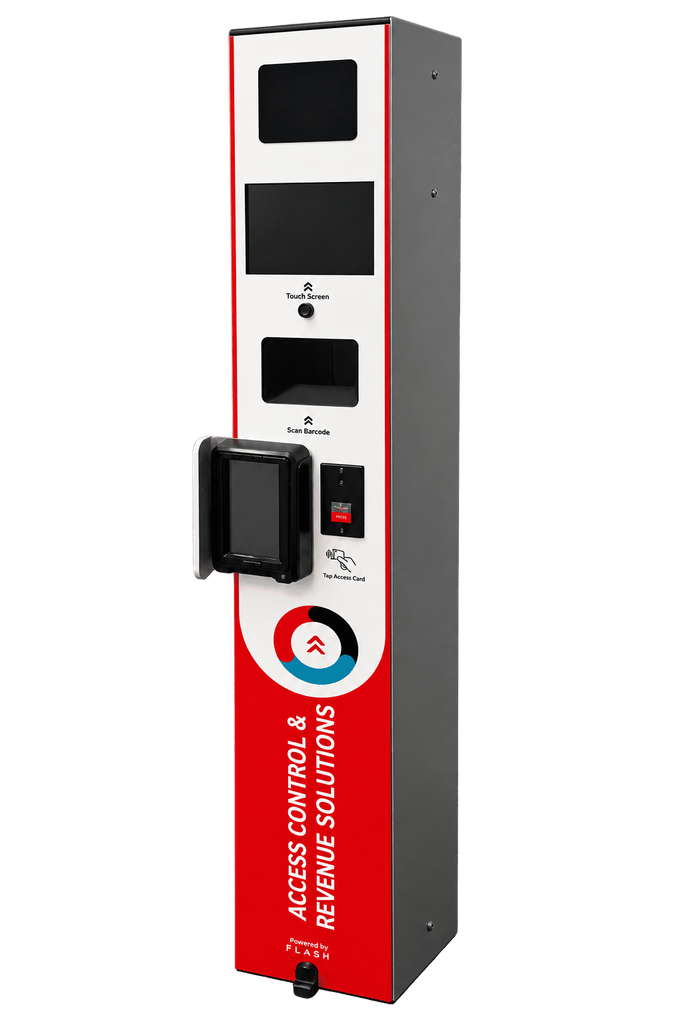
Supported hardware:
- 7-inch touchscreen
- Integrated Intercom (2-way audio communication)
- RFID/proximity card reader
- Zebra barcode scanner (2D and QR)
- Magnetic Stripe (Credit Card acceptance)
- Front-mounted Adyen reader through the sidecar solution
Note: Bluetooth is optional and purchased separately.
A FlashCare Maintenance Kit is also available for on-site replacement parts.
 |  |
Offline Mode for S1U2 Terminals
Adyen terminals support offline transaction processing, allowing drivers to complete payments even when the device is temporarily disconnected from the network. This feature helps reduce friction and maintain operations during intermittent connectivity issues.
Key Limitations and Configurations:
- Maximum # of Offline Transactions:
Each terminal can store approximately 2,000 transactions while offline. This limit is based on the terminal’s internal memory. - Maximum Amount per Transaction:
There is no configurable maximum amount per individual offline transaction. - Maximum Offline Duration:
The offline duration can be configured per terminal, store, or merchant account. Reach out to Adyen Support or your implementation team to define this parameter according to your operational needs.
Was this article helpful?
That’s Great!
Thank you for your feedback
Sorry! We couldn't be helpful
Thank you for your feedback
Feedback sent
We appreciate your effort and will try to fix the article