What Happens If the Driver Was Vended Out by Support
If a parker exited after calling Support and was manually vended out:
- The Express Pay session will likely remain Open
- The PARCS ticket may still be active
- The payment will not reconcile automatically
If an Express Pay user has an open session, they cannot start a new Express Pay session until the existing one is closed.
Required Actions:
- Contact ParkWhiz Support to invalidate the ParkWhiz session.
- Provide Support with the parker's information (license plate or phone number)
- Location name
- Provide Support with the parker's information (license plate or phone number)
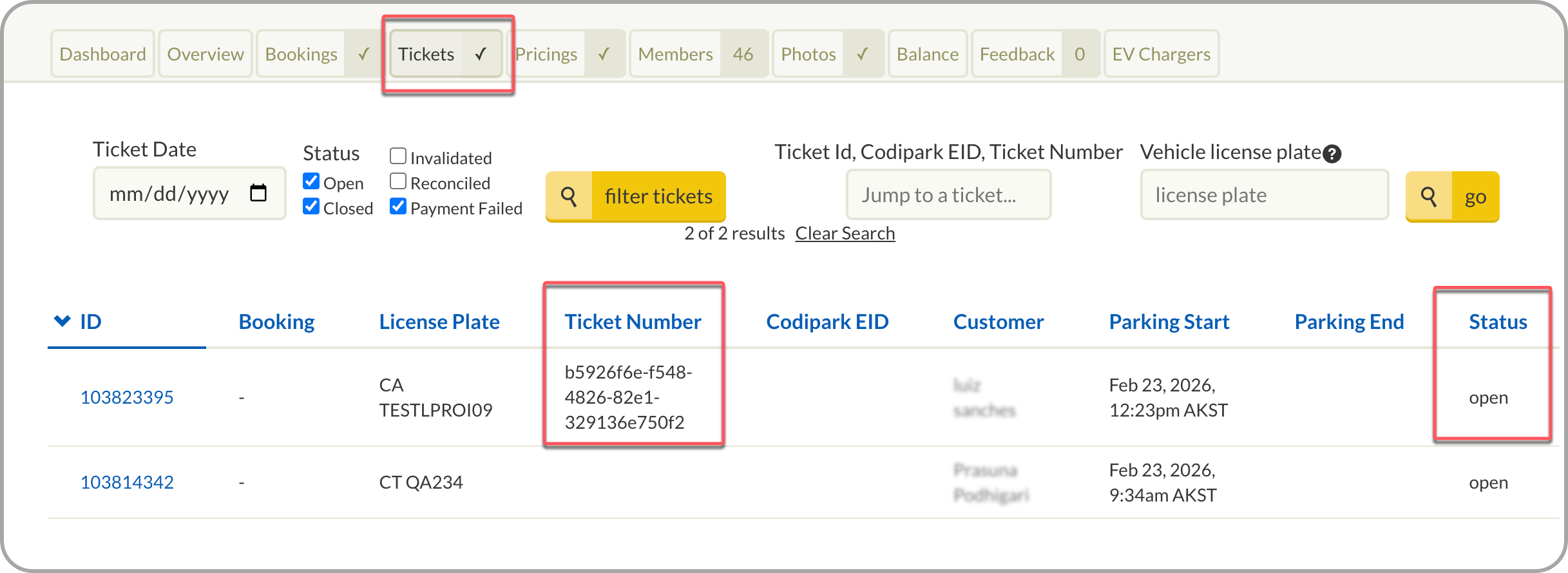
ParkWhiz Support: help@parkwhiz.com or 888-472-7594The information can be verified in ParkWhiz Admin under the Tickets tab, which displays the current status of each ticket.
If an External Ticket Number is present, the ParkWhiz session was successfully linked to the corresponding PARCS ticket.
2. Soft close the PARCS ticket in the PARCS platform.
- Flash PARCS -> Use Clean Up Tickets
Flash Customer Support Portal
See the Customer Support portal guide for more information.
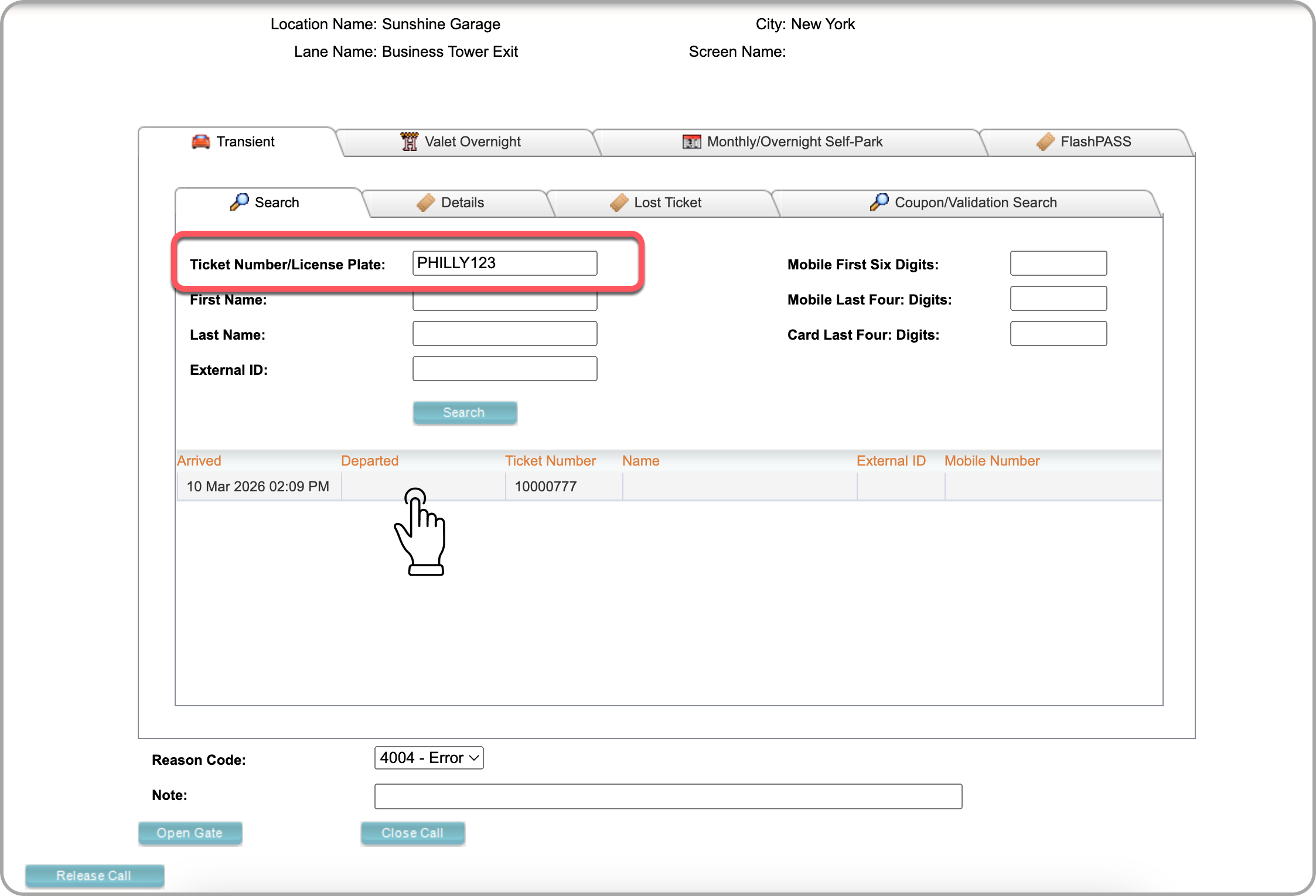
1. Log into s.flashvalet.com
2. Select Create New Call if not troubleshooting with a customer in the lane.
3. Enter customer license or PARCS ticket number (if known) > Search
4. Select ticket from list
Flash PARCS Clean Up Tickets
Flash Admin Portal
- Log into Flash Admin portal.
- Select Locations tab > Location.
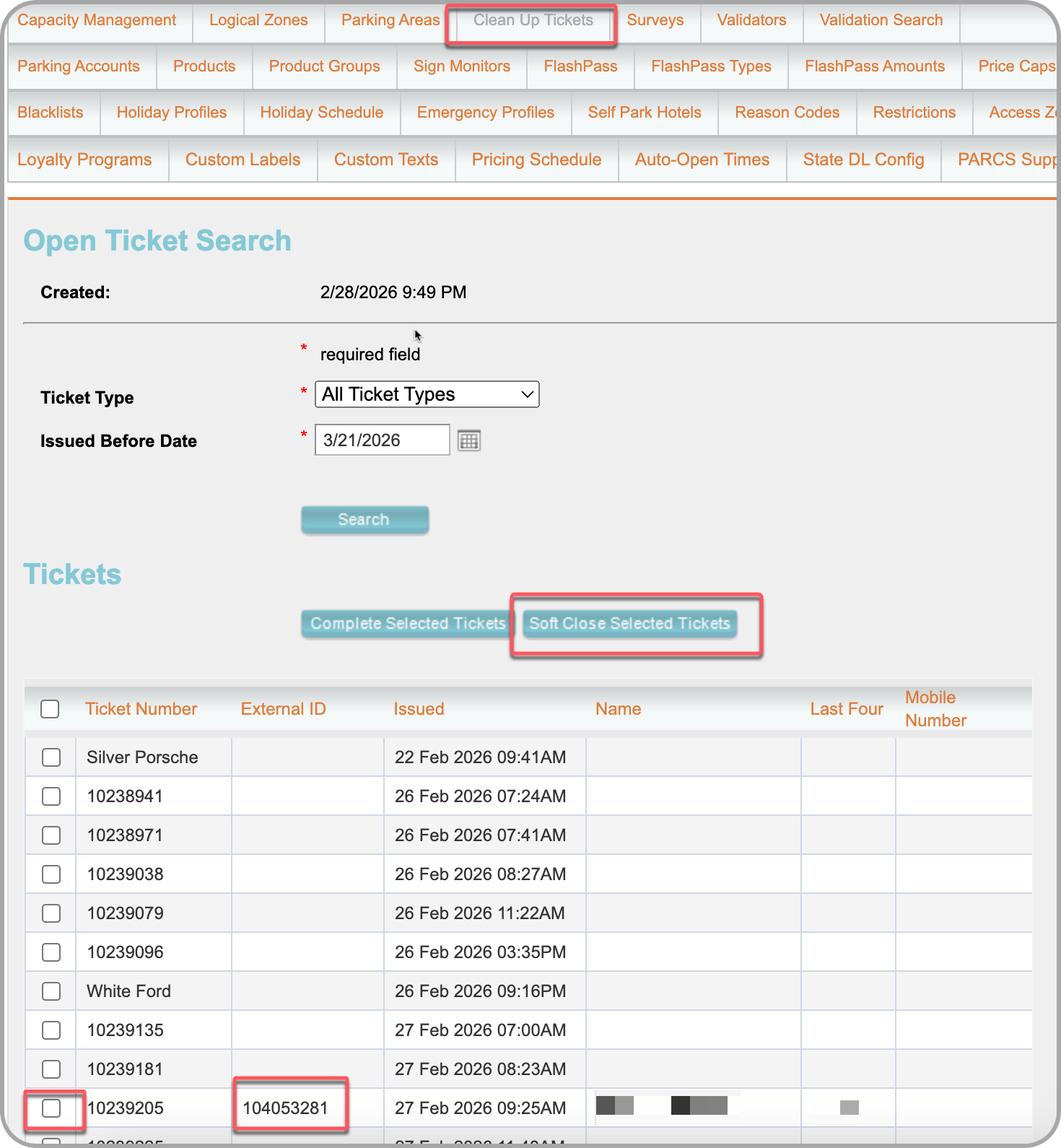
- Select the Clean Up Tickets tab from top menu.
- Select Transient Ticket type and enter a future date or a day after the known entry date.
- Locate ticket by the known External ticket number found in ParkWhiz or the PARCS transient ticket number.
- Soft Close Selected Tickets.
Was this article helpful?
That’s Great!
Thank you for your feedback
Sorry! We couldn't be helpful
Thank you for your feedback
Feedback sent
We appreciate your effort and will try to fix the article