KIOSK STATUS ICONS
Flash PARCS kiosks feature a status indicator integrated into the Flash logo located at the bottom of the user interface. The kiosk status indicator is a key tool for troubleshooting and understanding the current behavior of the kiosk.

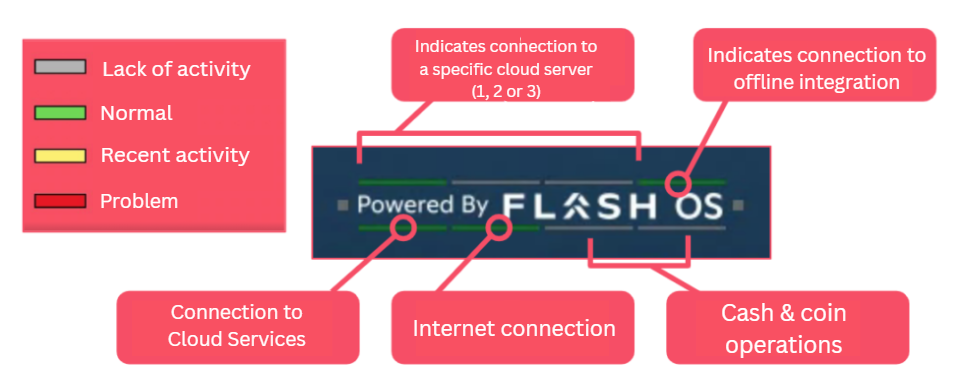
- Red – Indicates a problem.
- Grey – Indicates lack of activity.
- Yellow – Currently functional, but indicates recent activity (less than 5 mins ago).
- Green – Indicates normal operation.
Upper Lines
The first three lines from left to right identify the active cloud configuration for the kiosk. The Flash PARCS is designed to switch between available cloud connection points in real-time. This capability helps provide optimal performance. It is normal that the green indicator moves between the first three lines.
Arming and Safety Loop Indicators
The left and right squares indicate arming and safety loop activity, respectively.
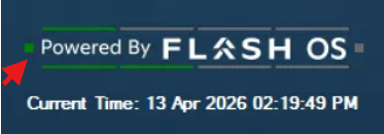
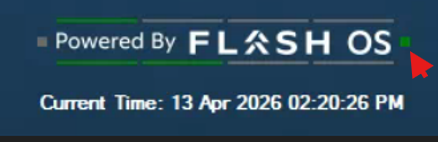
- When green: The loop is detecting a vehicle on the lane.
- When gray: The loop is not detecting a vehicle on the lane.
- When yellow: The loop is currently functional, but had a problem less than 5 minutes ago.
- When red: The loop has a problem and won’t be able to detect any vehicles.
Lower Lines
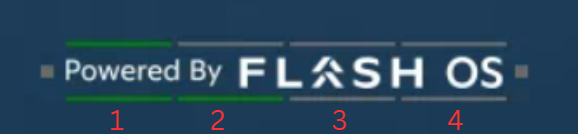
The bottom 4 lines indicate a connection to each element in the following order, per line:
- Connection to the cloud services: Shows if the kiosk is connected to the Flash cloud.
- Connection to the internet:
- Green: Connected to the internet
- Yellow: Currently connected to the internet, but had Internet issues less than 5 minutes ago.
- Red: Not connected to the Internet.
- The cash machine: Shows cash machine status. This indicator is gray if the kiosk is not equipped with a cash machine.
- The coin machine: Shows coin machine status. This indicator is gray if the kiosk is not equipped with a coin machine.
Grayed out:

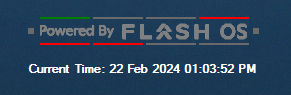
A grayed-out Flash OS logo shows the kiosk is in Hybrid Mode or Offline.
More Information regarding visual indicators for Offline Mode see Flash PARCS: Offline Mode.General Notes
Customization
- The font size of text in the Flash PARCS UI cannot be changed, including the Flash OS logo status indicator. The font size is scaled by the amount of text in the text box and the location of the text box. The location and size of UI elements cannot be changed; only the text content can.
- Some image contents can be changed with the Kiosk Logo feature.
Was this article helpful?
That’s Great!
Thank you for your feedback
Sorry! We couldn't be helpful
Thank you for your feedback
Feedback sent
We appreciate your effort and will try to fix the article