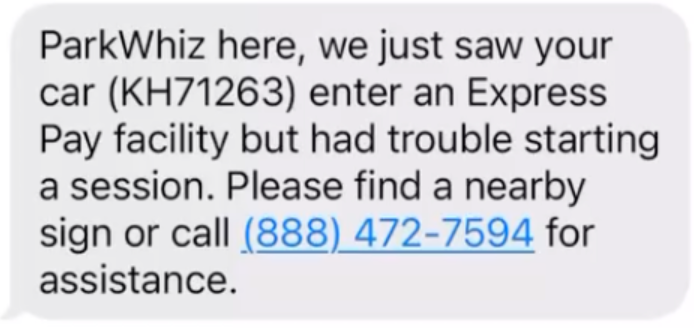
“I ENTERED THE GARAGE BUT RECEIVED A TEXT MESSAGE THAT MY EXPRESS PAY SESSION DIDN'T START”
Description
The system recognized the license plate at entry, but blocked a new session from starting, usually due to an open previous session or a multiple-vehicle conflict.
Agent Instructions & Details
- Cause 1: The driver previously parked at another Express Pay location and their session did not properly close. Because the session remains open, the system blocks any new Express Pay session until the previous one is cleared.
- Cause 2 (Multiple Vehicles): If two vehicles linked to the same Express Pay account attempt to park at the same time, the second vehicle will receive a message that the session could not start. Only one active session is allowed per account at a time.
Cause 1: Open Session Contact the ParkWhiz Support Team or call 888-472-7594 to invalidate the Express Pay session. Provide support with the following information:
|
Was this article helpful?
That’s Great!
Thank you for your feedback
Sorry! We couldn't be helpful
Thank you for your feedback
Feedback sent
We appreciate your effort and will try to fix the article