"I DIDN'T MEAN TO ENROLL IN EXPRESS PAY. HOW DO I UNENROLL FROM EXPRESS PAY?"
Description:
The driver wants to unenroll their vehicle so their credit card is no longer charged automatically.
Agent Instructions & Details:
Option A (SMS Link Script):
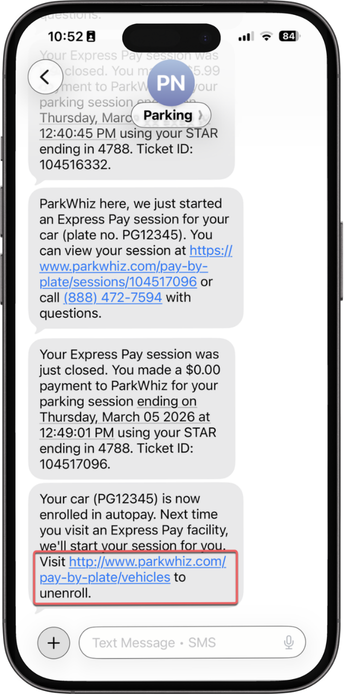
| 1. Tell the driver: "Open the confirmation text message you received after enrolling. Tap the link inside to view your registered vehicles." |
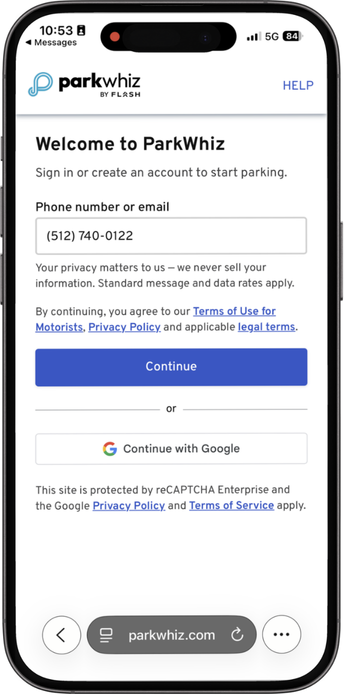
| 2. Tell the driver: "Sign in by entering your phone number for verification when prompted." |
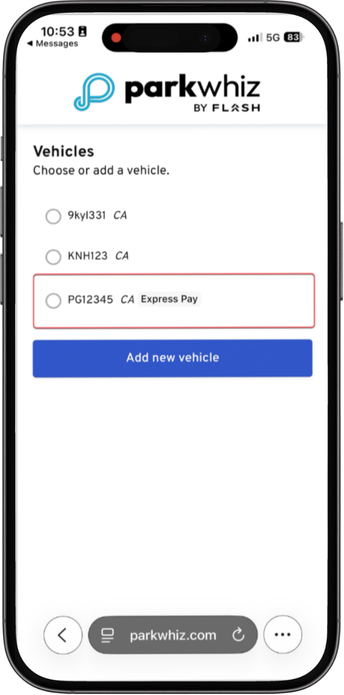
| 3. Tell the driver: "You will see a list of your saved license plates. Tap Edit next to the plate displaying the Express Pay label." |
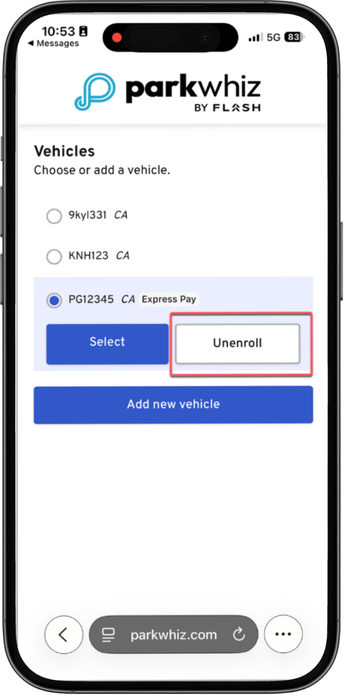
| 4. Tell the driver: "Tap the Unenroll button to remove that license plate from Express Pay." Agent Note: Remind the driver that if their vehicle is currently in an active parking session, they must complete or cancel the session first before unenrolling. |
Option B (ParkWhiz App Script):
ParkWhiz App - iOS
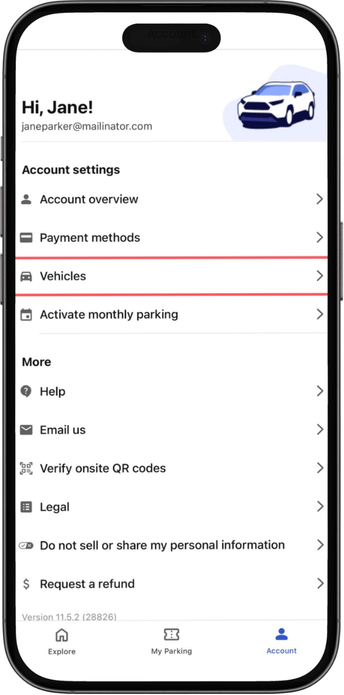
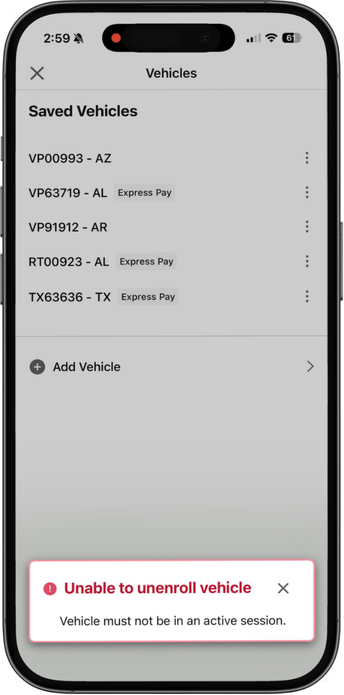
| 1. Tell the driver: "Go to your Account Settings in the ParkWhiz app and tap the Vehicles option." |
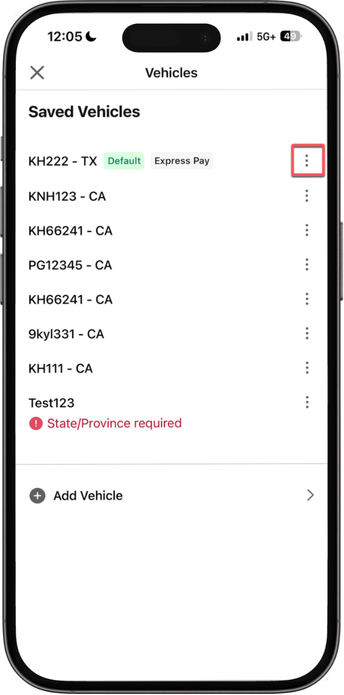
| 2. Tell the driver: "Tap the three dots on the right side of the vehicle you want to unenroll." |
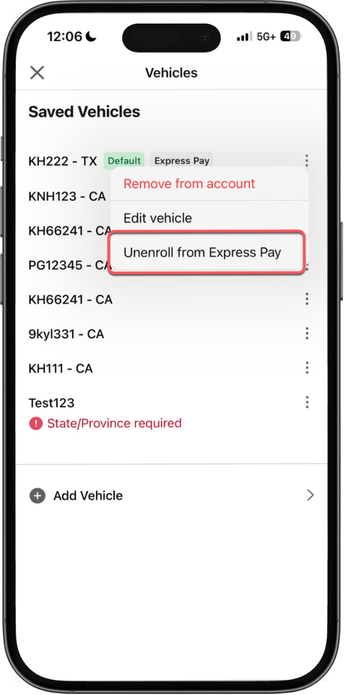
| 3. Tell the driver: "Select Unenroll from Express Pay from the menu options." |
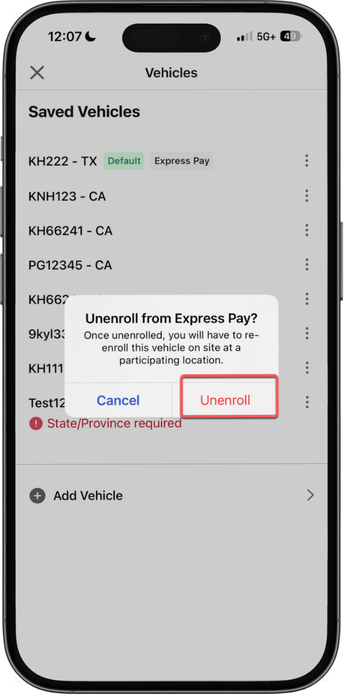
| 4. Tell the driver: "When the confirmation prompt appears, tap Unenroll to confirm." |
| Agent Note: If the vehicle is in an active parking session, inform the driver that the session must be finished or canceled prior to unenrollment. |
Android App
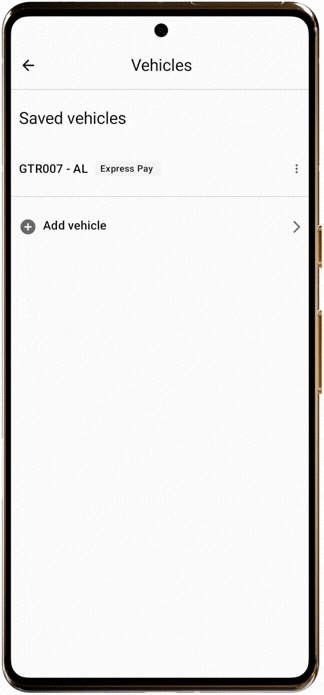
| 1. Tell the driver: "Tap Vehicles, then tap the three-dot menu next to the vehicle you wish to unenroll." 2. Tell the driver: "Select Unenroll from Express Pay." 3. Tell the driver: "When the confirmation pop-up appears, tap the red Unenroll button." |
Option C (ParkMobile App Script):
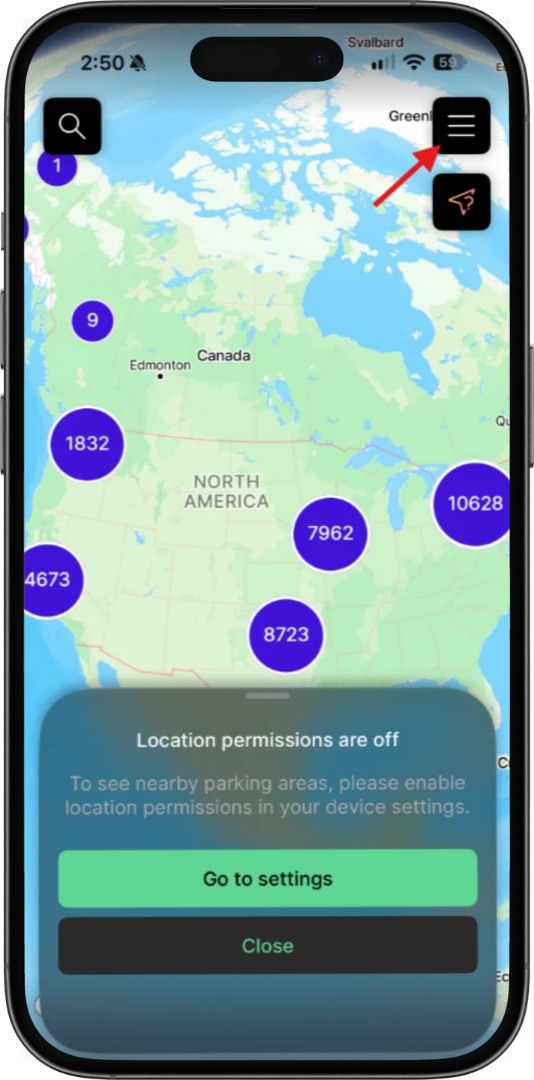
| 1. Tell the driver: "Tap the three lines in the top right corner to open the main menu." |
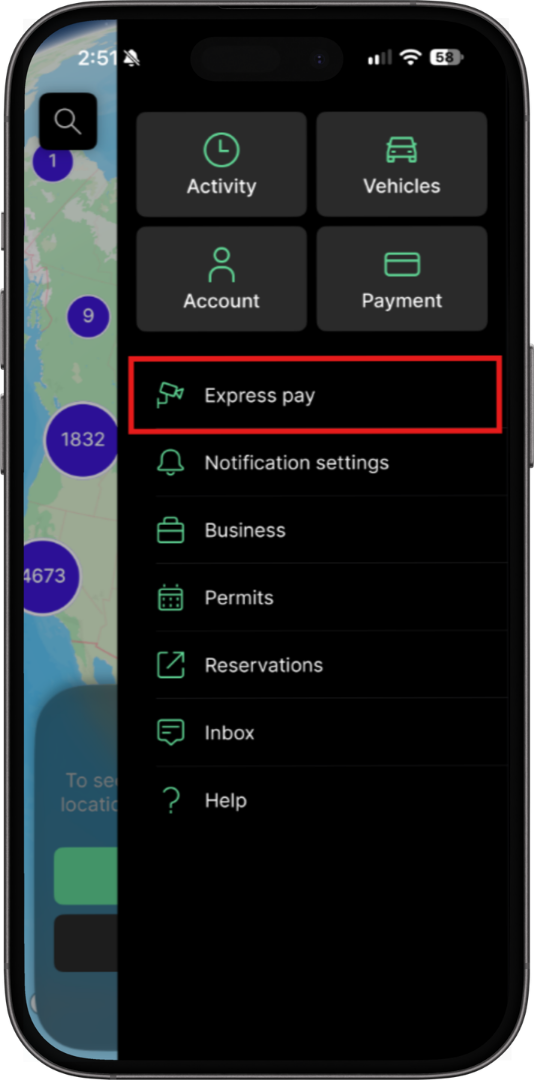
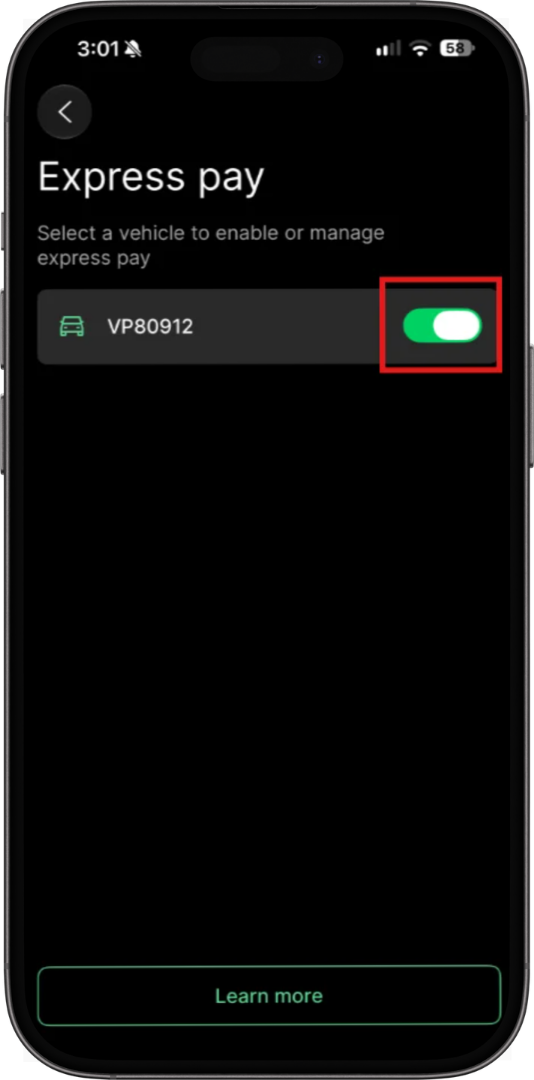
| 2. Tell the driver: "Select the Express Pay tab from the menu." |
| 3. Tell the driver: "Tap the toggle switch next to the vehicle you wish to disable." Agent Note: Remind the driver that active parking sessions must be completed or canceled before disabling Express Pay. |
Was this article helpful?
That’s Great!
Thank you for your feedback
Sorry! We couldn't be helpful
Thank you for your feedback
Feedback sent
We appreciate your effort and will try to fix the article