Scenario
"My initial payment failed when trying to enroll. Am I still registered for Express Pay?
Failed Payment Management
Drivers are not enrolled in Express Pay until their first successful payment is processed.
- Enrollment requires a completed, successful transaction.
- If the payment fails:
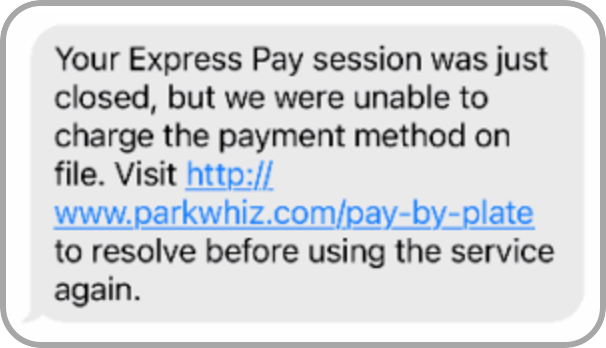
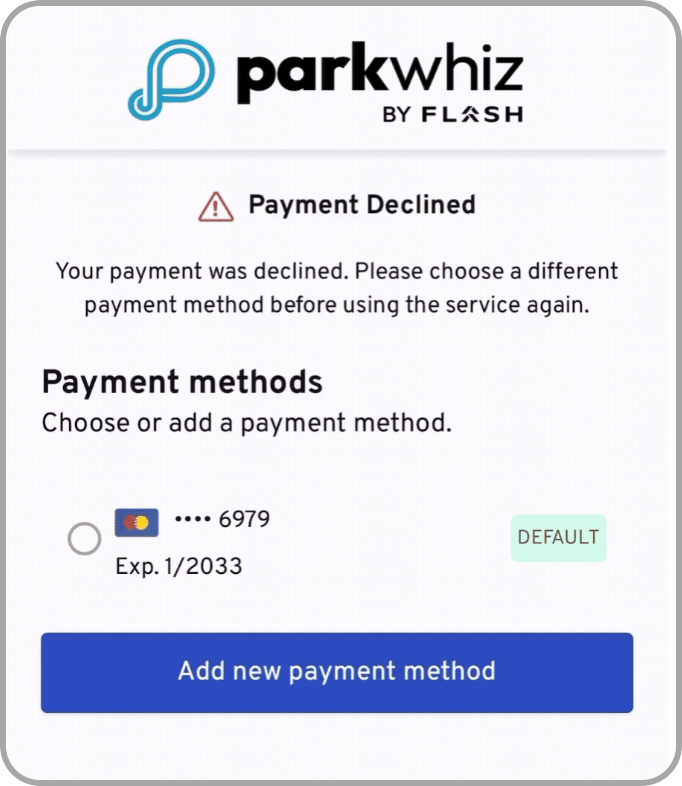
- The driver receives an SMS notifying them of the failure.
- They are prompted to update their payment method.
- Next time they use Express Pay, the system will attempt to collect payment for the previous unpaid session.
 |  |
Operator Verification
In ParkWhiz Admin:
- Confirm whether a reconciled transaction exists.
- If no reconciled transaction exists → Driver is not enrolled.
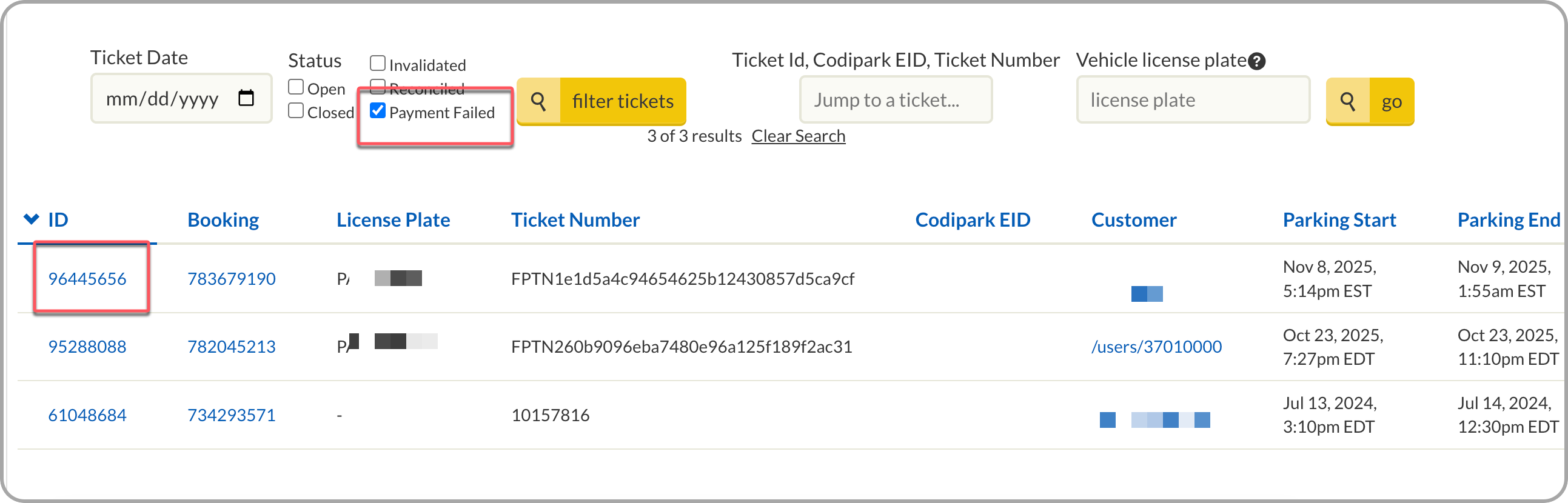
- Log in to ParkWhiz Admin
- Select Location > Tickets tab
- Filter by Payment Failed
- Enter the provided license plate
- Select ID for Failed Payment verification
Required Action
No system correction required.
Instruct the driver to:
- Update their payment method.
- Complete a successful paid session to activate Express Pay enrollment.
Was this article helpful?
That’s Great!
Thank you for your feedback
Sorry! We couldn't be helpful
Thank you for your feedback
Feedback sent
We appreciate your effort and will try to fix the article