LPR AUTO PRESENT FEE
How It Works
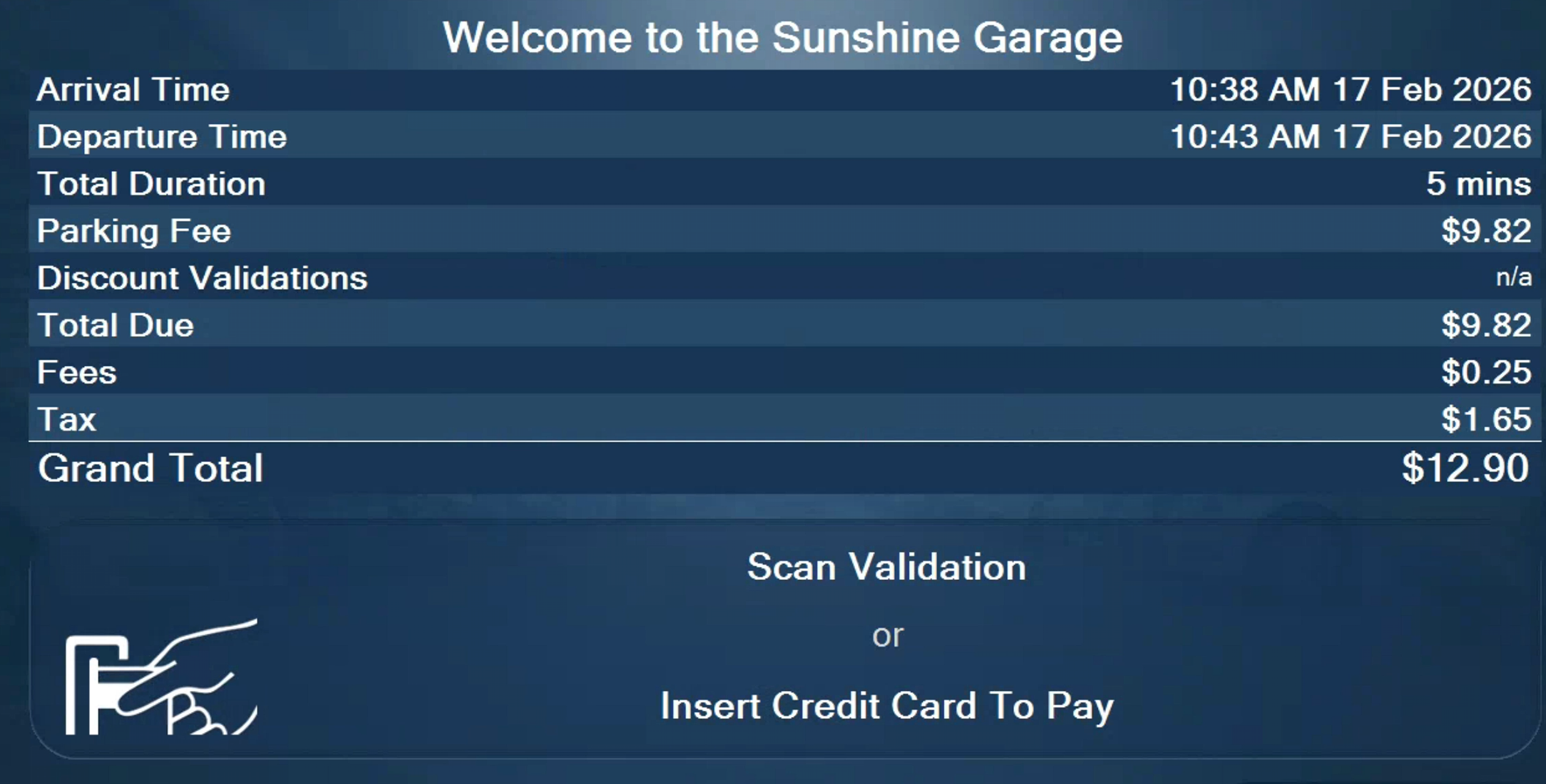
When a driver enters a Flash PARCS location equipped with License Plate Recognition (LPR), the system automatically links the vehicle’s license plate to the time-stamped transient ticket issued at entry.
At exit:
- The LPR camera reads the license plate.
- The system retrieves the associated parking session.
- The amount due is automatically displayed on the exit kiosk screen based on the total parking duration.
This creates a streamlined, touch-minimized exit experience for drivers.
Configurable Auto-Display Behavior
The automatic display of the balance due is configured based on a threshold amount.
Threshold-Based Display
The amount due only displays automatically if it does NOT exceed a configured dollar threshold.
If the balance exceeds the configured threshold, the driver will be required to
- Scan their transient ticket or
- Present their access credential
before the balance is displayed.
This additional step ensures the driver can verify that the amount shown corresponds to their specific parking session.
Supported LPR Integrations
This functionality is supported across all integrated LPR systems with Flash PARCS, including:
- Vision
Uncanny
HTS
If you would like assistance configuring threshold settings or adjusting exit behavior, please contact Flash Support at support@flashparking.comHow to Configure LPR Thresholds in Flash Admin
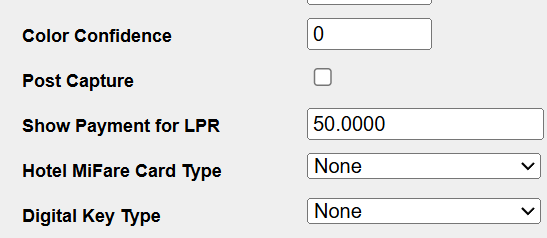
The Show Payment for LPR setting controls when the payment screen automatically appears at exit based on the amount owed. You can configure this at the Location, Logical Zone, or Kiosk level.
If wanting to disable the LPR Auto Display on Exit entirely, set the threshold to 0.00 on the location level.Location Level
This enables the threshold for all the kiosks under the Location and all Logical Zones (if applicable)
- Log in to the Flash Admin portal > Select Location
- Locate Show Payment for LPR Under setting
- Enter the desired threshold amount
- Save
The Show Payment for LPR Under setting currently defaults to a $100.000 threshold.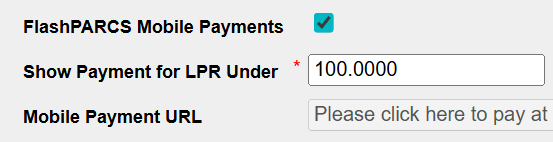
Logical Zone and Kiosk Levels
Campus Mode
- Log in to the Flash Admin portal > Select Location
- Select the Logical Zone tab > Logical zone
- Locate Show Payment for LPR Under setting
- Enter the desired threshold amount for the Logical Zone
- Save
Kiosk
- Log in to the Flash Admin portal > Select Location
- Select PARCS Kiosk tab > Kiosk
- Locate Show Payment for LPR Under setting
- Enter the desired threshold amount for the specific kiosk
- Save
Important Notes
Configuration Hierarchy
The Show Payment for LPR setting follows this order of precedence:
Kiosk → Logical Zone → Location
The system evaluates settings in this sequence:
- Kiosk level (highest priority)
- Logical Zone level
- Location level (fallback/default)
If a threshold is configured at the Kiosk level, it overrides Logical Zone and Location settings. If no Kiosk setting exists, the system checks Logical Zone. If neither is set, the Location-level value is applied.
How the Threshold Functions
The configured dollar amount in the Show Payment for LPR field determines when driver verification is required at exit.
- If the amount owed is less than the threshold:
→ The payment screen displays automatically after license plate recognition. - If the amount owed is equal to or greater than the threshold:
→ The driver must scan a paper ticket or present another credential (credit card, mobile number, etc.) before the payment screen is displayed.
This safeguard ensures that higher balances are not shown without driver confirmation of the associated parking session.
Was this article helpful?
That’s Great!
Thank you for your feedback
Sorry! We couldn't be helpful
Thank you for your feedback
Feedback sent
We appreciate your effort and will try to fix the article