Scenario
"I already purchased a parking reservation, but am being prompted for payment at exit"
What Likely Happened
- The Reservation holder did not add their license plate to the reservation and they are enrolled in Express Pay
- The Reservation holder did not add their license plate to the reservation and it's a Hybrid Gated Mode location.
The following guidance is for Parkonect locations only.Immediate Operator Guidance
Use the Convert Stay tool in Garage Log
The Parkonect Garage Log is available to Customer Admin and Remote Users.
- Log in to the Parkonect Admin portal.
- Select Garage > Garage Log tab
- Locate the Transient ticket using the Filter By tool
- The driver will provide their License Plate. (The Amount due screen displays the License Plate for easy reference.)
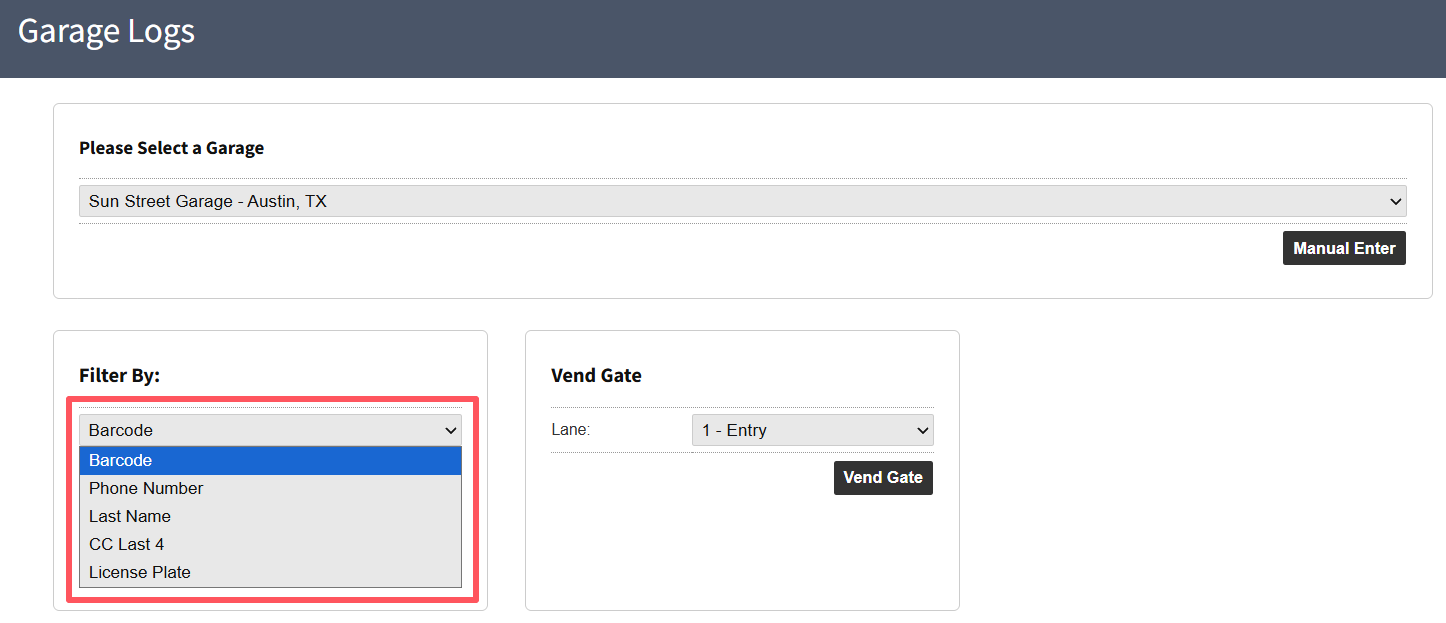
4. Once the Transient entry is located, click the plus sign to toggle options > Select the Convert Stay button.
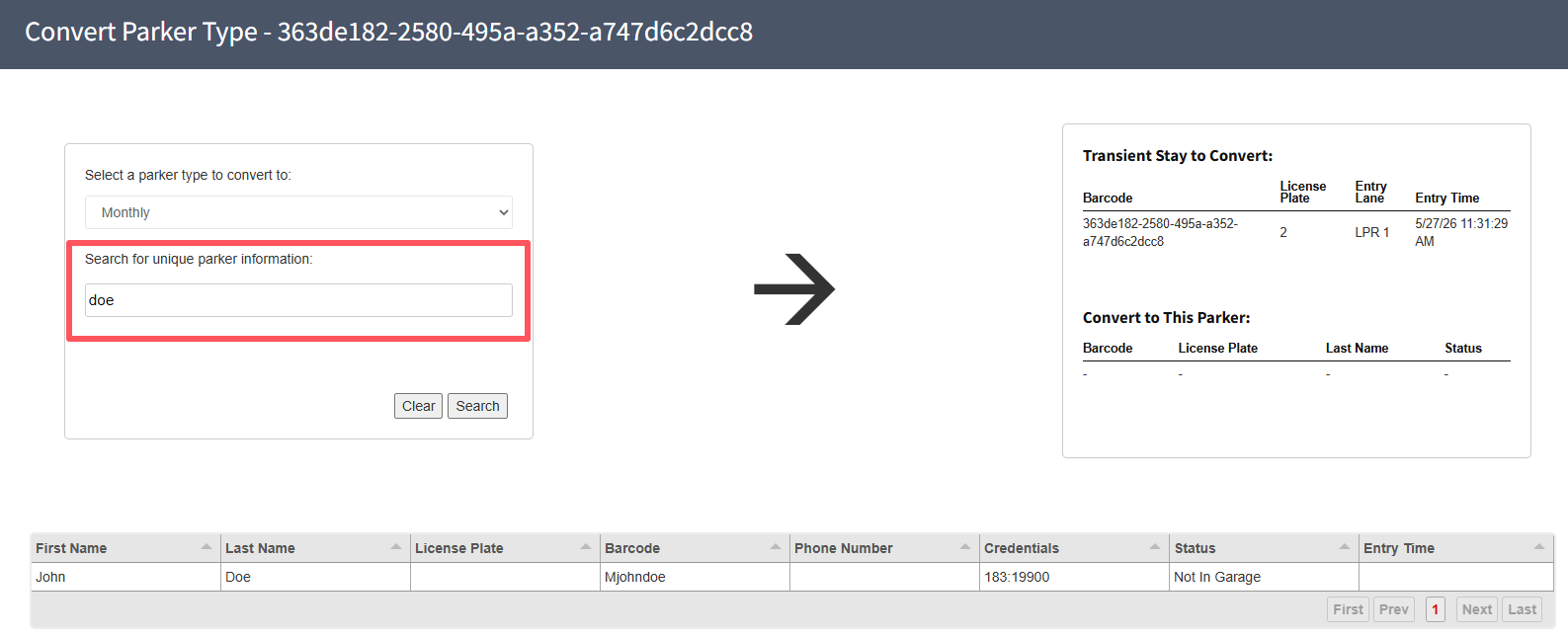
5. Search for the Reservation by the provided information > Click Search
- Name
- Credential
- License Plate
- Phone Number
6. Click on the Reservation row from the filtered list.
7. Select the driver’s Lane from the Send To Lane dropdown.
8. Click the Convert button > Confirm

Was this article helpful?
That’s Great!
Thank you for your feedback
Sorry! We couldn't be helpful
Thank you for your feedback
Feedback sent
We appreciate your effort and will try to fix the article