MULTI-VENUE EVENT LANDING PAGES
Multi-Venue Google Event Landing Pages allow events from multiple venues to be displayed on a single Google Event Landing Page. Users can switch between venues directly on the page to browse events and parking options across multiple locations.
This feature is ideal for organizations that manage multiple venues and want to provide a unified event parking experience through a single landing page.
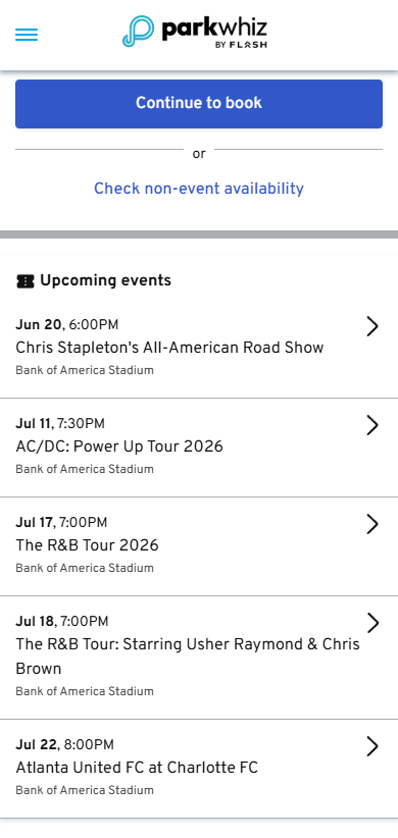 | 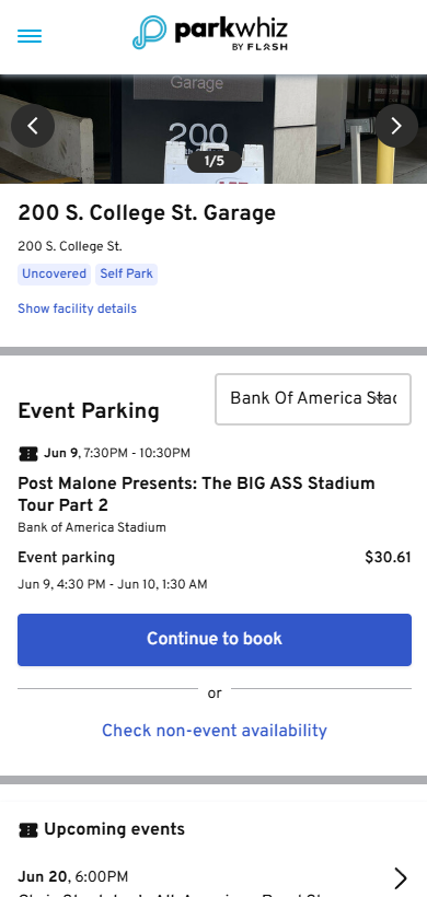 |
How It Works
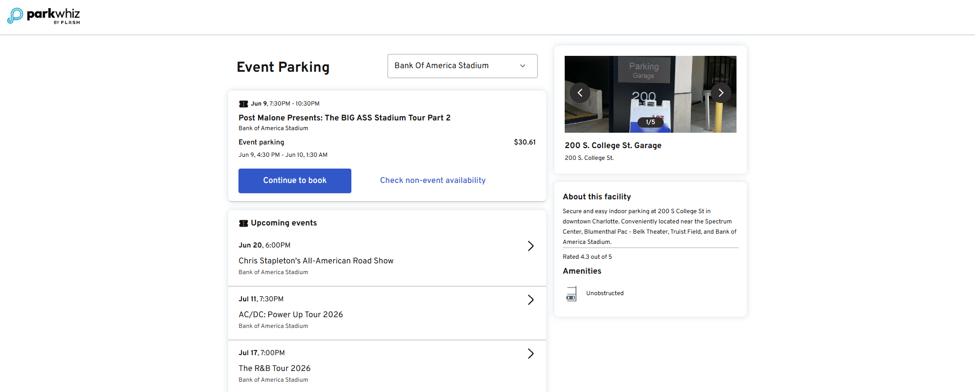
When Multi-Venue Google Event Landing Pages are enabled, users can select from multiple venues within the same event landing page experience. Switching venues updates the available events displayed on the page, allowing users to browse events from different locations without navigating to a separate landing page.
Use Cases
- Display events from multiple venues on a single landing page.
- Allow users to switch between venues directly from the landing page.
- Provide access to events from multiple venues using a single URL.
- Consolidate multiple venue event listings into a single Google Event Landing Page.
What Users See
When viewing a Google Event Landing Page, users will see a venue selector that allows them to switch between available venues. Selecting a different venue updates the events displayed on the page, making it easy to browse events across multiple locations.
Implementation
Multi-Venue Google Event Landing Pages are configured by the Flash team.
To request this feature or have additional venues added to an existing Google Event Landing Page, contact Support.
Was this article helpful?
That’s Great!
Thank you for your feedback
Sorry! We couldn't be helpful
Thank you for your feedback
Feedback sent
We appreciate your effort and will try to fix the article