EXPRESS PAY FOR PARCS INTRODUCTION
Express Pay is a digital payment solution powered by the ParkWhiz platform and supported by Flash PARCS. It utilizes license plate recognition (LPR) as the driver’s credential, enabling a seamless, contactless method for paying for parking.
With Express Pay, operators capture every transaction while giving drivers a faster, modern parking experience.
Express Pay Benefits
New Driver Experience: Powered by Flash Innovation
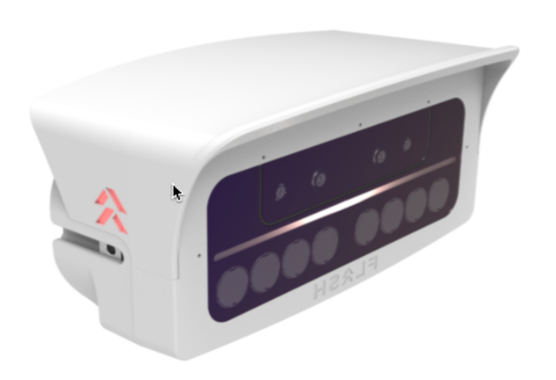
The Express Pay experience is powered by a dynamic integration of four innovative Flash technologies:
 Vision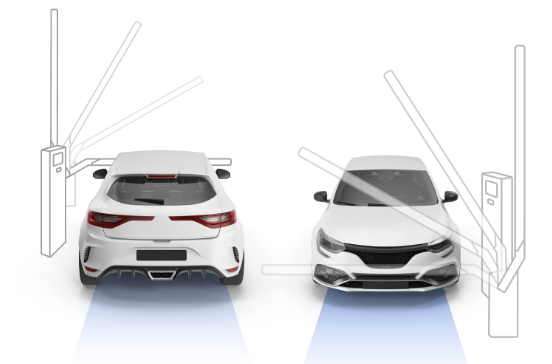
- PARCS: Flash PARCS
- LPR: Vision
- Digital Payments: ParkWhiz
- Compliance: Flash Enforcement
These combined technologies create a robust and seamless parking solution for both drivers and operators, enhancing convenience, security, and efficiency.
How It Works
DRIVE IN: Cameras scan license plates and automatically open the gate for enrolled Express Pay users.
- PARK: Drivers scan a QR code or tap a text link to claim their session. If enrolled in Express Pay, no action is required.
- DRIVE OUT: Cameras verify session details, automatically open the gate, and charge the card on file.
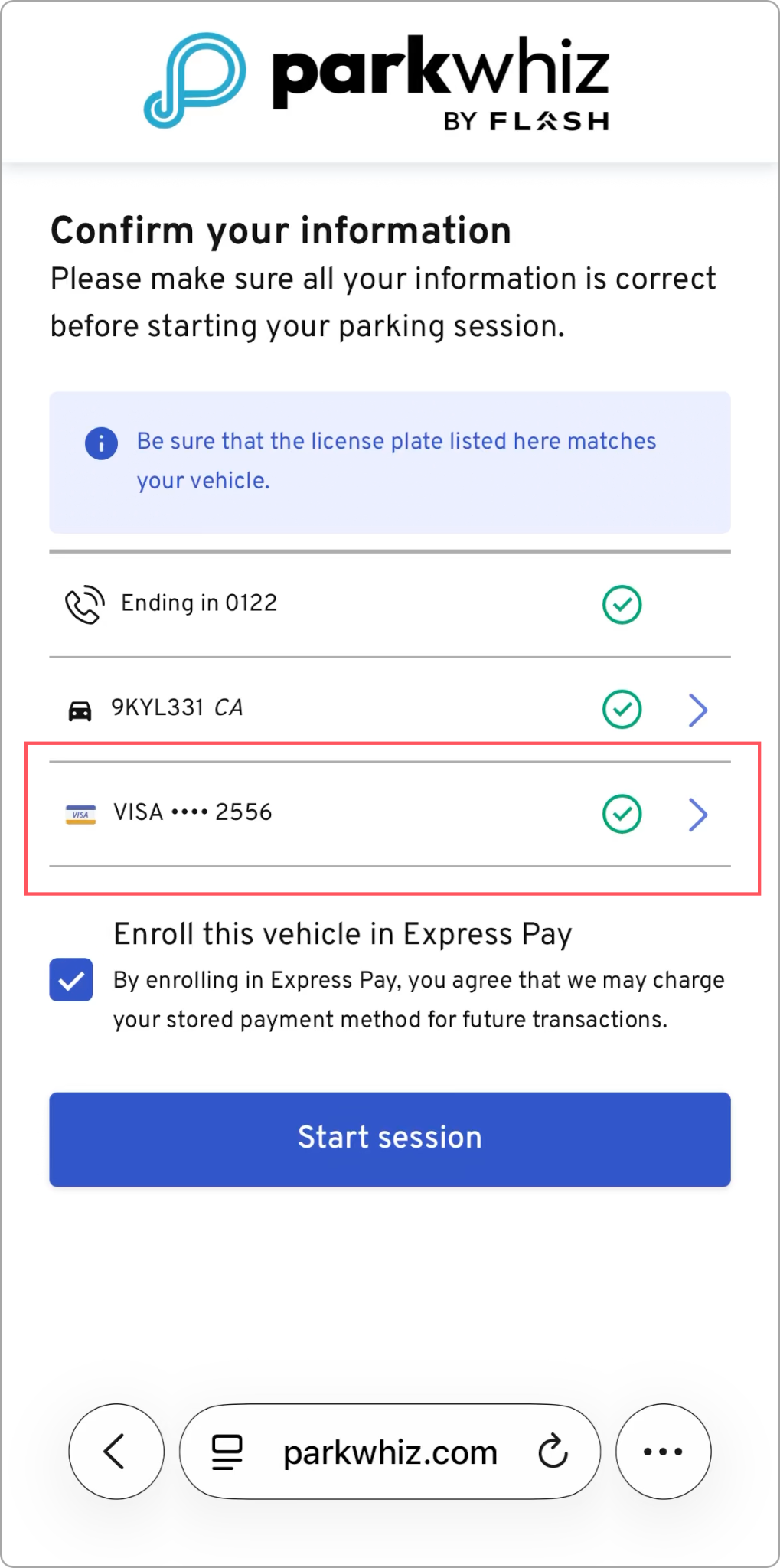
Express Pay provides a seamless, contactless way to pay for parking at PARCS-controlled facilities. To initiate Express Pay, drivers scan a displayed QR code, leading them through a web-based sign-up process.
Option for Ticket Takeover
The Ticket Takeover feature is designed for drivers to claim their session by scanning their paper ticket or manually entering their license plate.
To configure this feature on your location, contact Flash Parking Support.
| 1. When the driver initiates Express Pay they land on a page where they can choose to scan their paper ticket or manually enter their License Plate. They may be required to log in to their ParkWhiz account first. | 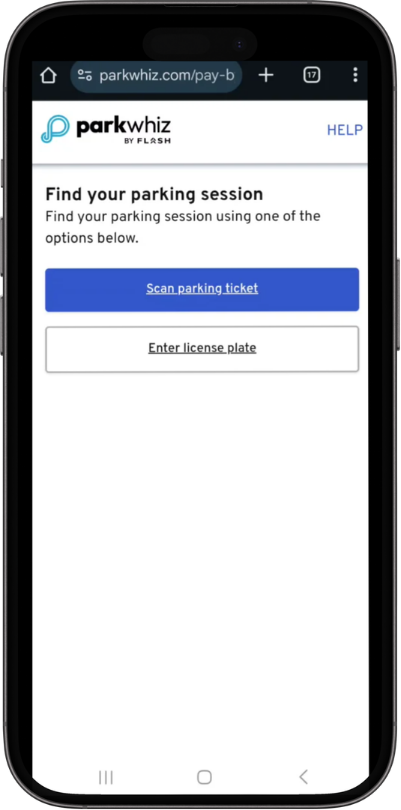 |
| 2. If they select Scan Parking Ticket, the camera opens, allowing them to scan their ticket. | 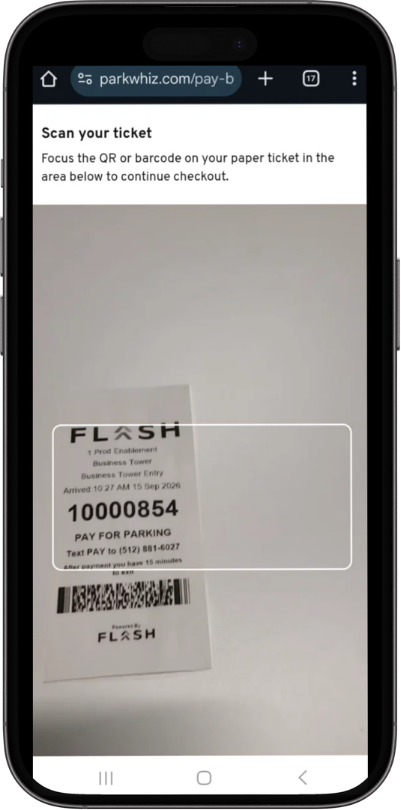 |
| 3. If Enter License Plate is selected, they will add a vehicle or choose one from their saved vehicles on their account. | 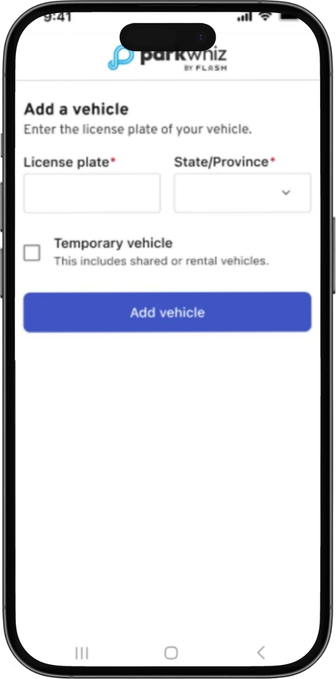 Example of when there are no Saved Vehicles 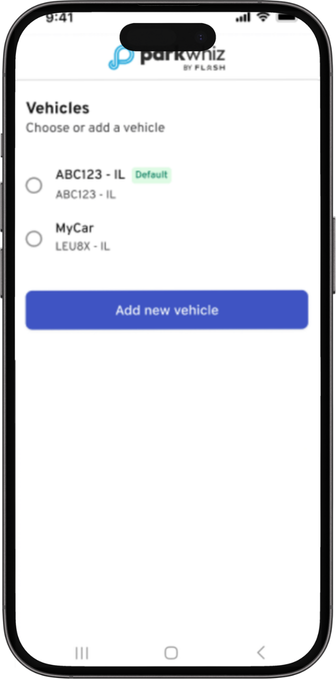 Example of when there are Saved Vehicles |
| 4. After a successful scan, the driver will be prompted to add/confirm their vehicle. | 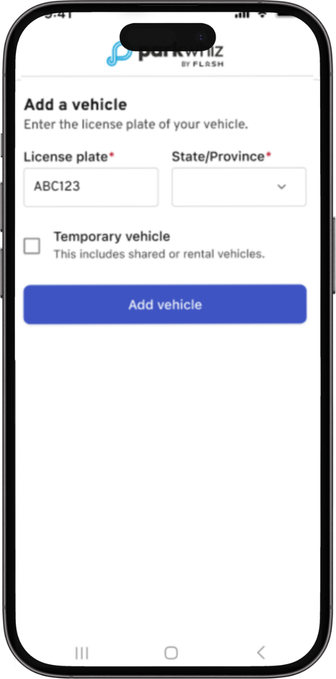 Example of when the LPR Scan does not include plate. 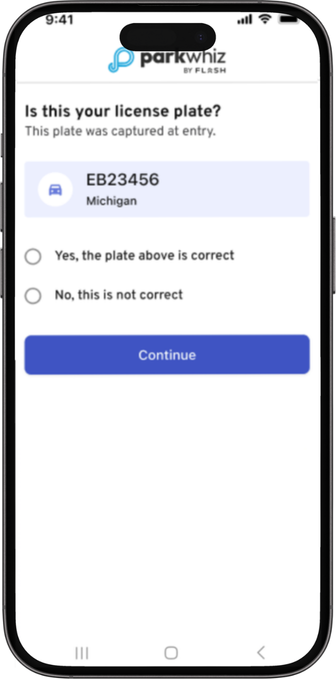 Example when the LPR Scan includes the plate. |
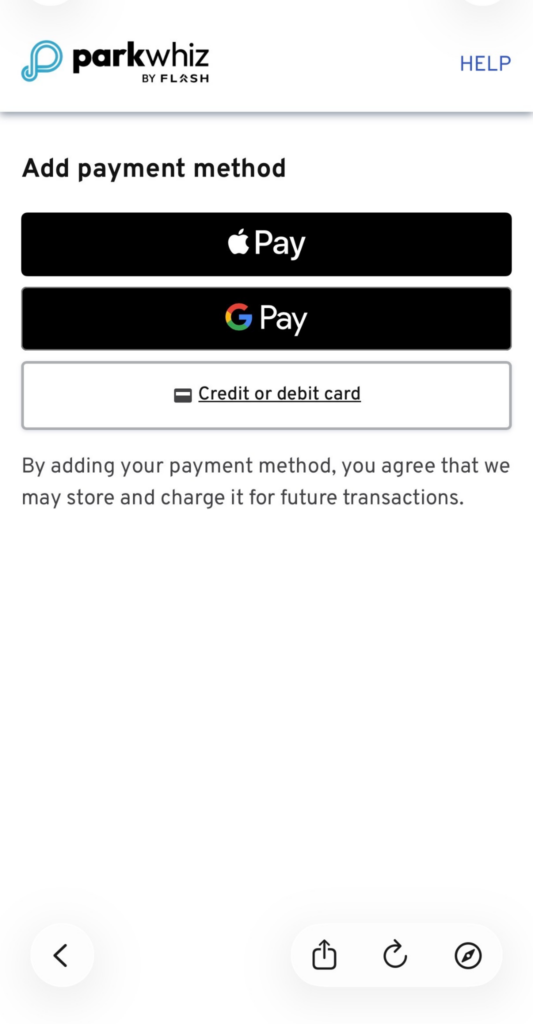
| 5. After completing the process, the Express Pay flow will take the driver to add a payment method, pay/confirm, and start the session. | 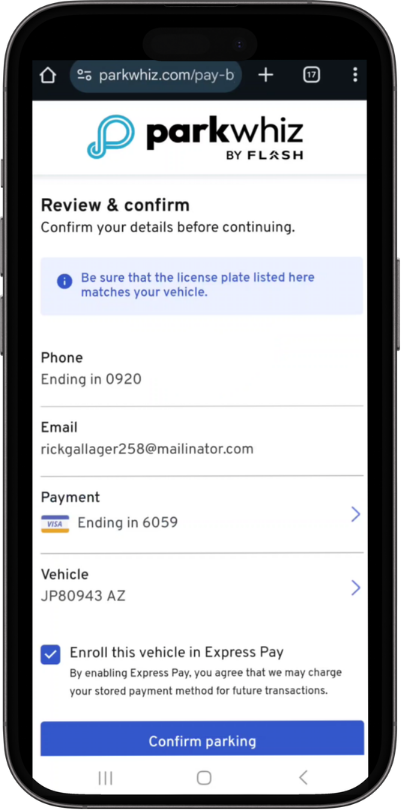 |
Future Visits
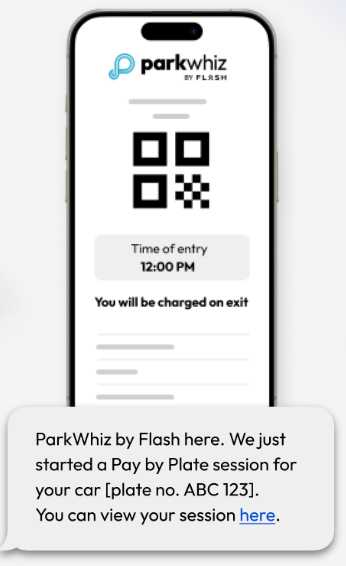
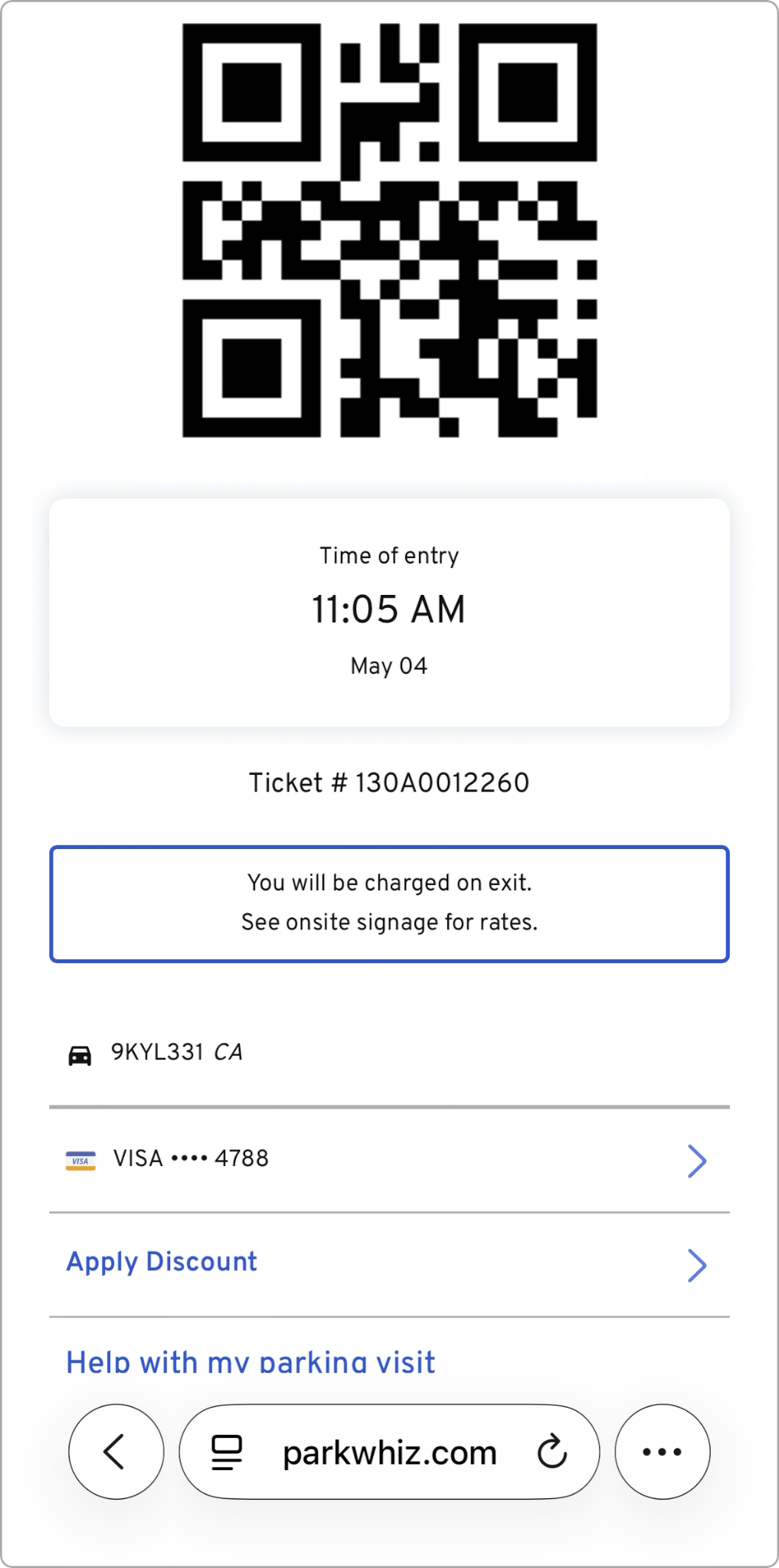
| For returning enrolled Express Pay users, the gates will automatically open when their registered license plate is recognized. No need to stop or scan. Upon entry, enrolled drivers receive an automatic text message confirming their session has started, along with a link to view their digital parking ticket. | 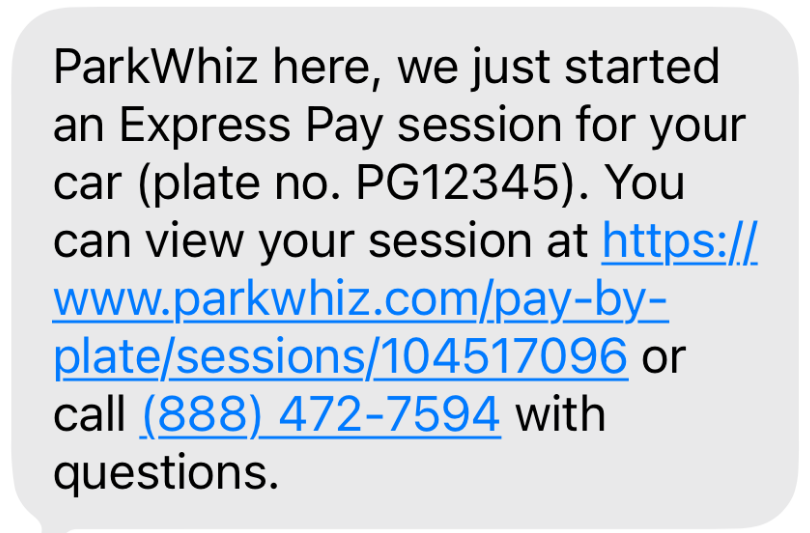 |
All payments processed through the Express Pay platform are subject to digital payment fees, which are passed on to the driver. This ensures that the payment process remains seamless while covering the costs associated with digital transactions.Was this article helpful?
That’s Great!
Thank you for your feedback
Sorry! We couldn't be helpful
Thank you for your feedback
Feedback sent
We appreciate your effort and will try to fix the article