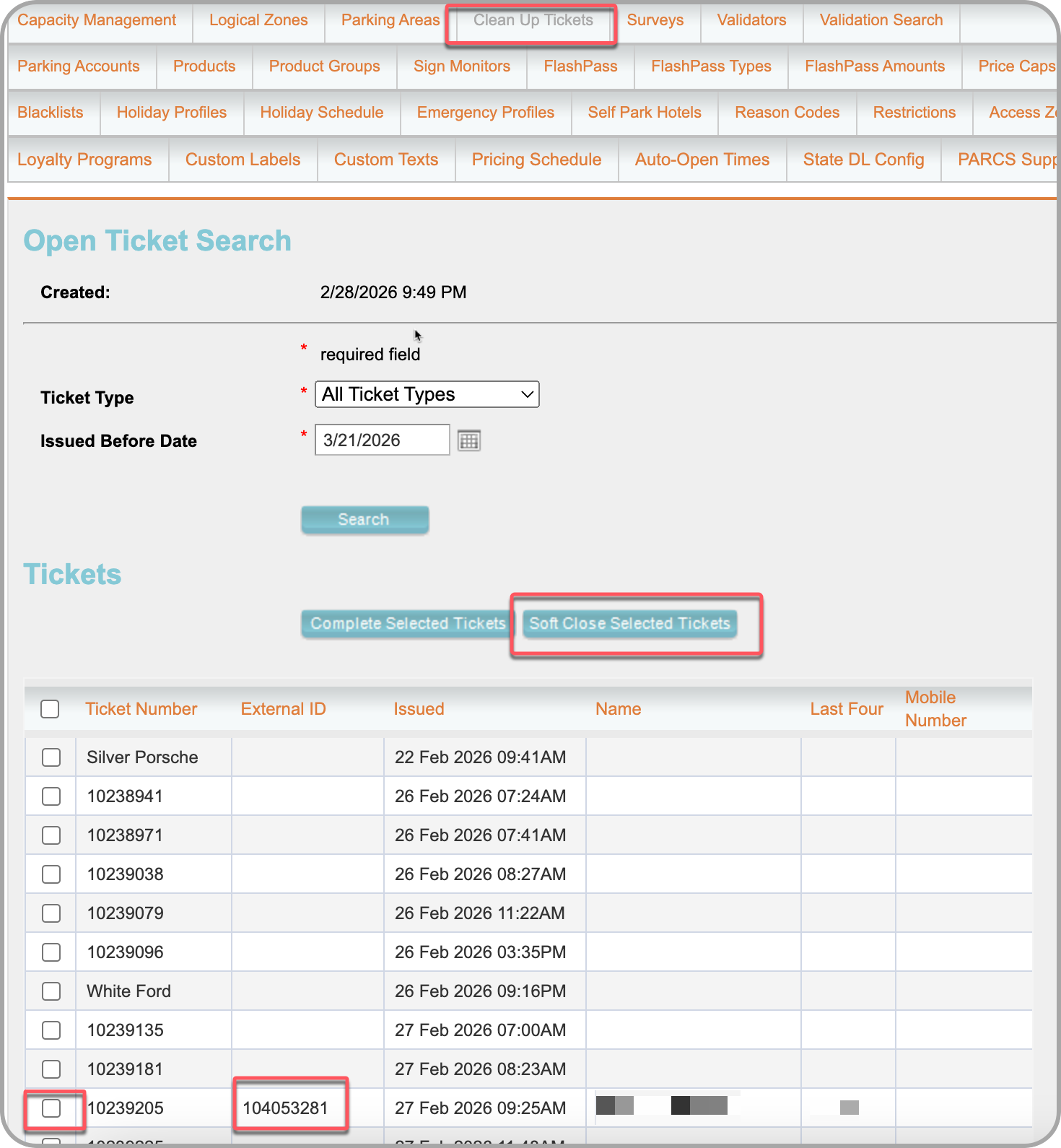
How to clear Orphaned Sessions via Flash Admin "Clean Up Tickets"
Description
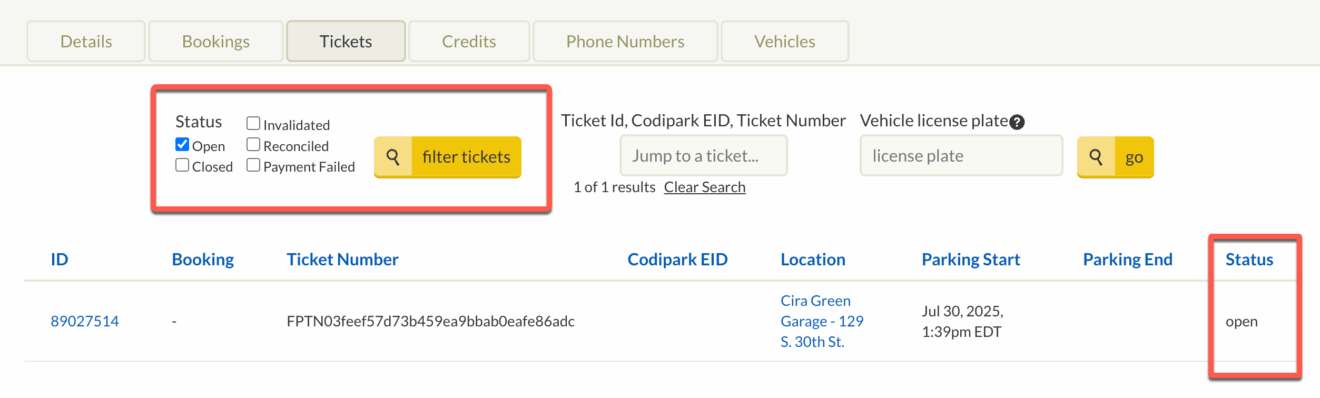
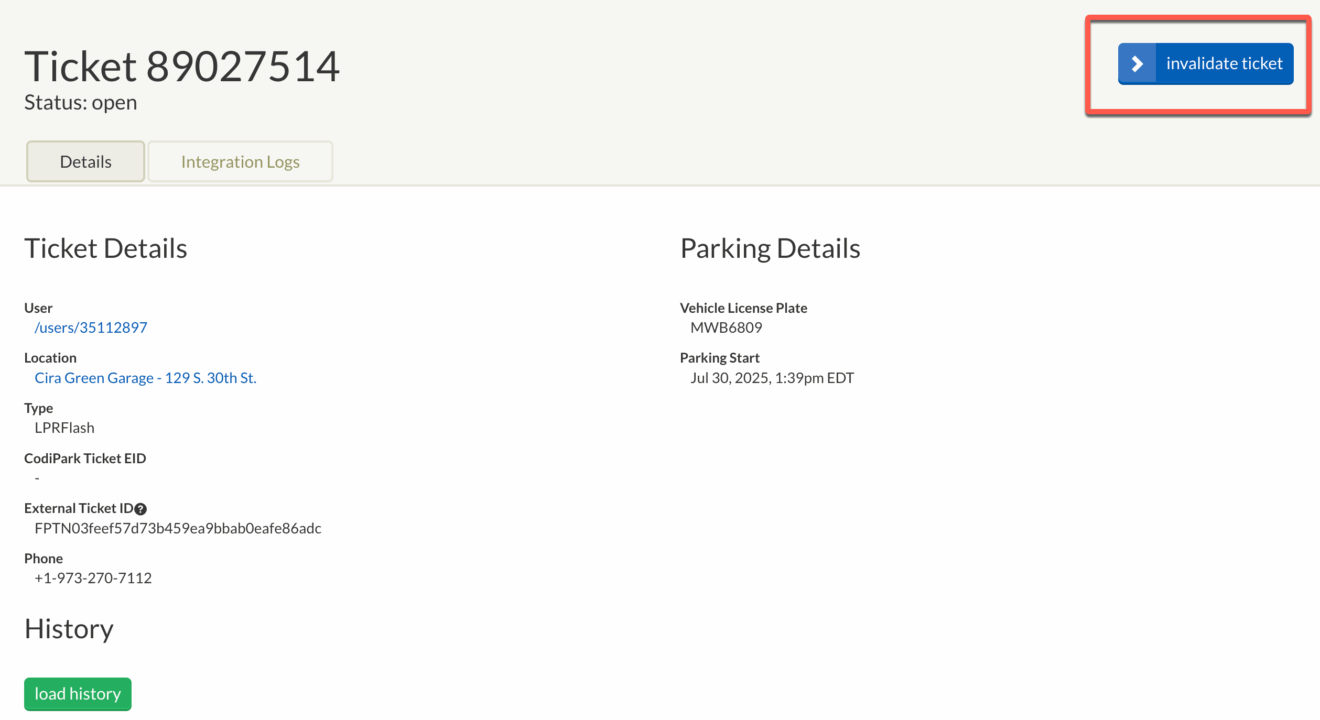
When an attendant manually opens a gate to vend a driver without scanning their credential, the associated Express Pay session and PARCS ticket remain in "Open" status. As long as this session remains unresolved, the system will block the driver from initiating any future Express Pay sessions.
Agent Instructions & Details
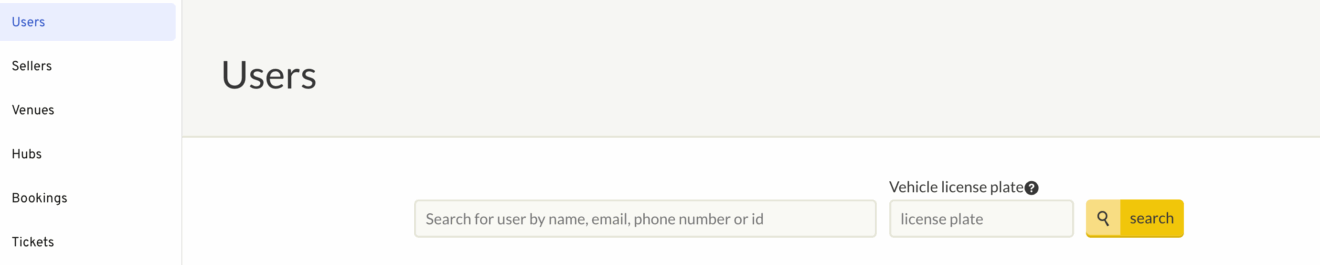
| 1. Invalidate an Open session in ParkWhiz Log in to the ParkWhiz Admin portal. Select the Users tab to pull up sessions under a specific user.
Call Script for Client: “Thank you for contacting support! I would be glad to help you close the active ticket in our system and reconcile your billing to prevent any incorrect charges. I'll process that update for you right away. May I please have your license plate and/ or ticket number, if available?" |
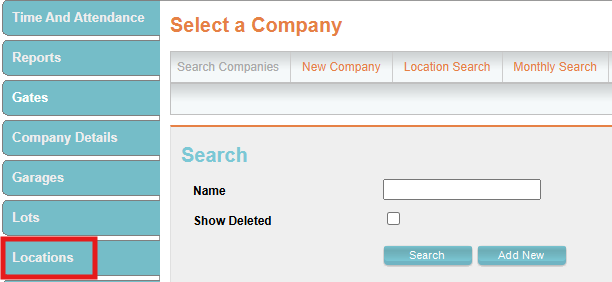
2. Soft close the PARCS ticket in Flash Admin:
Call Script for Client: "I’ve closed your ticket in the dashboard and requested Support to cancel the Express Pay session so you aren’t overcharged. All set on our end! Please make sure to contact the towing company for you to retrieve your vehicle." |
Was this article helpful?
That’s Great!
Thank you for your feedback
Sorry! We couldn't be helpful
Thank you for your feedback
Feedback sent
We appreciate your effort and will try to fix the article