"HOW DO I GET MY RECEIPT?"
Description
Drivers inquiring about expense reporting or proof of payment.
Agent Instructions & Details
For ParkWhiz:
- Explain to drivers that they can receive and view their receipts through the following steps:
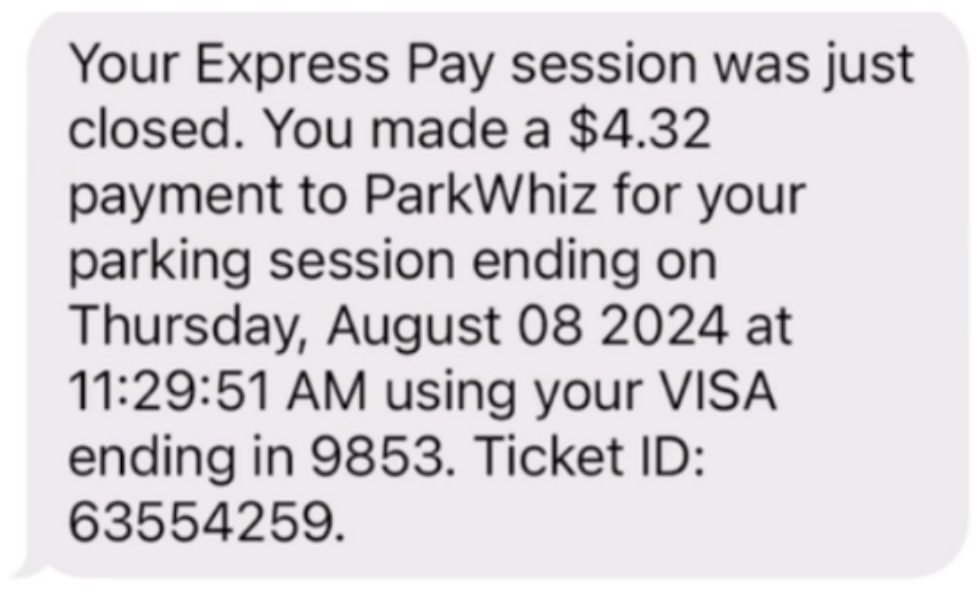
- SMS Notification: Immediately after exiting, an SMS containing payment details and total parking duration is sent to the driver.
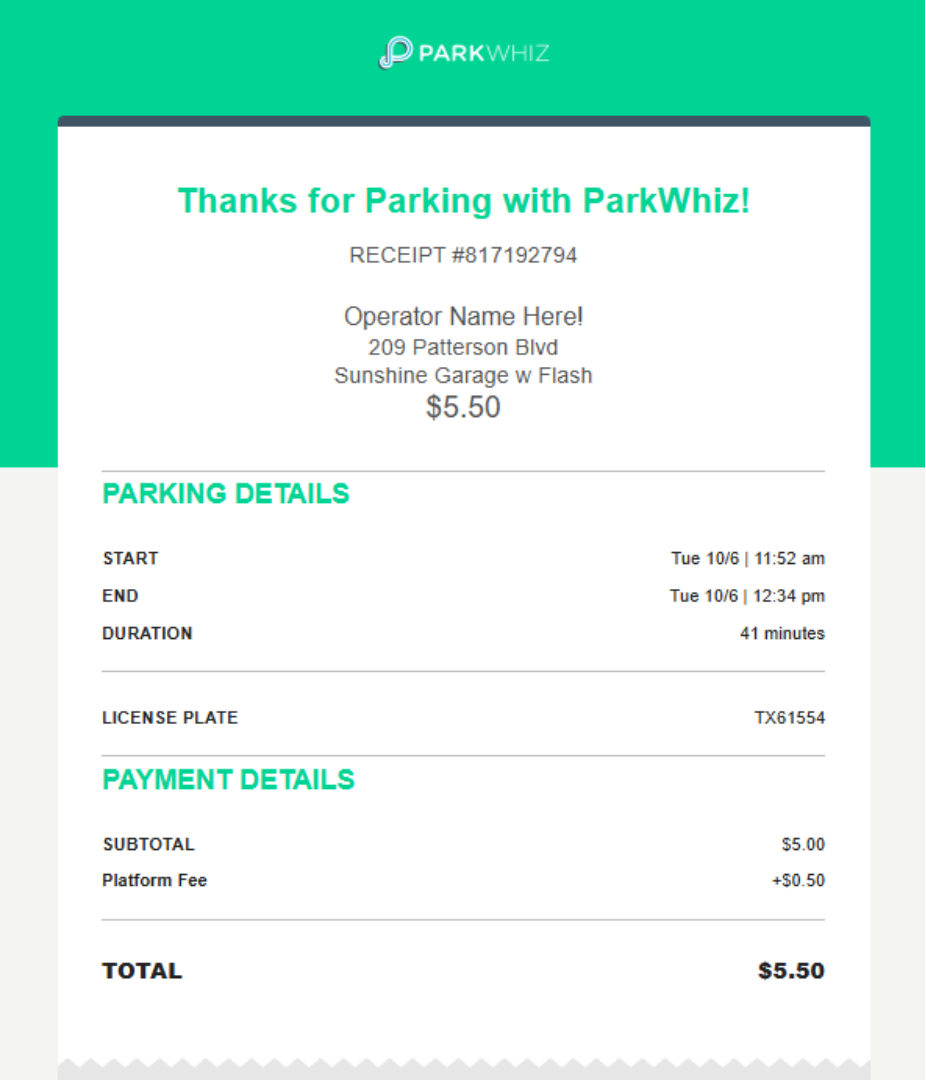
- Email Receipt: A detailed receipt is automatically emailed to the email address associated with their ParkWhiz account.
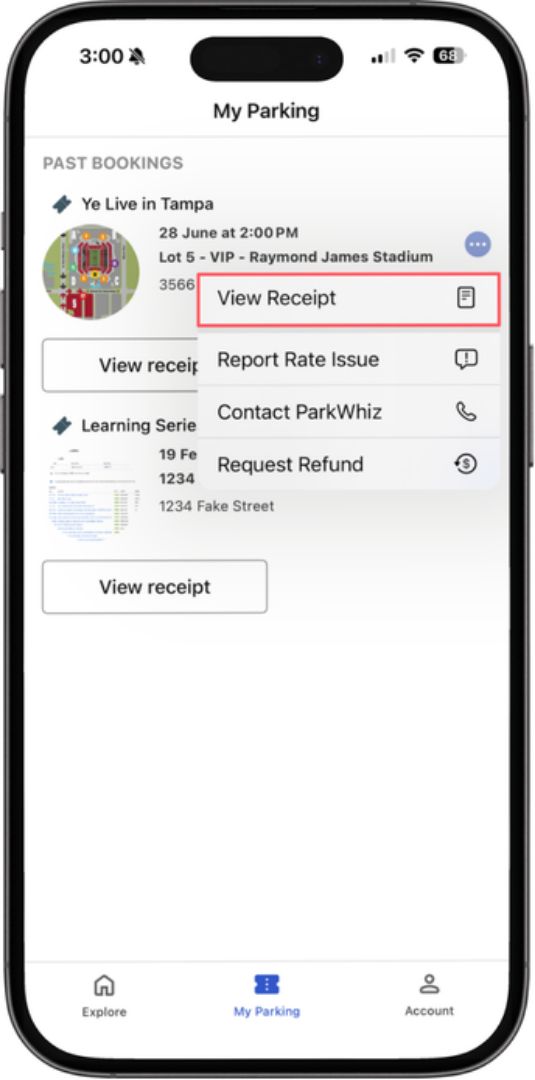
- In-App View: Drivers can view their receipt at any time in the ParkWhiz app under "My Parking."
- SMS Notification: Immediately after exiting, an SMS containing payment details and total parking duration is sent to the driver.
For ParkMobile:
- Explain to drivers that they can receive and view their receipts through the following steps:
- In-App View: Parking transactions are available within the ParkMobile app
1. Tap the menu icon (three horizontal lines) in the top-right corner of the main screen.
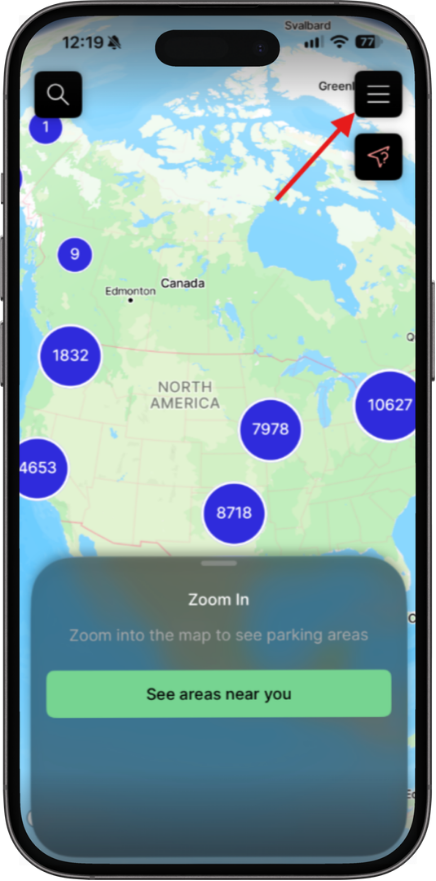
2. Select Activity from the menu options.
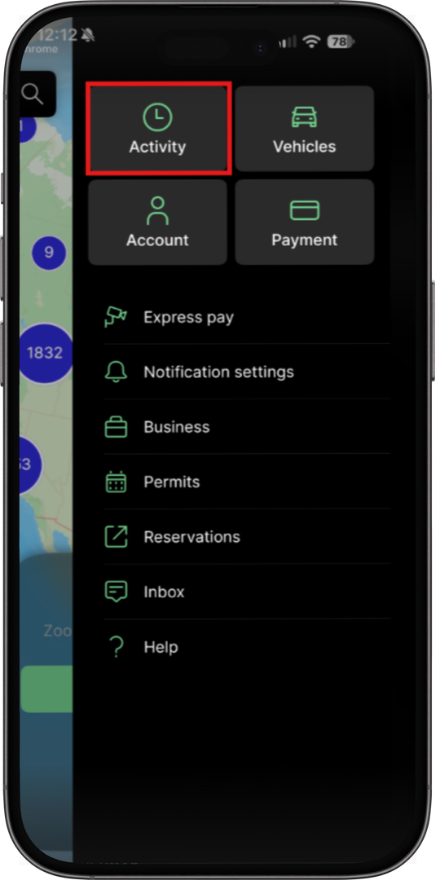
3. Locate and select the parking transaction you wish to review.
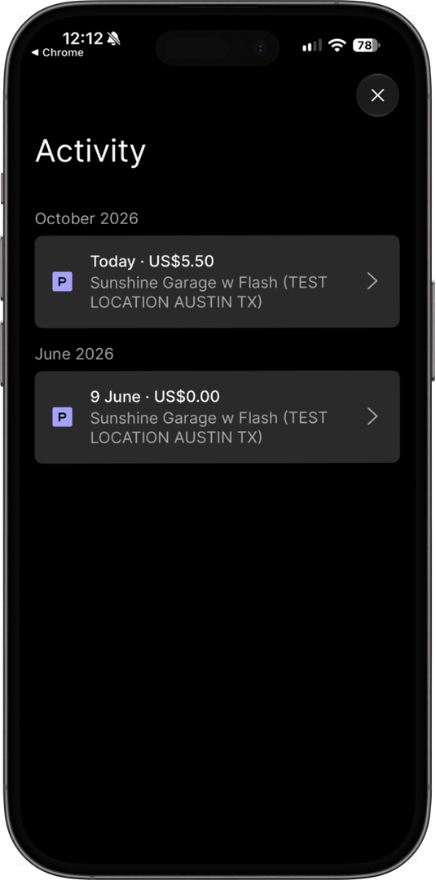
4. View your receipt details.
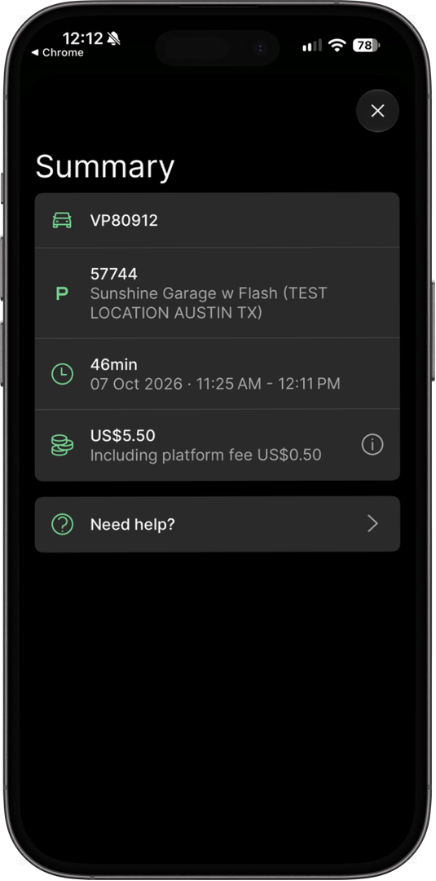
- In-App View: Parking transactions are available within the ParkMobile app
- Email Confirmation: ParkMobile sends a parking confirmation email for completed transactions.
For the Flash Admin Portal:
- These instructions are for parking operators only:
- Access the Flash Admin portal at portal.flashvalet.com, navigate to your designated location, and select Ticket Search from the left-hand navigation menu.
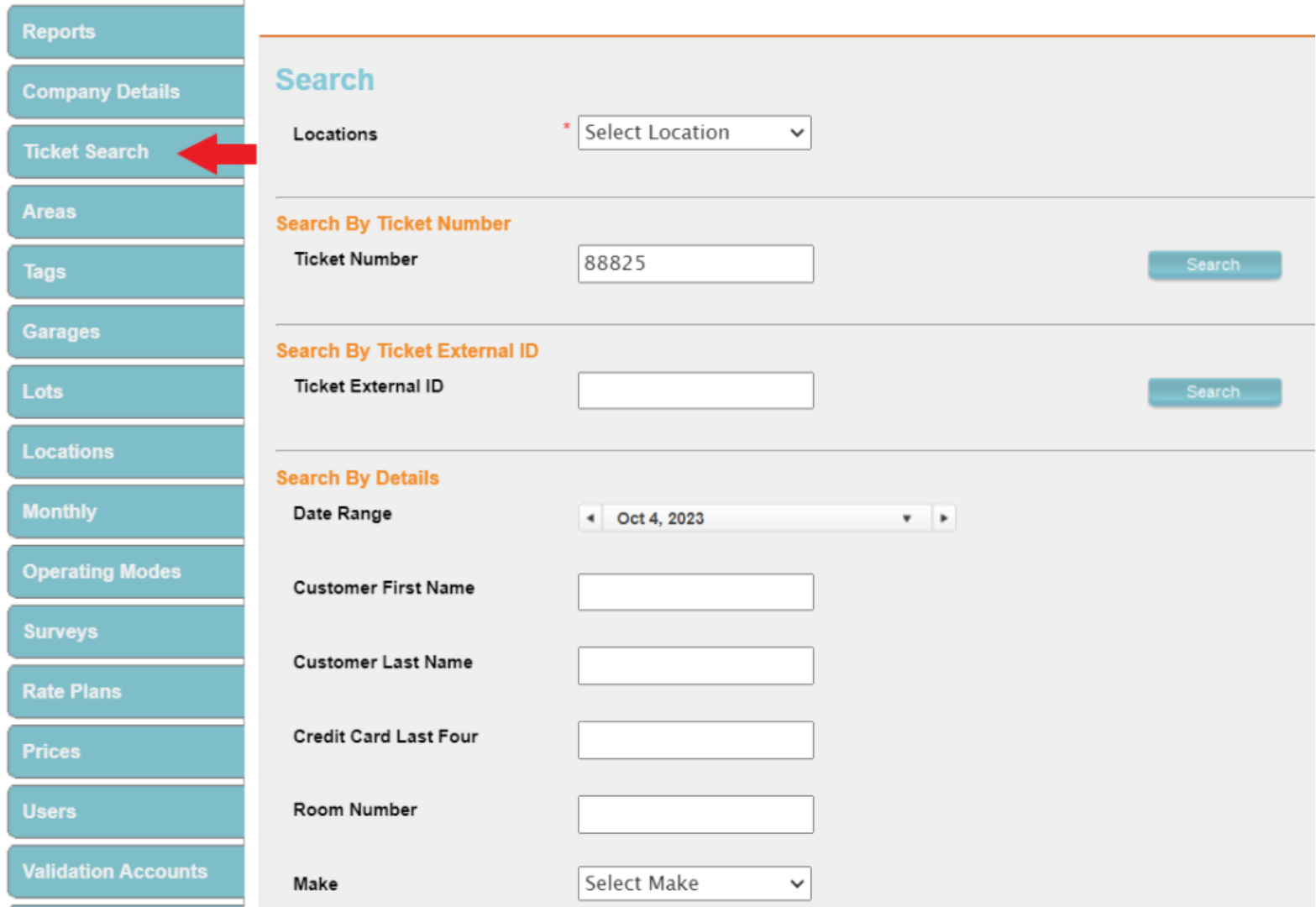
- Enter the relevant search criteria (such as ticket number, date range, or customer details) to locate the target transaction.

- Scroll down to the Payments section and click directly on the corresponding payment record row.

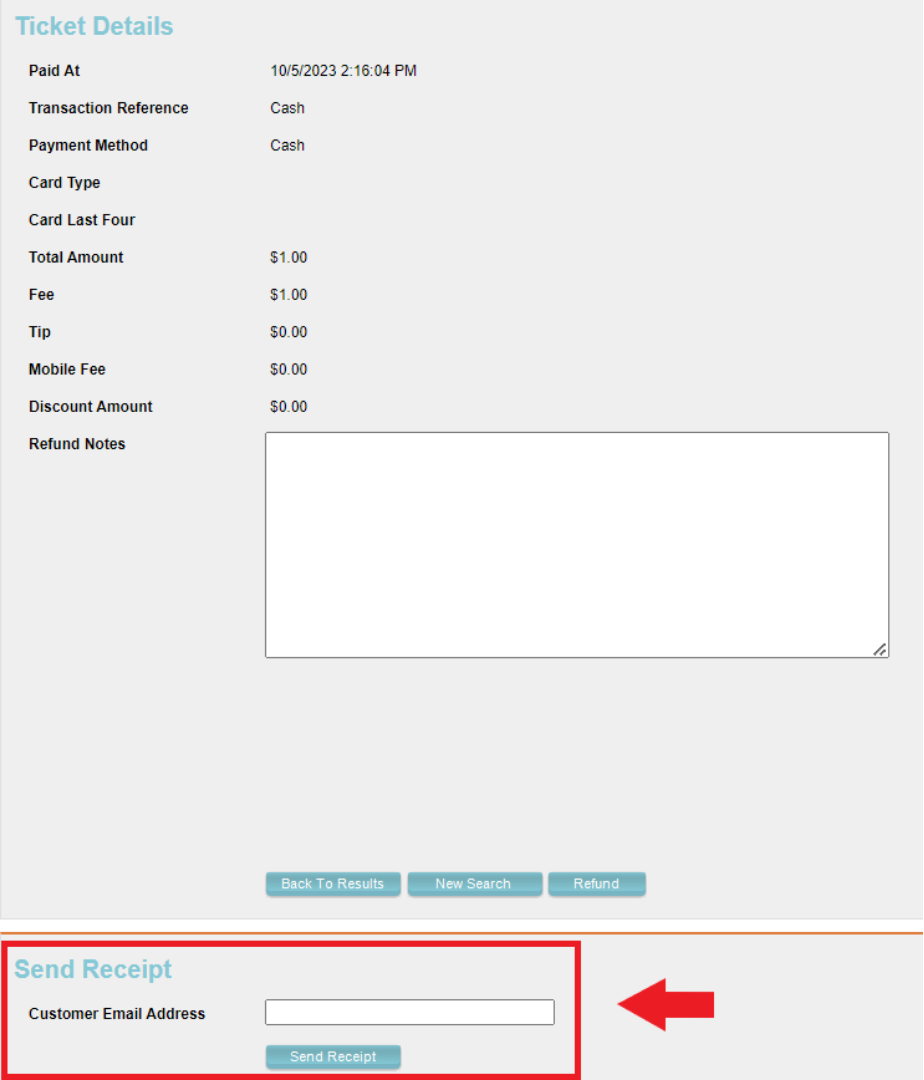
- On the Ticket Details page, locate the Send Receipt section at the bottom, enter the customer’s email address, and click Send Receipt to dispatch a copy of the transaction receipt.
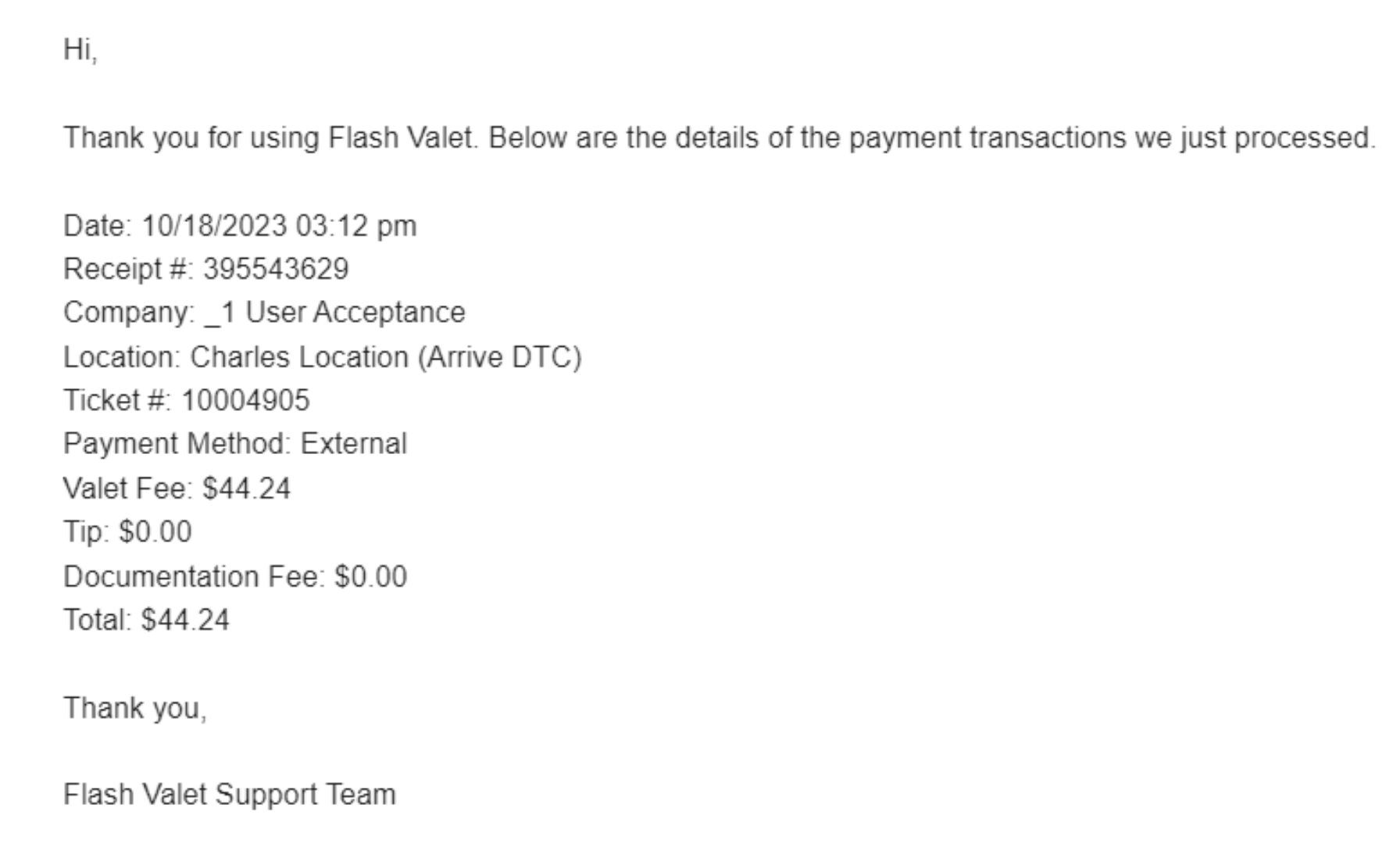
- Here is an example of what the emailed ticket should look like:
- Access the Flash Admin portal at portal.flashvalet.com, navigate to your designated location, and select Ticket Search from the left-hand navigation menu.
Was this article helpful?
That’s Great!
Thank you for your feedback
Sorry! We couldn't be helpful
Thank you for your feedback
Feedback sent
We appreciate your effort and will try to fix the article