EXPRESS PAY SESSION CANCELLATION
Opt Out of Express Pay for a Single Transaction
If an enrolled Express Pay user decides not to complete their transaction via Express Pay:
- The active Express Pay session can be cancelled
- A Transient ticket barcode is provided to the driver
Use the Transient Ticket
The Transient ticket barcode functions like a regular paper or digital ticket and can be used at:
- Validation stations – to apply discounts
- Pedestrian door kiosks – for door access
- Exit or Pay-on-Foot kiosks – to complete payment before exiting
This ensures drivers who opt out of Express Pay still retain full access to the location’s standard payment, validation, and access workflows.
Cancelling an Express Pay session does not unenroll the user from Express Pay or remove the associated license plate from future Express Pay use.| Tap "Help with my parking visit" | 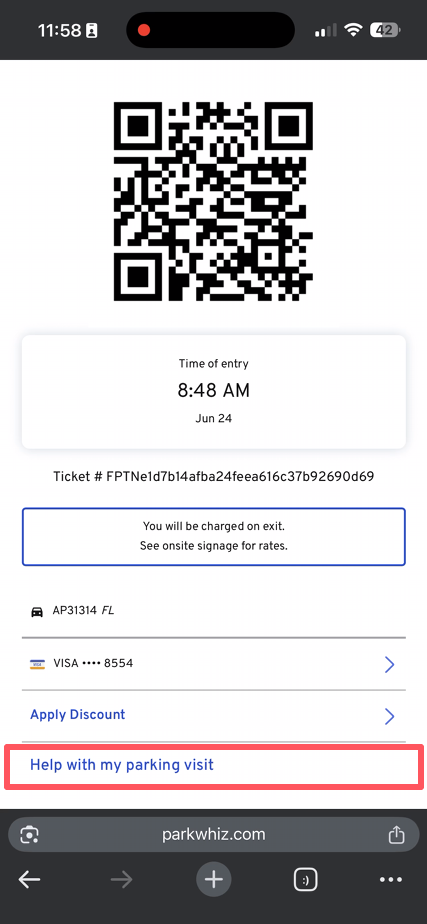 |
| Tap "Cancel Session" | 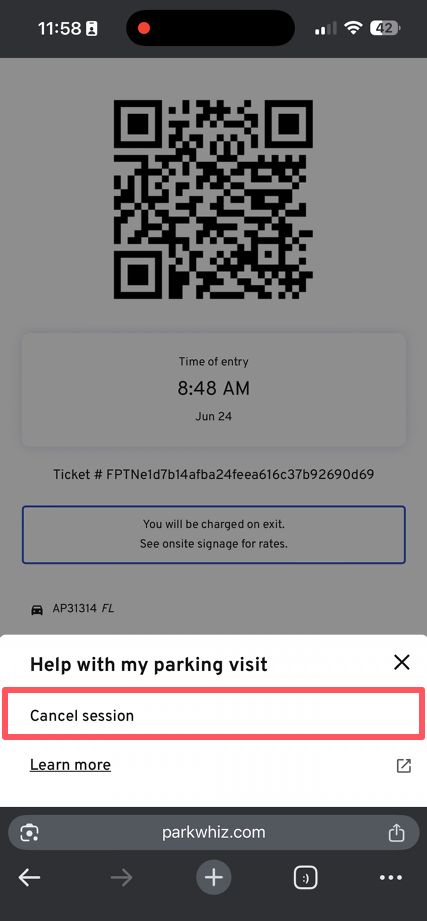 |
| Confirm - "Yes, cancel my session" | 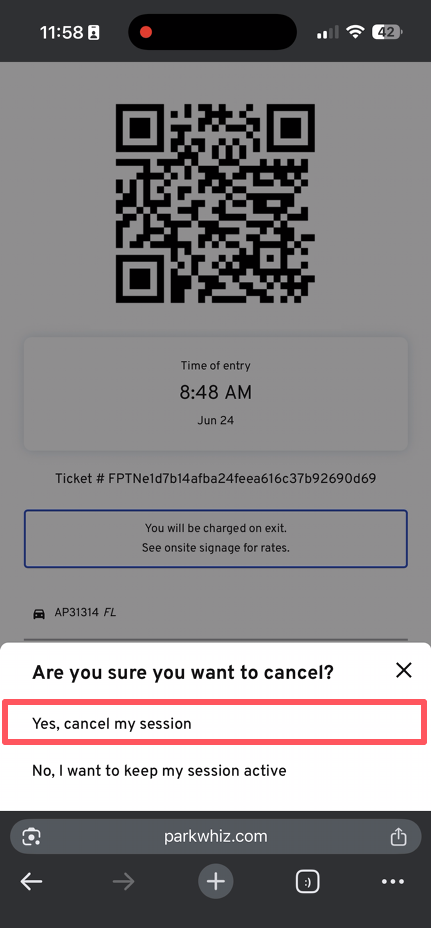 |
| A transient ticket barcode is provided for use on pedestrian doors or to initiate validation or payment at any kiosk. | 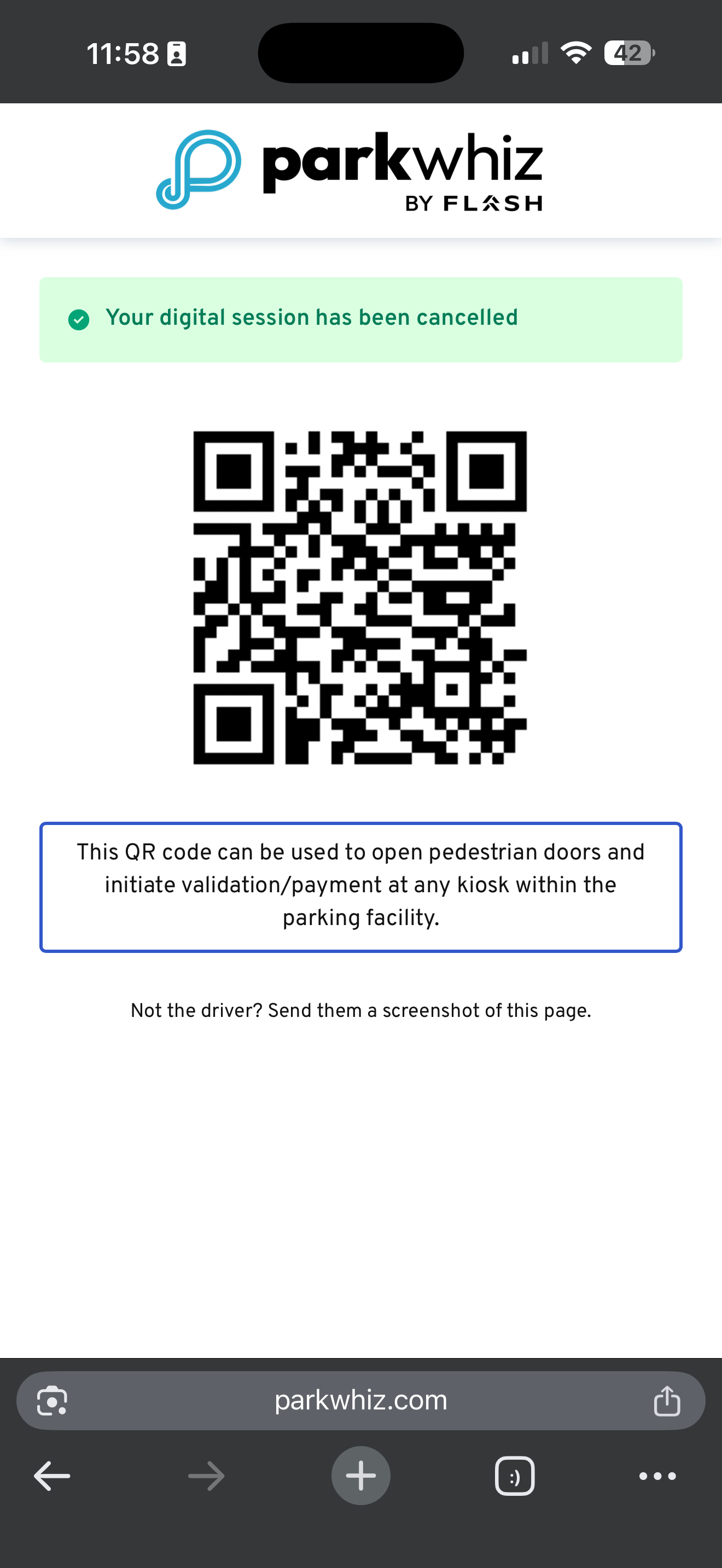 |
Was this article helpful?
That’s Great!
Thank you for your feedback
Sorry! We couldn't be helpful
Thank you for your feedback
Feedback sent
We appreciate your effort and will try to fix the article