START AN EXPRESS PAY SESSION WITH PARKMOBILE
At participating locations, you can use ParkMobile with Express Pay to start a digital parking session after entering the garage. Simply scan the QR code on an Express Pay sign, select ParkMobile, and confirm your parking details.
The ParkMobile option requires downloading the ParkMobile app and creating an account.Enter Garage
| 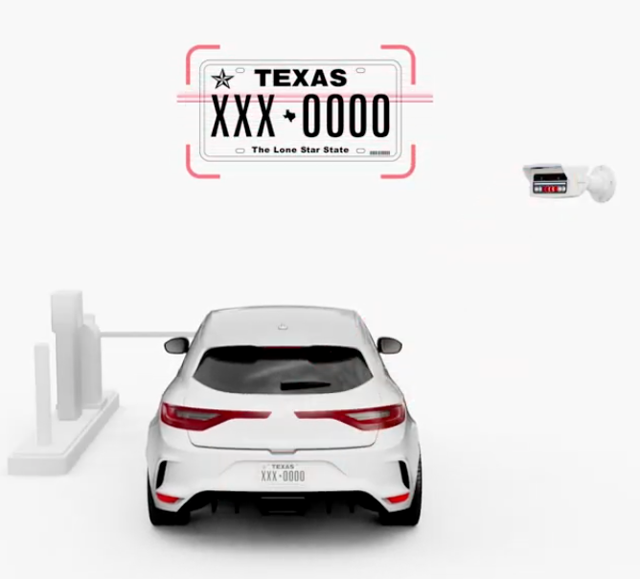 |
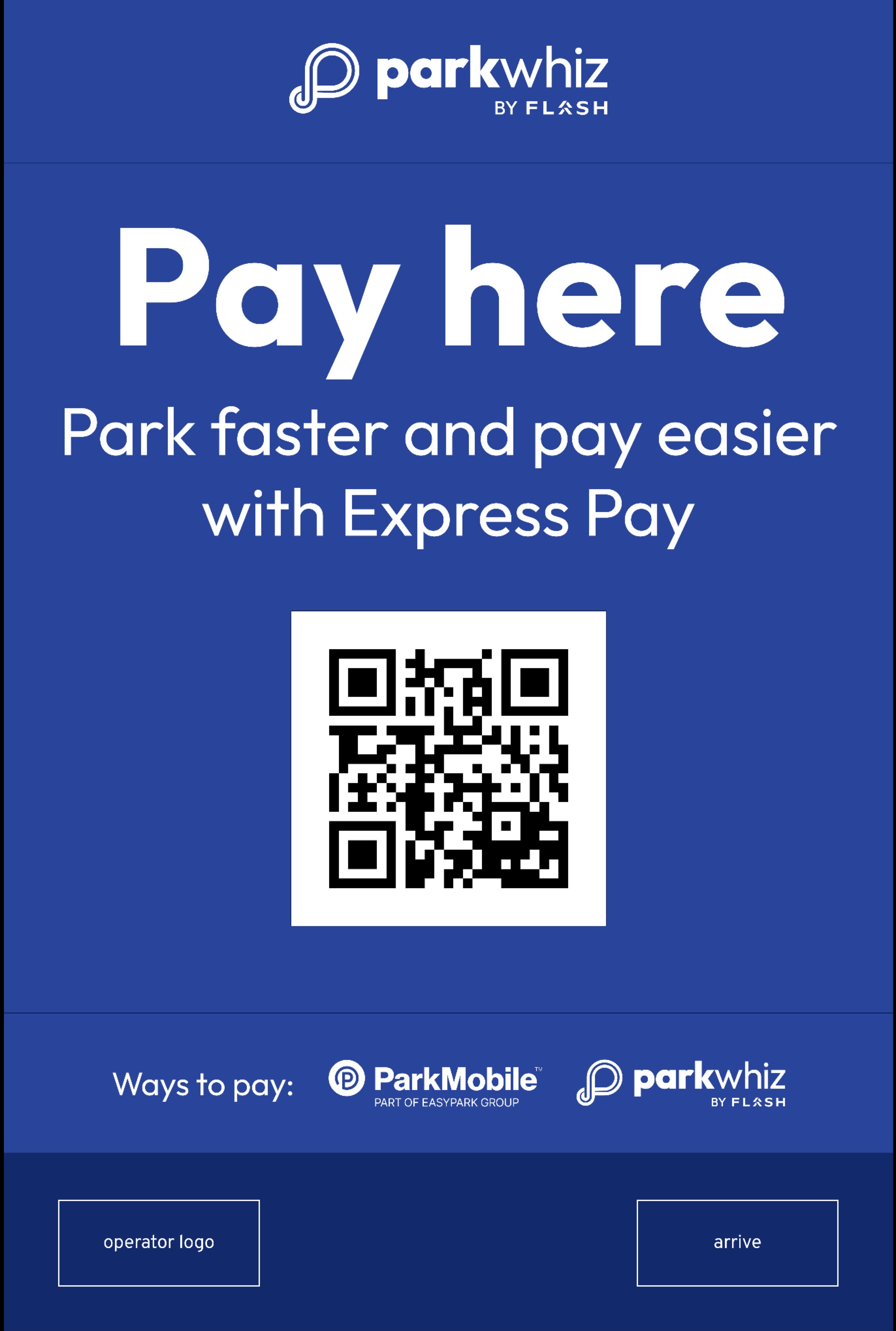
Scan the QR Code on an Express Pay SignAfter parking, use the Express Pay signage displayed throughout the facility to begin the digital payment process.
|  |
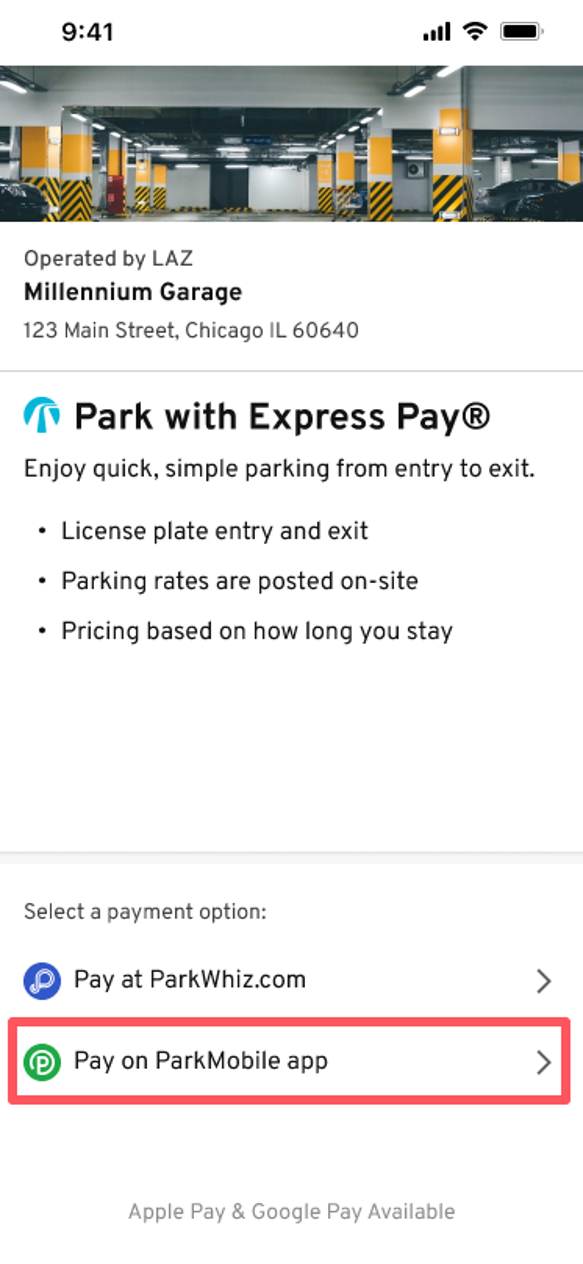
Tap ParkMobile OptionAt integrated locations, you will see multiple Express Pay payment options:
To use ParkMobile, tap the ParkMobile option on the screen. Important:
|  |
Confirm ParkingVerify that the license plate matches your current vehicle and that your preferred payment method is selected.Tap Confirm to start the session. Your parking session will be linked to the original entry time, based on when your license plate was captured by the entry system. Note: The ParkMobile option requires the ParkMobile app. If the app is installed and your account already has a vehicle and payment method saved, your information will auto-populate when starting your session. | 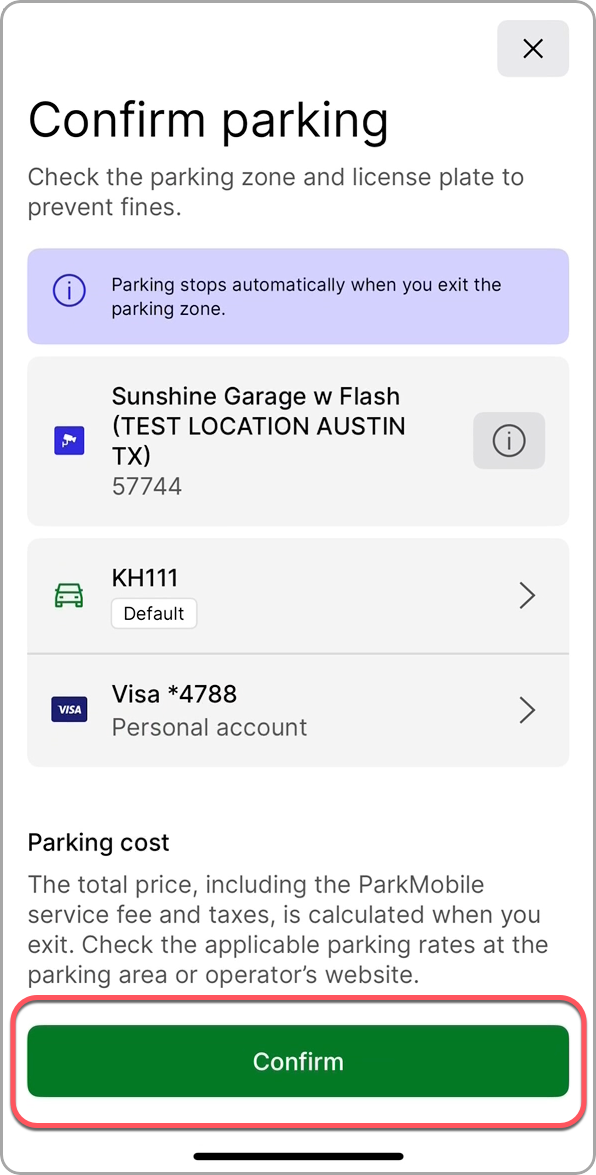 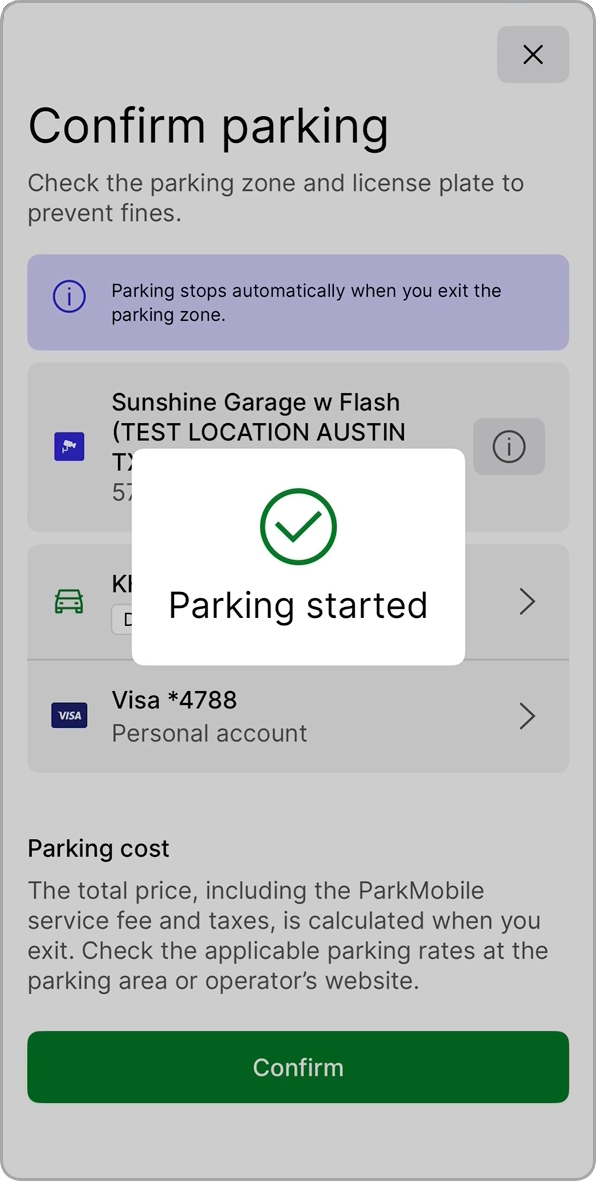 |
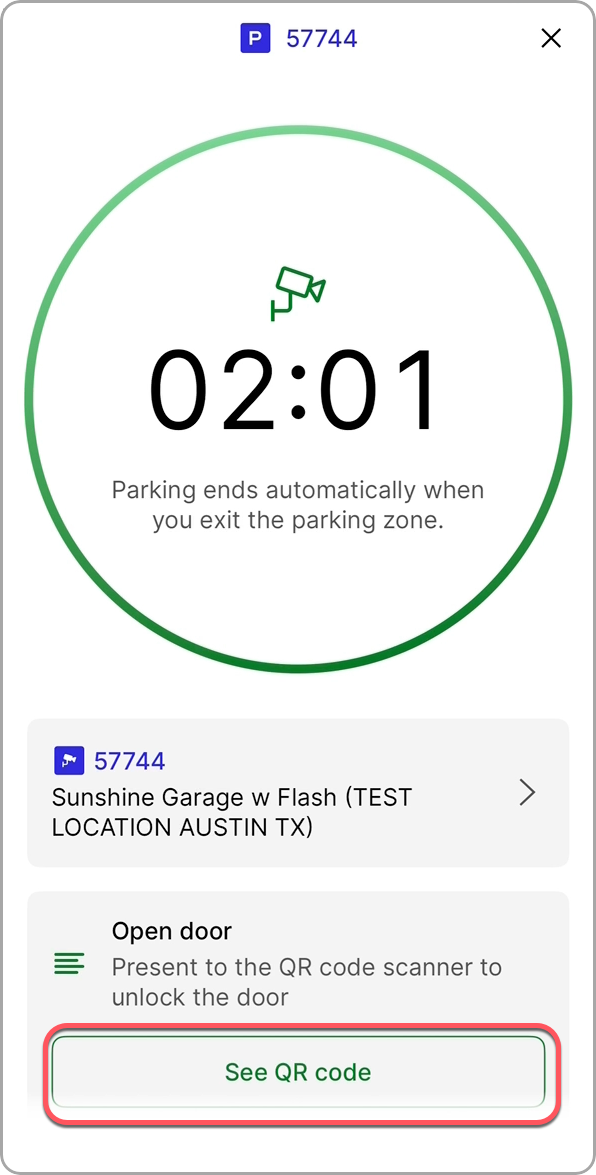
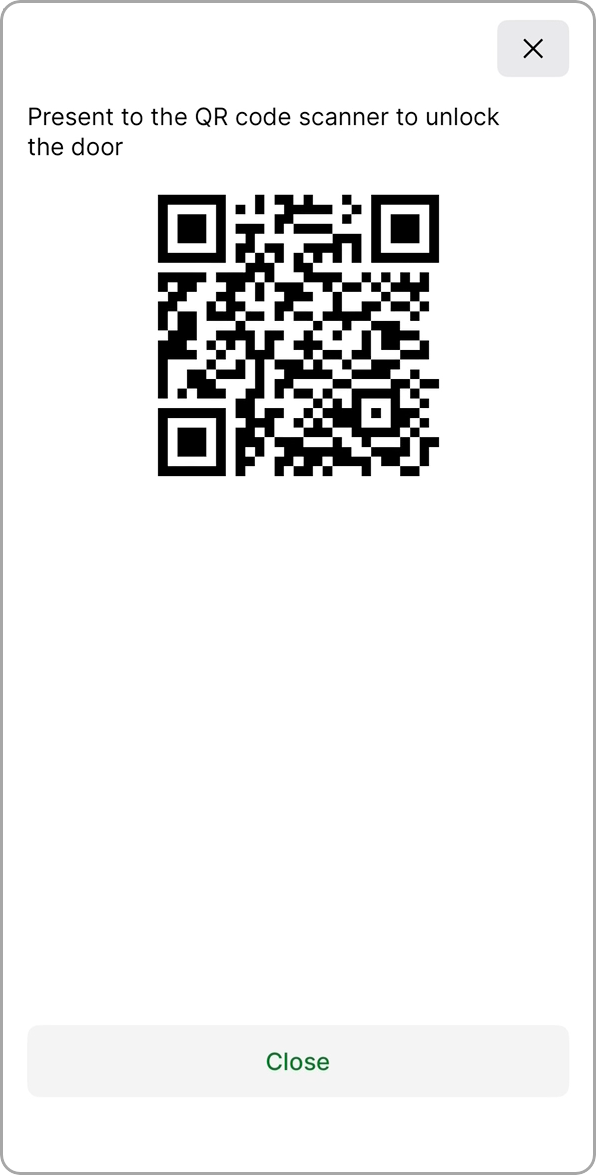
View Parking SessionYour parking duration will be displayed on the screen. If needed, tap See QR Code to access a QR code that can be used for:
|   |
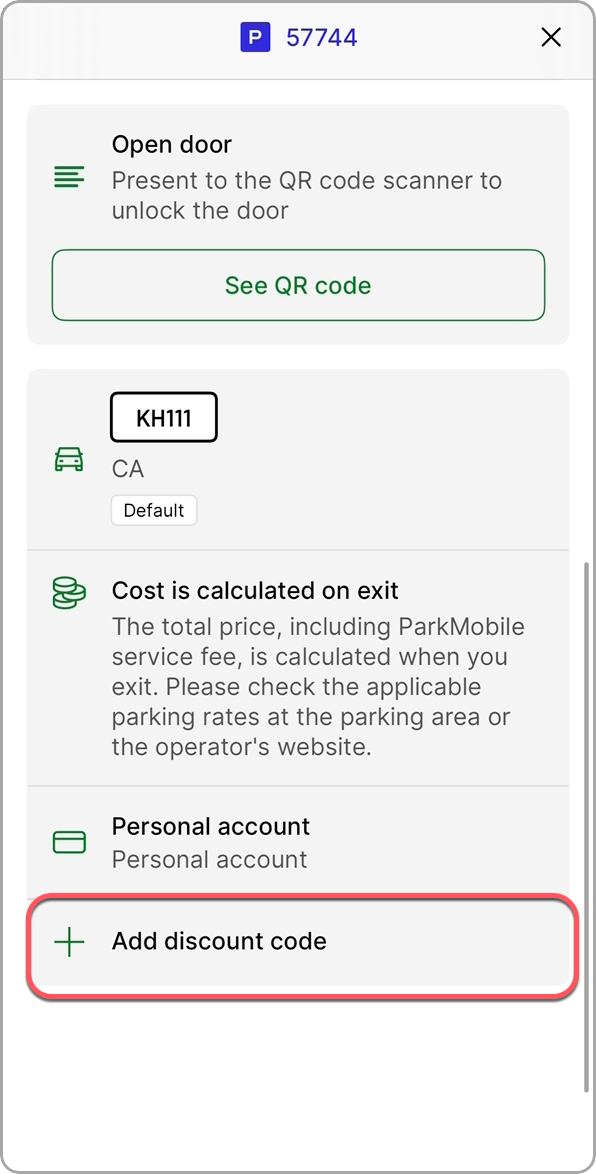
Add a Discount Code (Optional) If you received a validation, tap Add Discount Code. You can then:
|  |
Was this article helpful?
That’s Great!
Thank you for your feedback
Sorry! We couldn't be helpful
Thank you for your feedback
Feedback sent
We appreciate your effort and will try to fix the article