PARKMOBILE WITH EXPRESS PAY
Flash partners with ParkMobile to offer Express Pay at select parking locations. Drivers can enroll in Express Pay through the ParkMobile app before arriving at a supported facility. Once enabled, Express Pay allows for a faster, ticketless entry and exit experience.
How to enable Express Pay before you arrive
- Open the ParkMobile app.
- Log in or create a ParkMobile account.
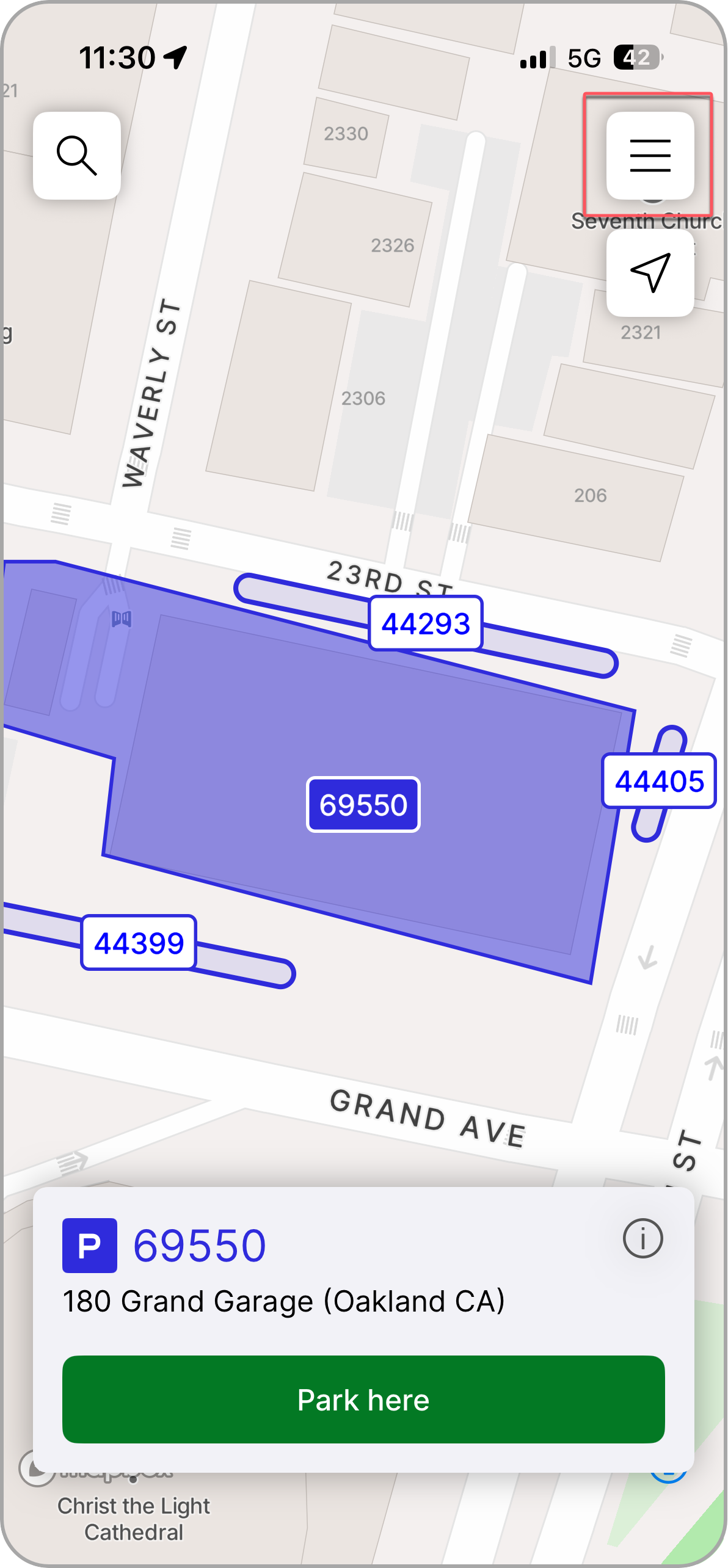
- Tap the menu icon in the top-right corner to add a vehicle and a credit card.
A vehicle and payment method must be on file before enabling Express Pay.Add Vehicle
 | 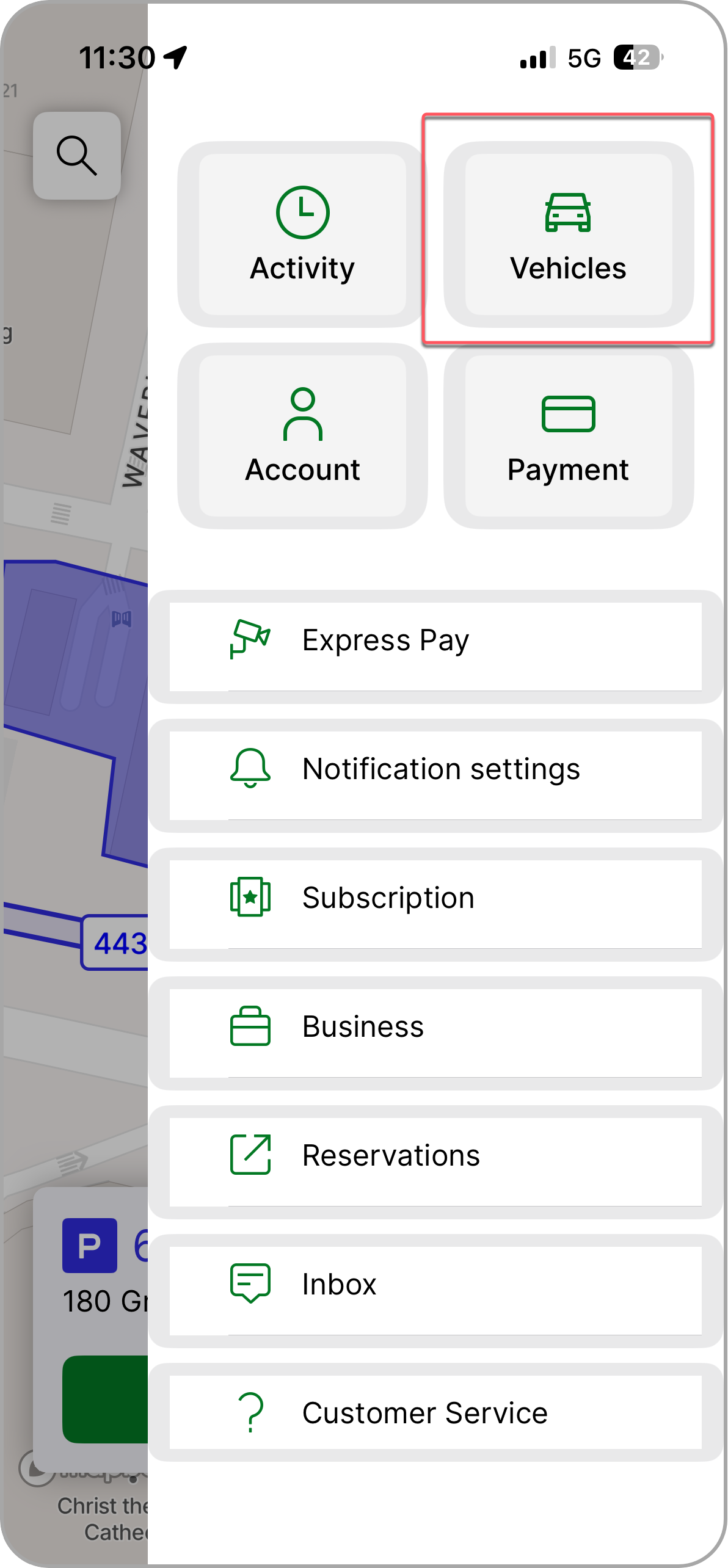 |
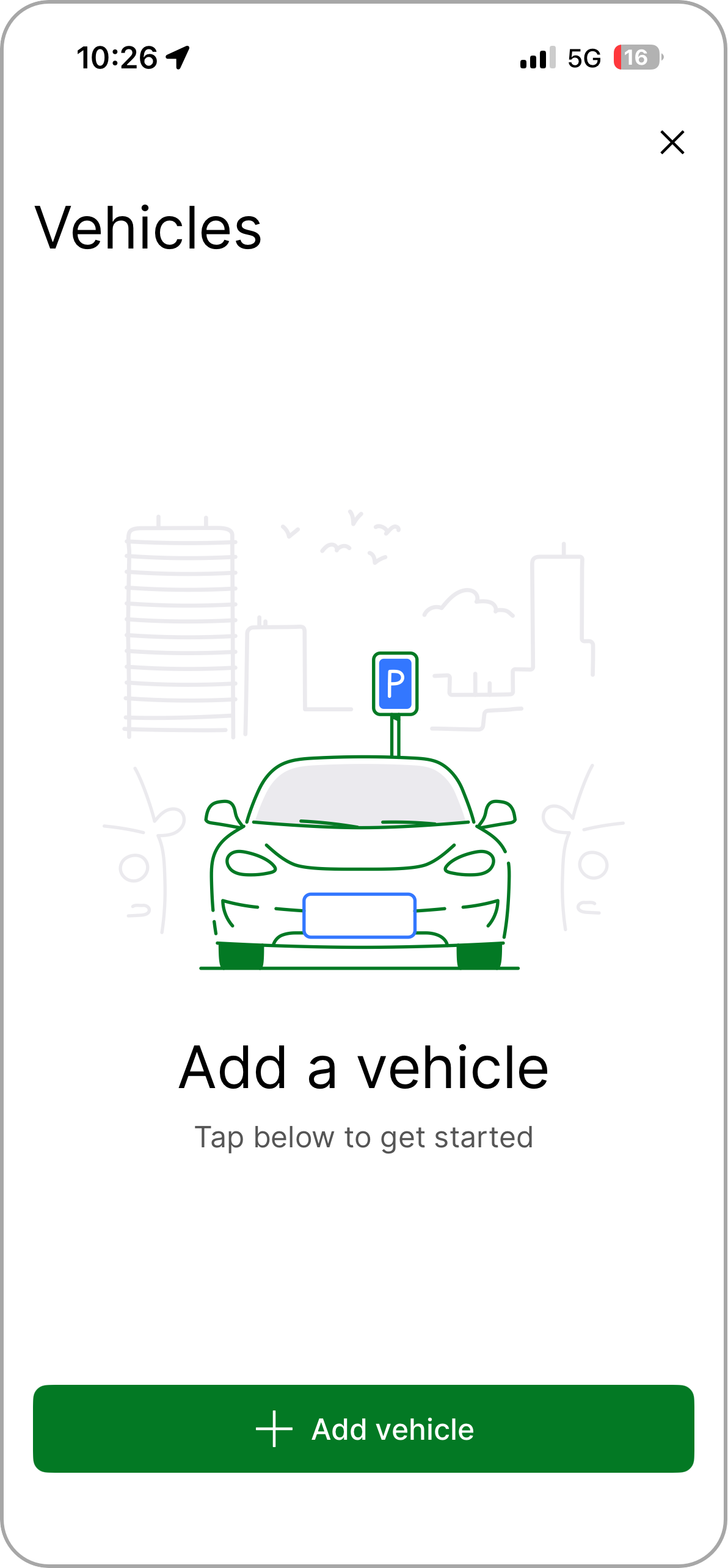
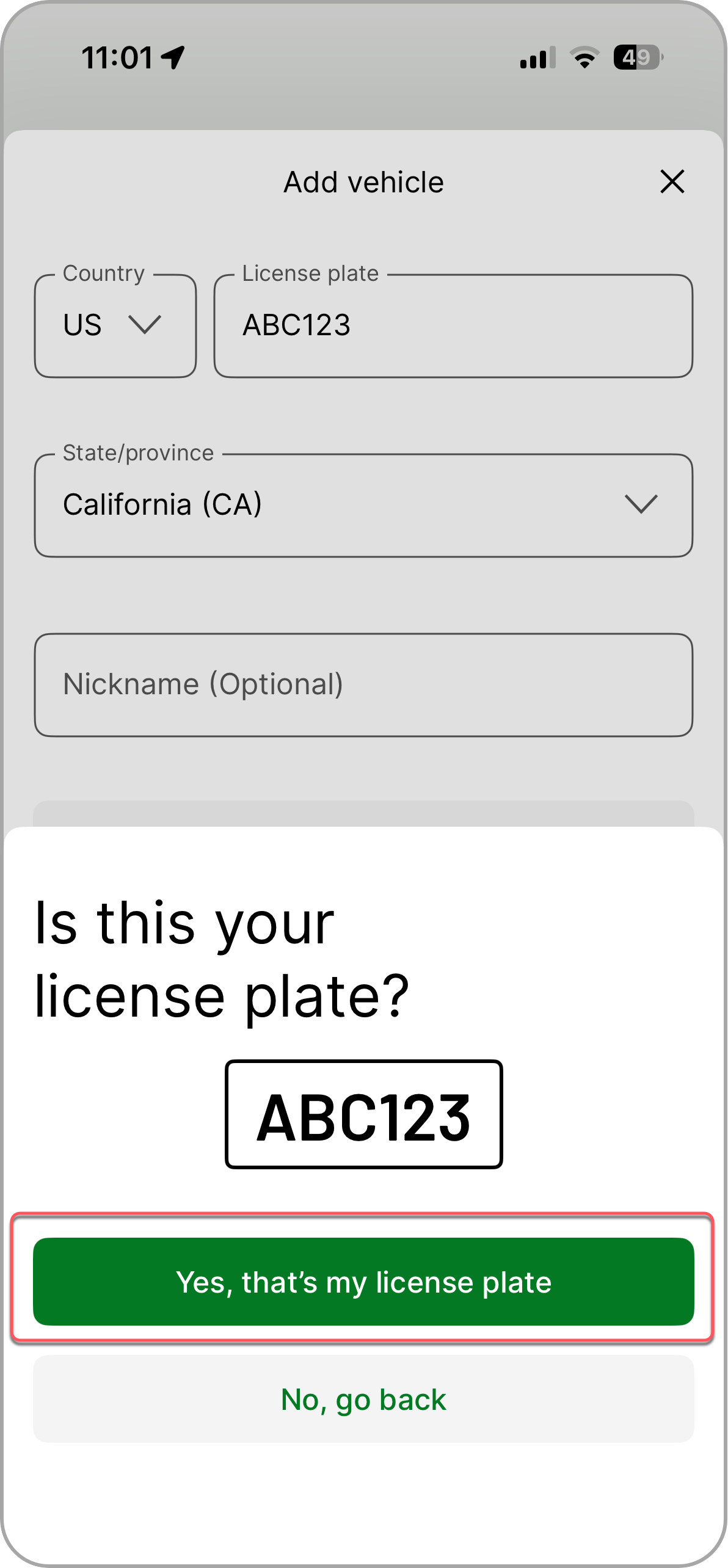
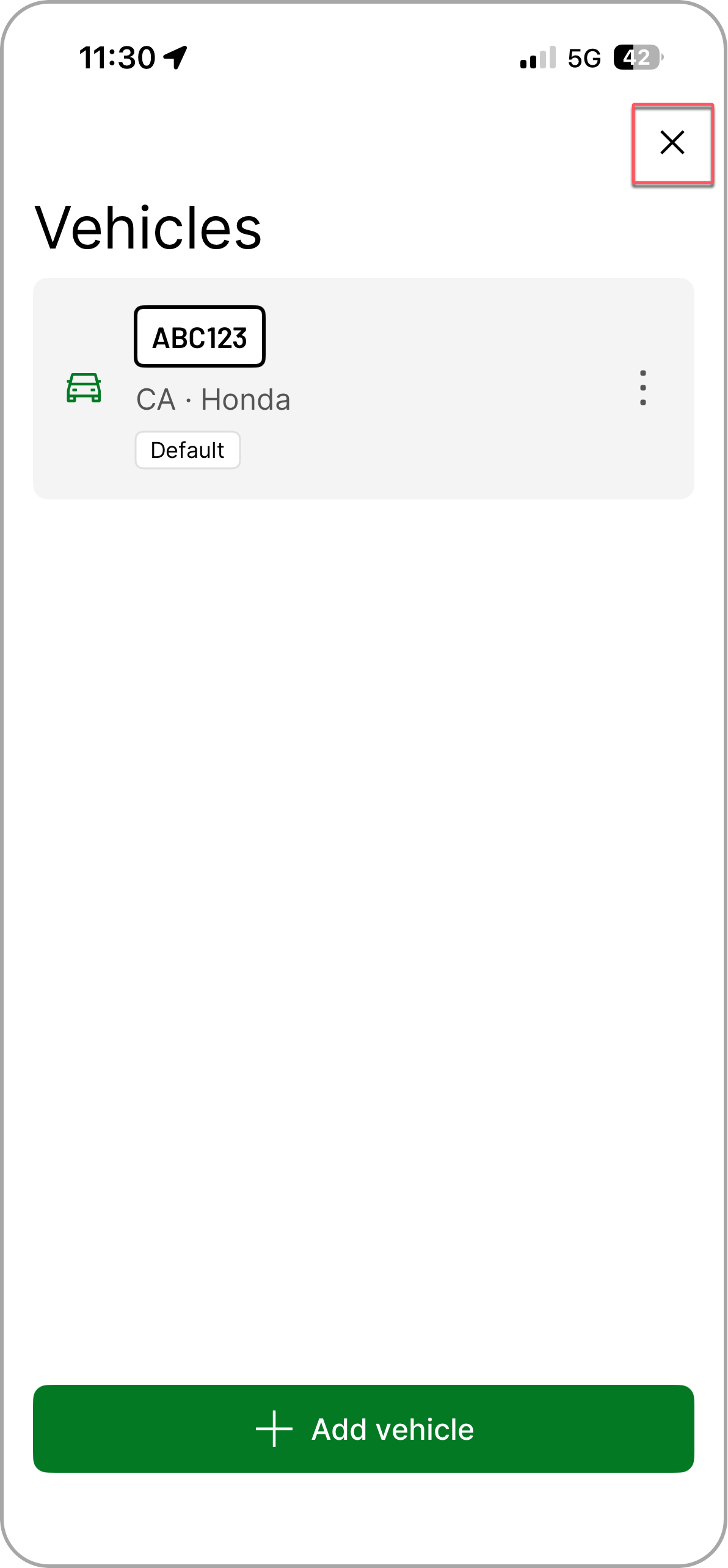
4. Select Vehicles and confirm the correct license plate is added to your account.
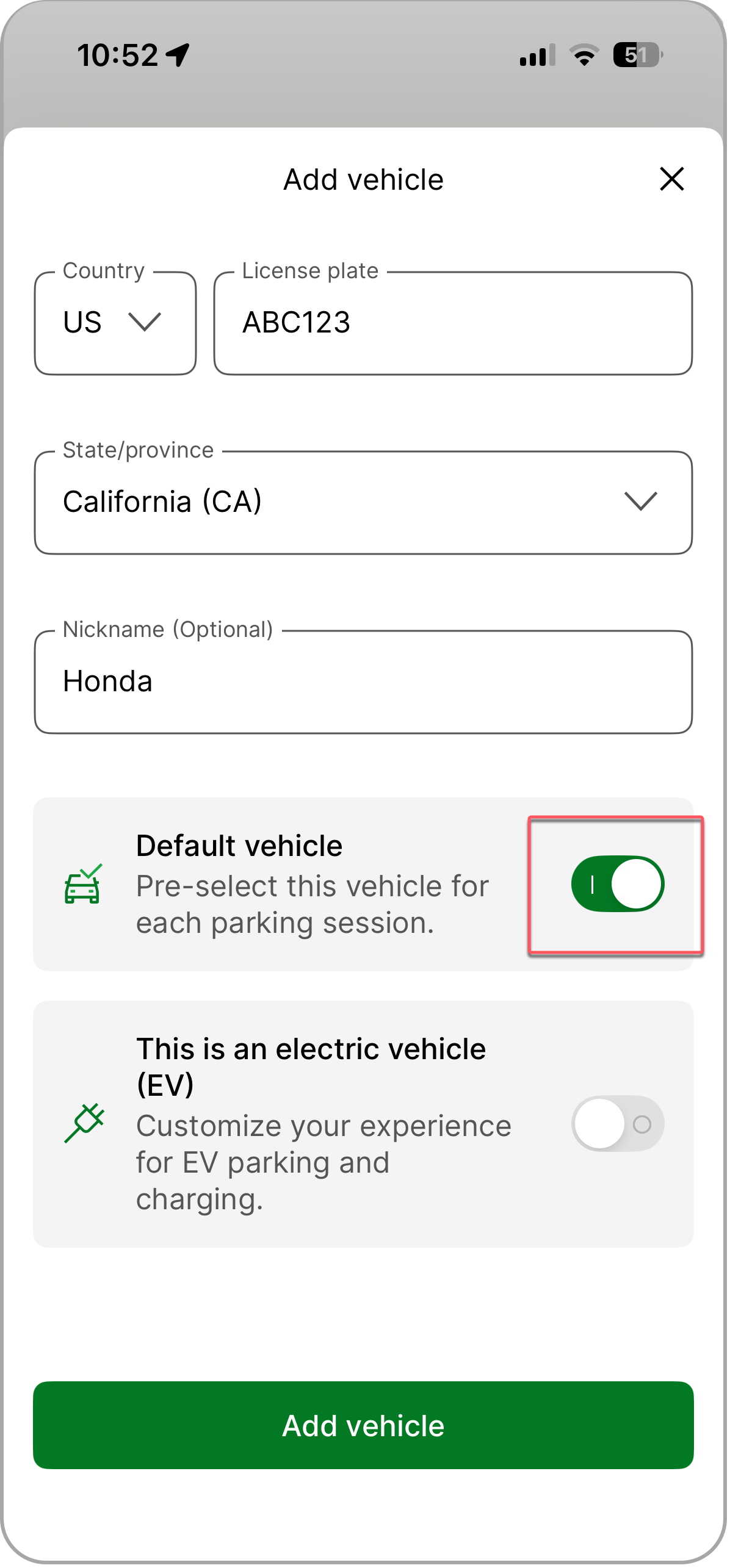
- If your vehicle is not listed, tap Add Vehicle and enter license plate information.
5. Tap, Yes, that's my license plate to confirm entry.
 |  |  |
Add Payment Method
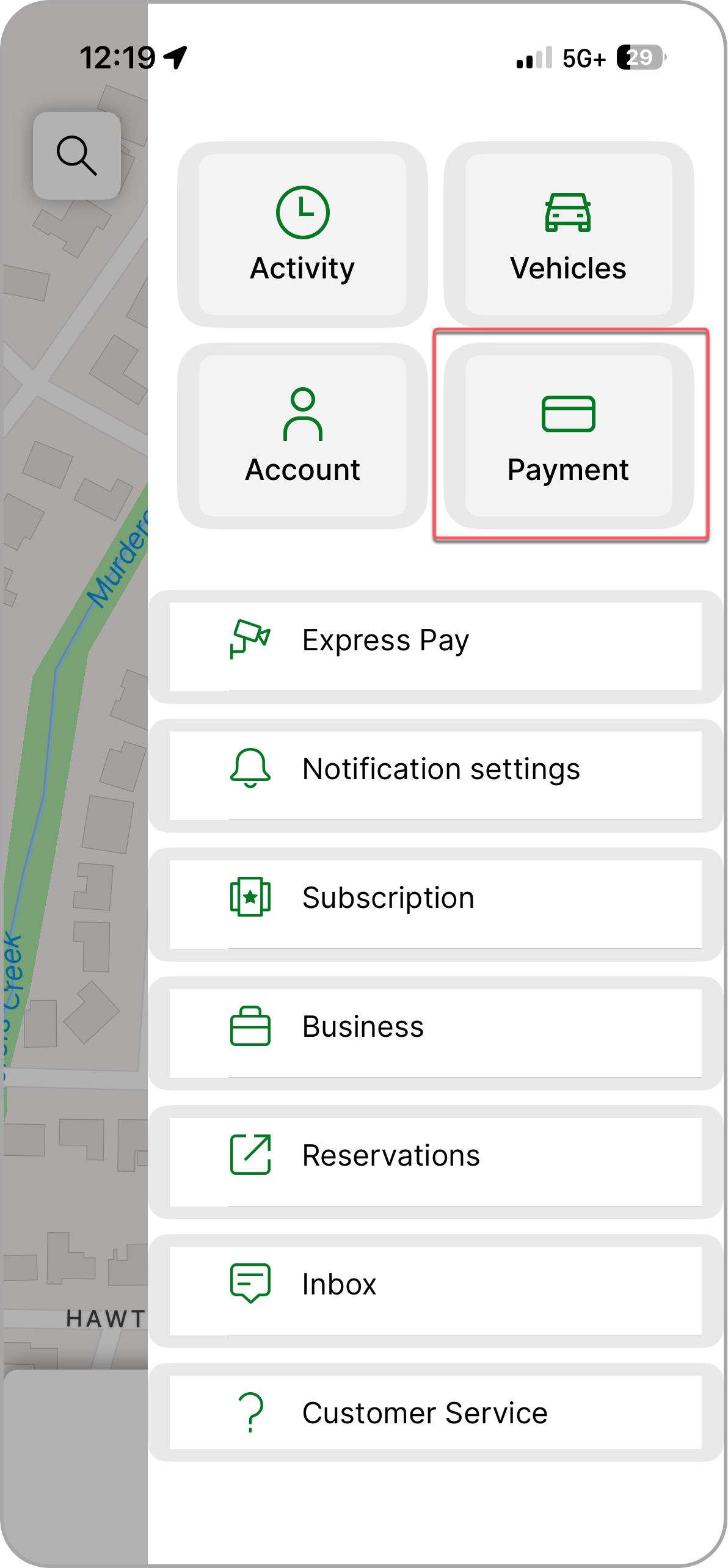
1. Select Payment from the main menu.
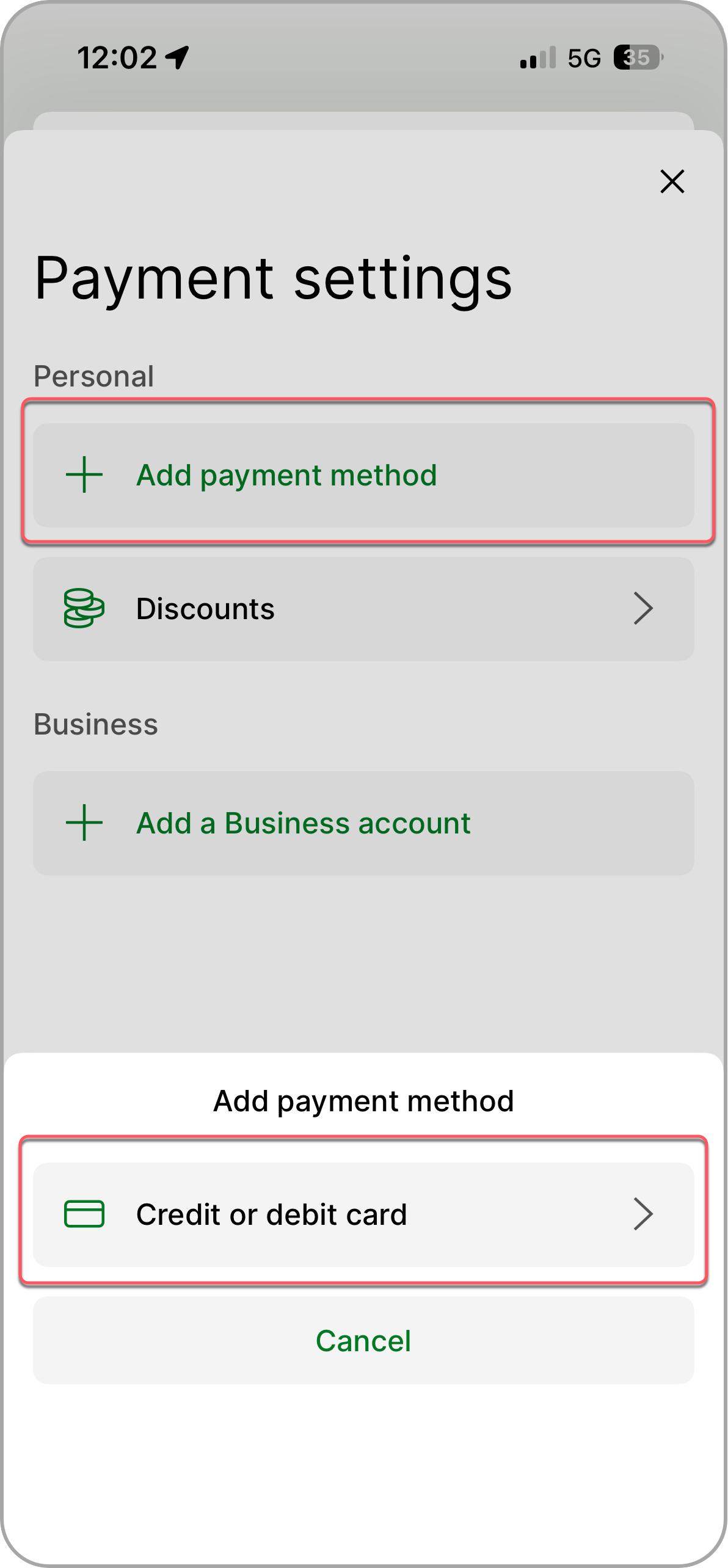
2. Tap Add payment method and select the Credit or debit card option.
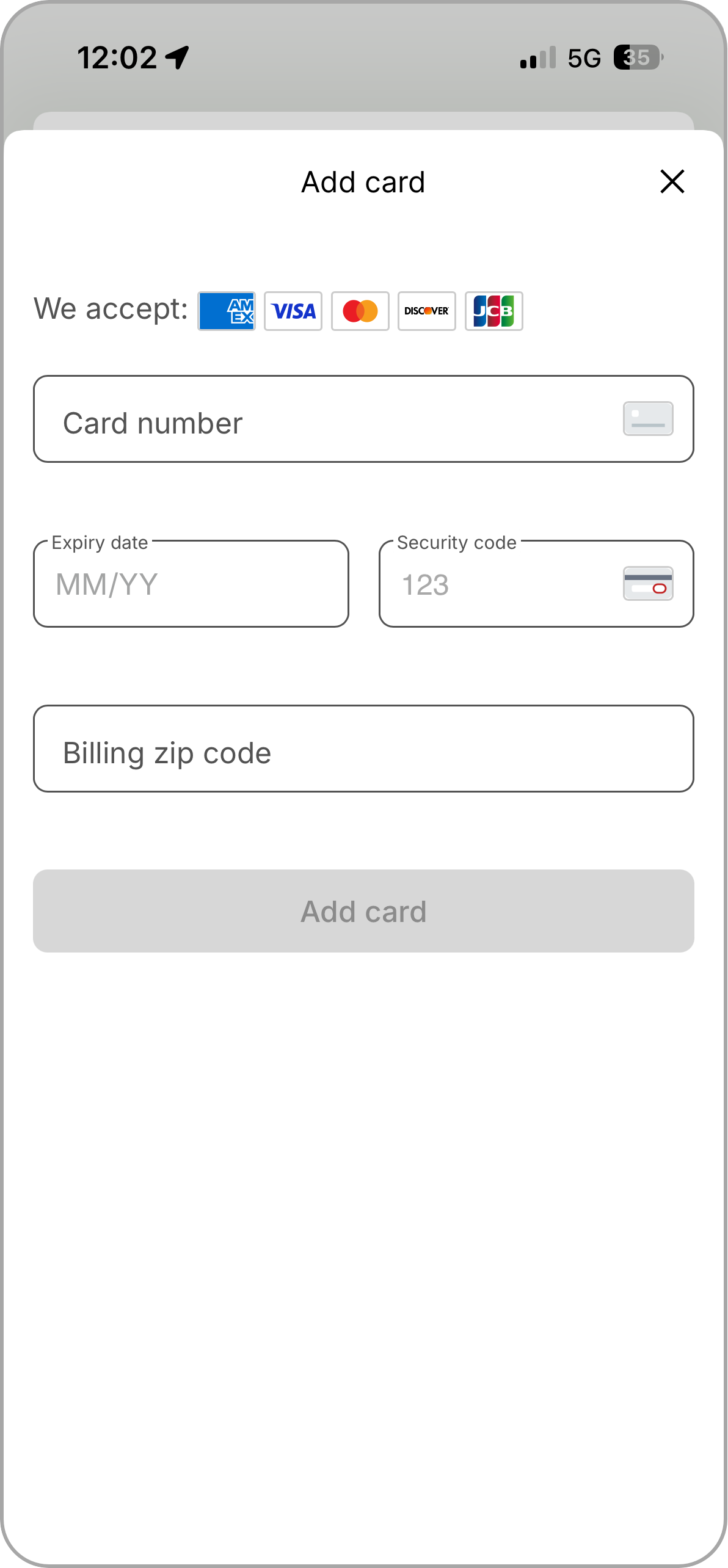
3. Enter card information and tap Add Card.
 |  |  |
Enable Express Pay
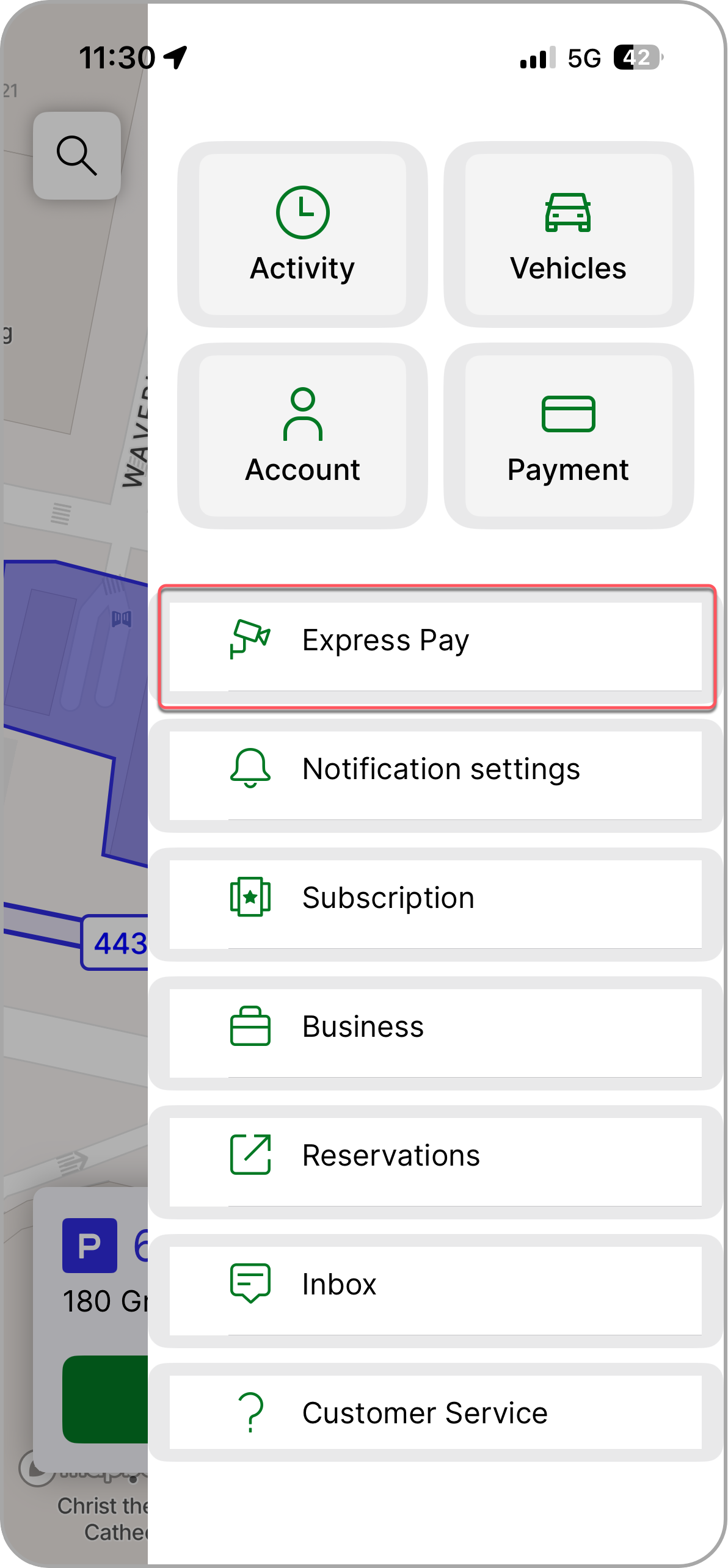
1. Select the Express Pay tab from the main menu.
 |  |
2. Tap Enable Express Pay.
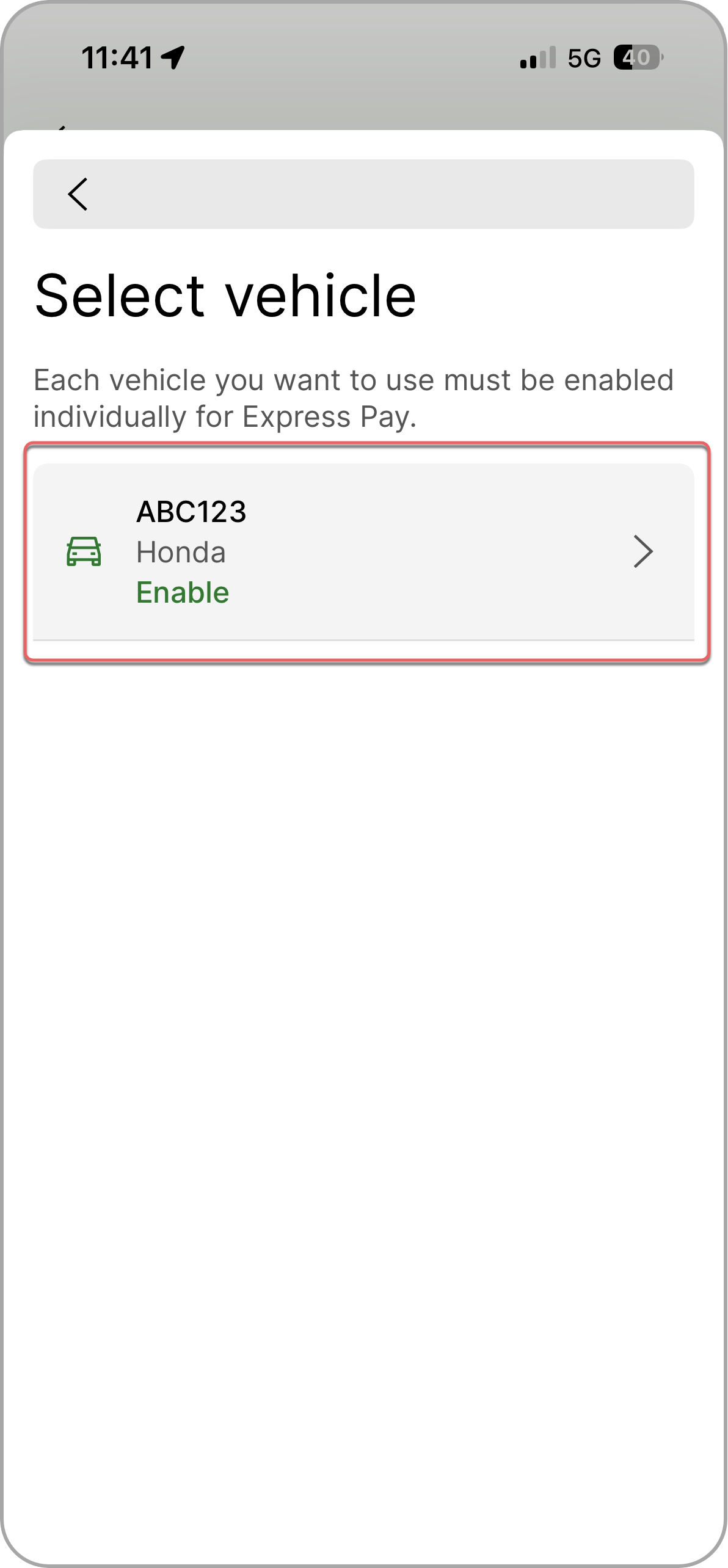
3. Select the vehicle.
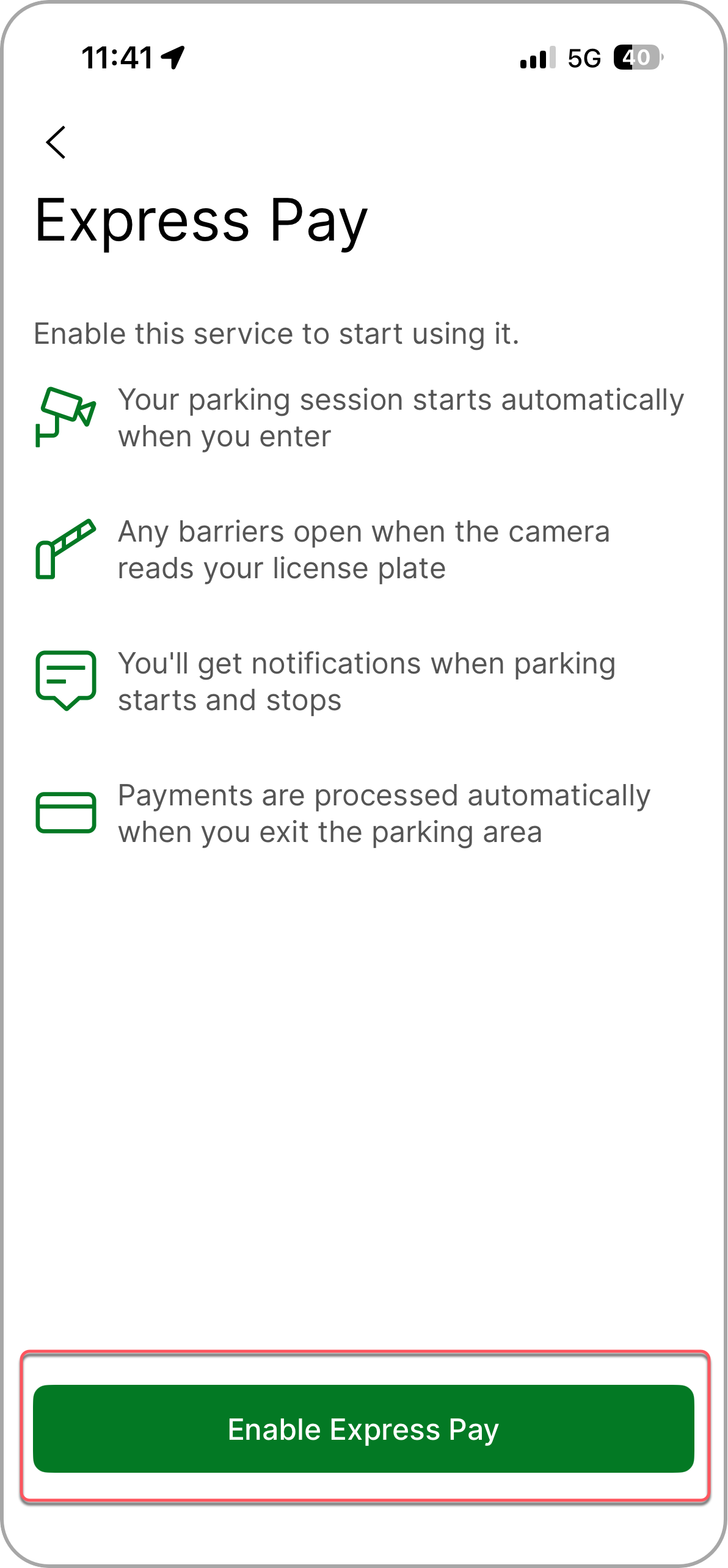 |  |
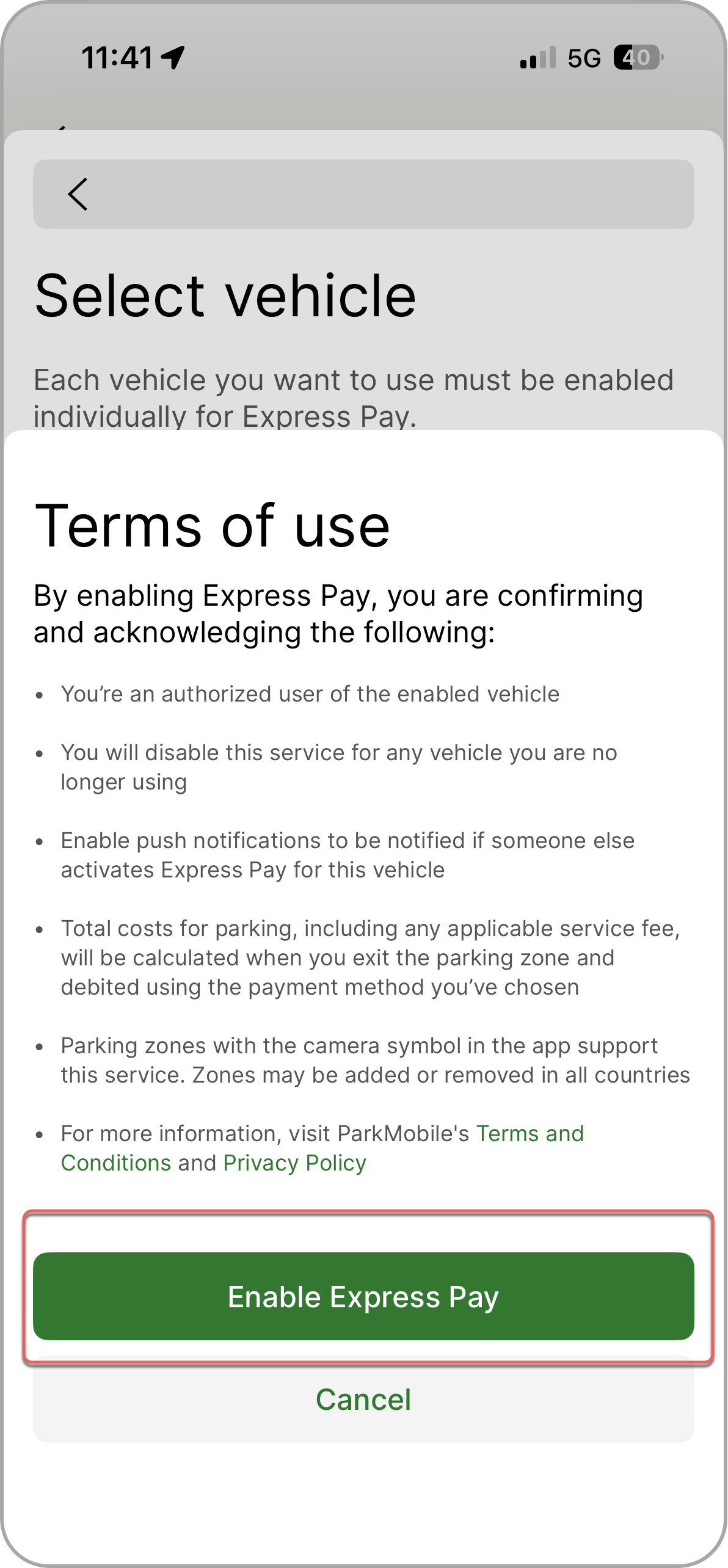
4. Review Terms and Conditions and tap Enable Express Pay to proceed.
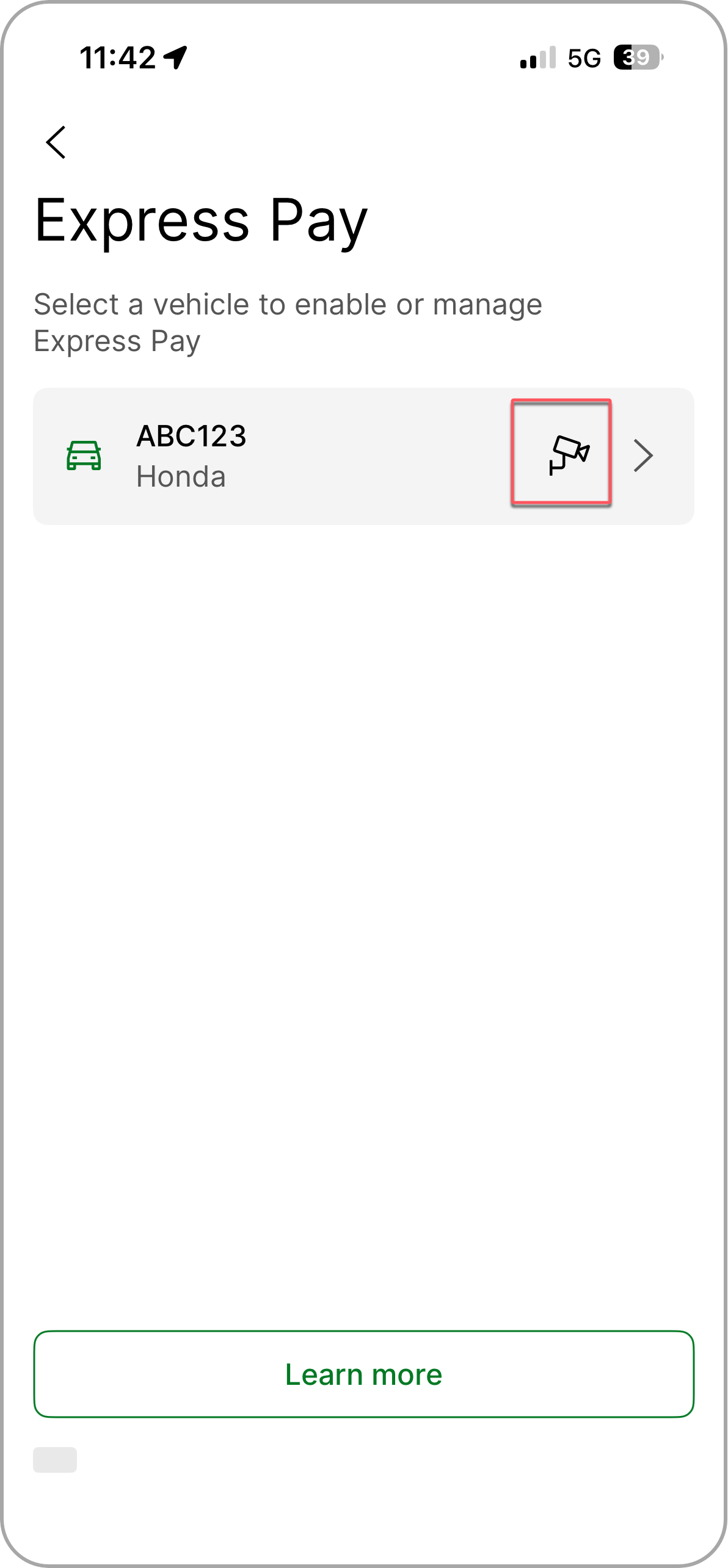
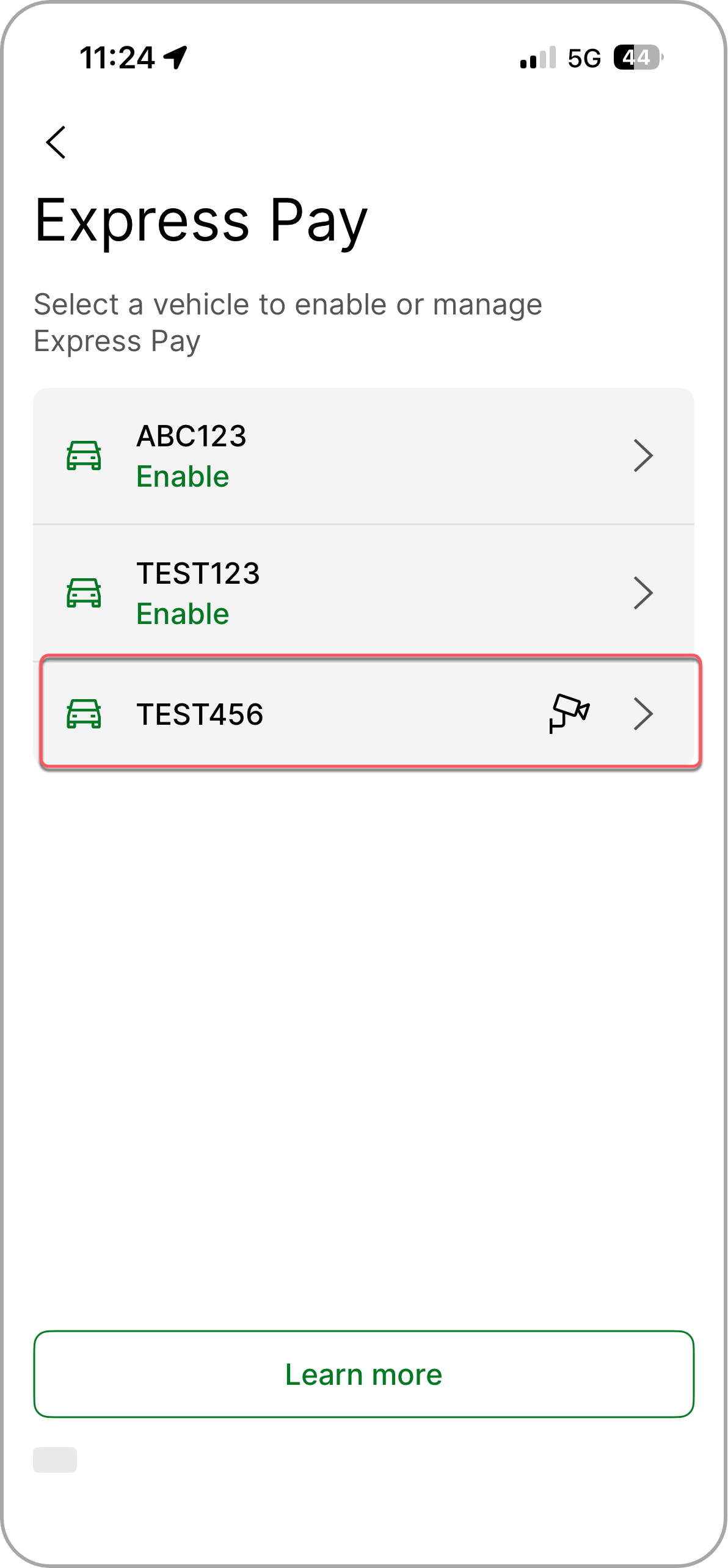
- The camera icon indicates Express Pay-enabled vehicles.
Your vehicle is now ready to use Express Pay at supported locations. Simply drive in and drive out!
 |  |
Tap Learn More for more How Express Pay Works information
How to disable Express Pay
1. Select Vehicles from the main menu.
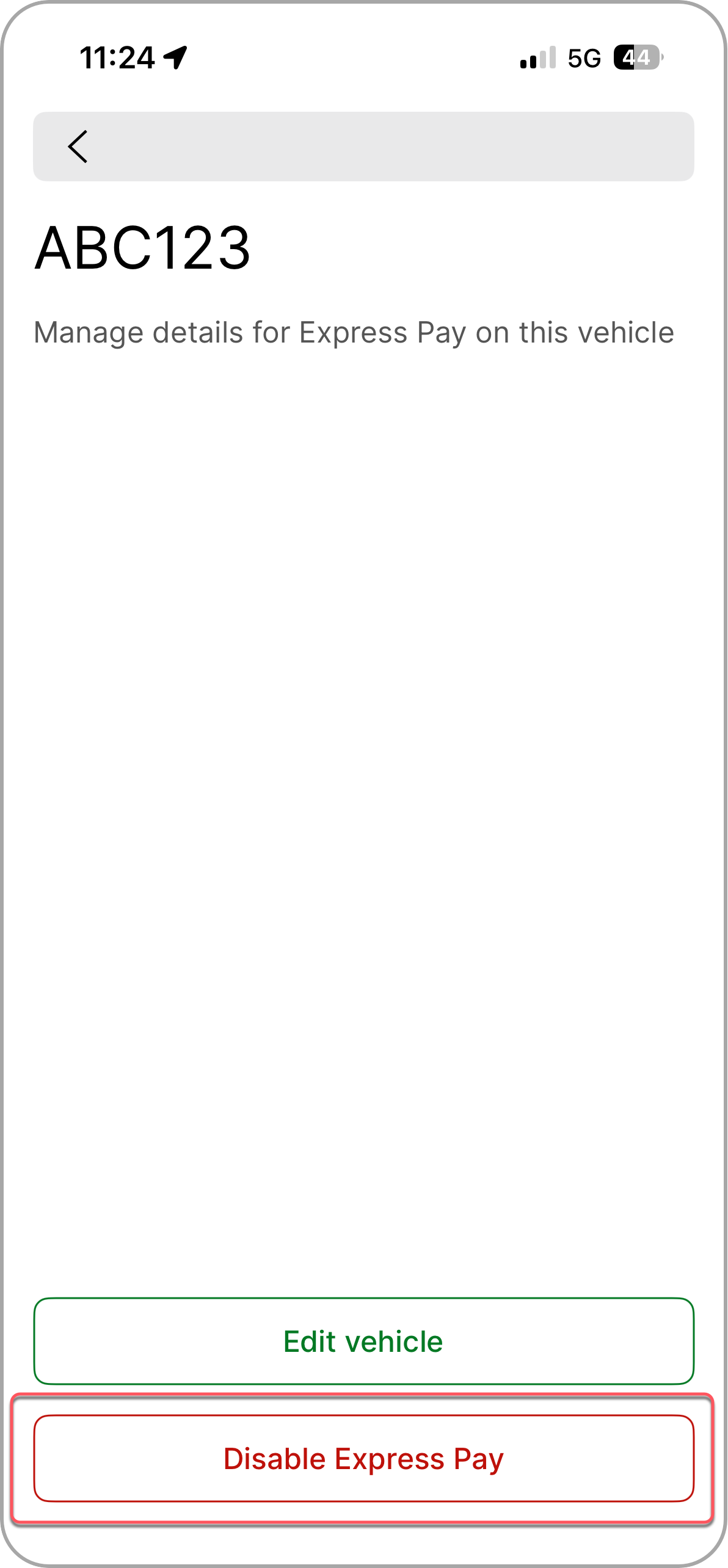
2. Tap the vehicle you wish to disable and select Disable Express Pay.
 |  |
Was this article helpful?
That’s Great!
Thank you for your feedback
Sorry! We couldn't be helpful
Thank you for your feedback
Feedback sent
We appreciate your effort and will try to fix the article