Digital Ticket Checkout (DTC) allows drivers in gated parking facilities to pay for their parking digitally using their mobile phones.
Drivers can access DTC by scanning their physical parking ticket or by opening their digital ticket link. The payment experience is powered by ParkWhiz and supports multiple payment options, including:
- Credit cards
- Apple Pay
- Google Pay
- Validations (where supported)
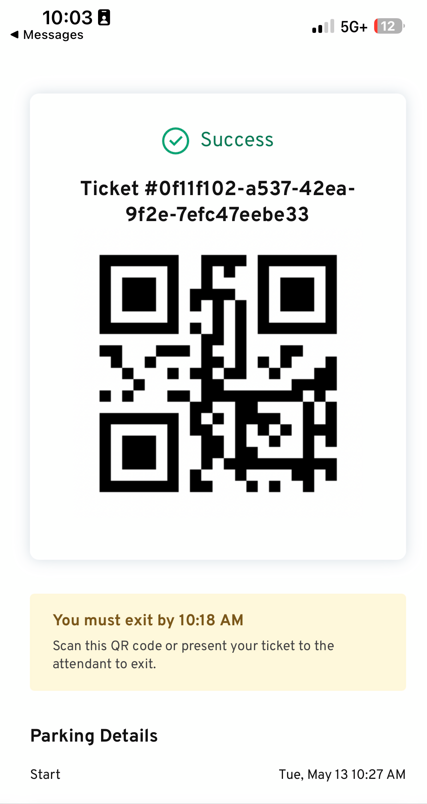
Once payment is completed, the driver can exit the facility within the designated grace period.
How It Works
To advertise and initiate the digital payment process, signs can be mounted along the walls of gated facilities equipped with a QR code containing a beacon for the location. Scanning one of these with a phone’s camera will deliver users to a landing page where they can in turn, scan their ticket to begin a digital checkout.
Customers can also scan the QR code on the printed ticket with their phone to be taken through the ParkWhiz payment experience to complete a payment.
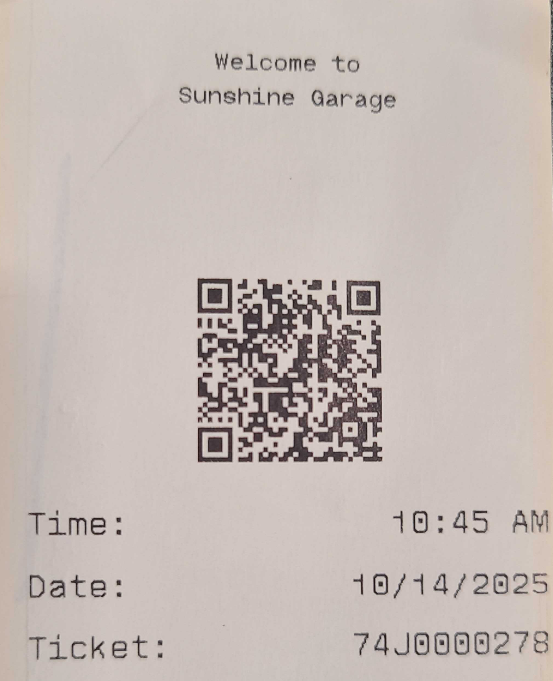
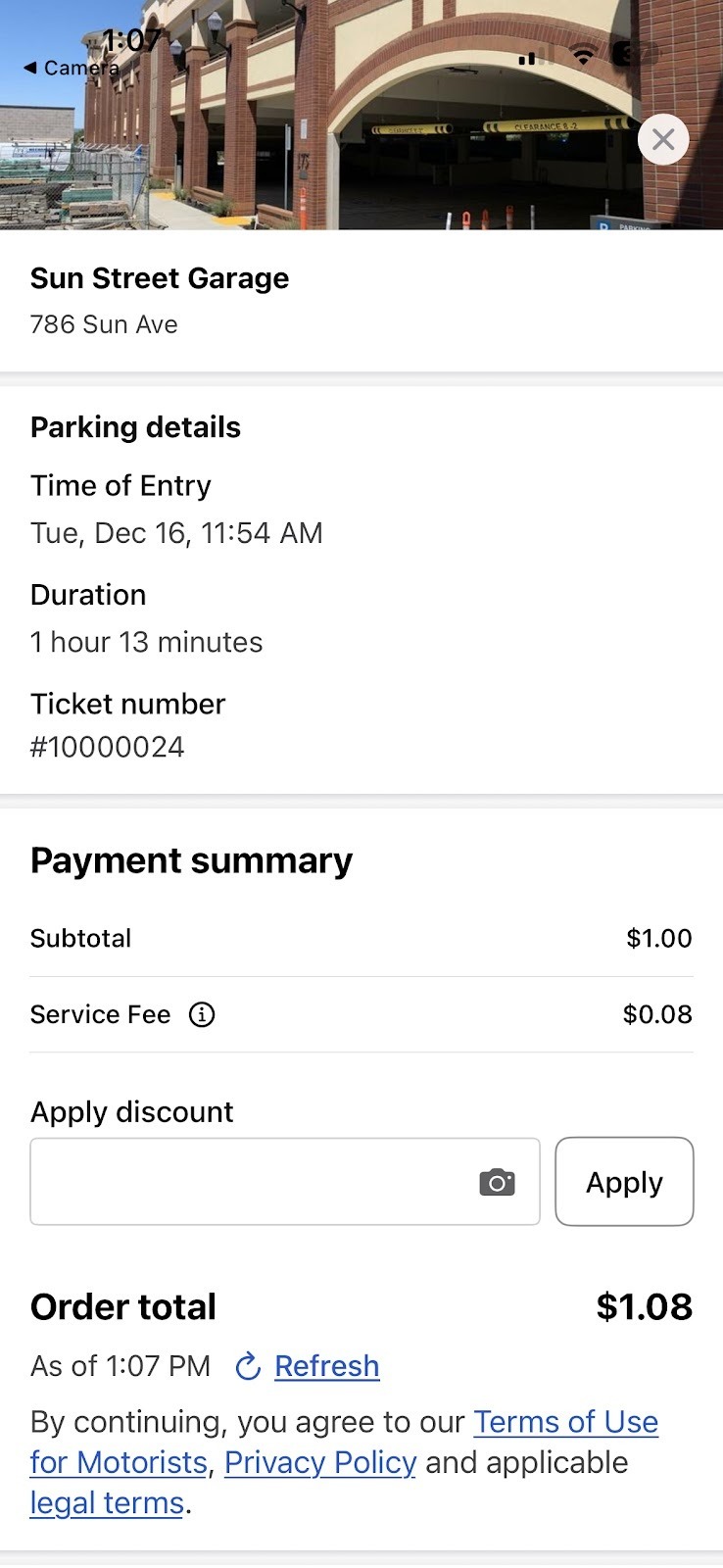
If the customer already has the ParkWhiz app downloaded, the app will automatically open.
The ParkWhiz app is not required, and customers can proceed to payment through the ParkWhiz webpage experience.
The customer taps Scan Ticket and places the ticket barcode in the scanner window.
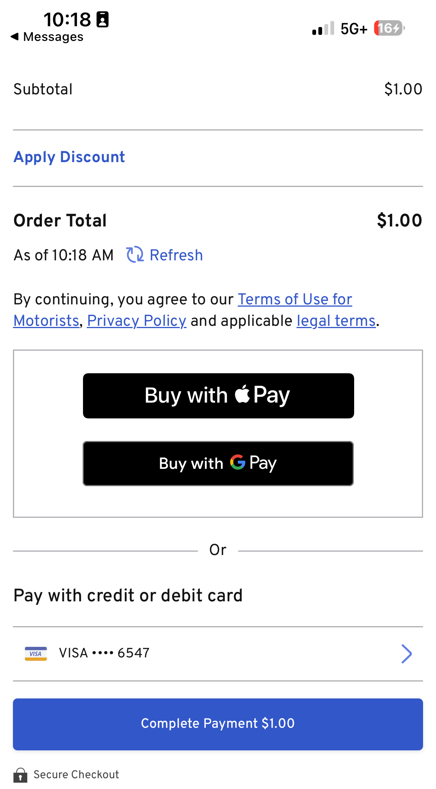
Ticket details are presented with payment options.
Payment Options
- Apple Pay (for iOS devices)
- Google Pay
- Credit or Debit Card
If using the downloaded ParkWhiz app, the app prompts for account setup and saves the credit card on file.
Apply Validation
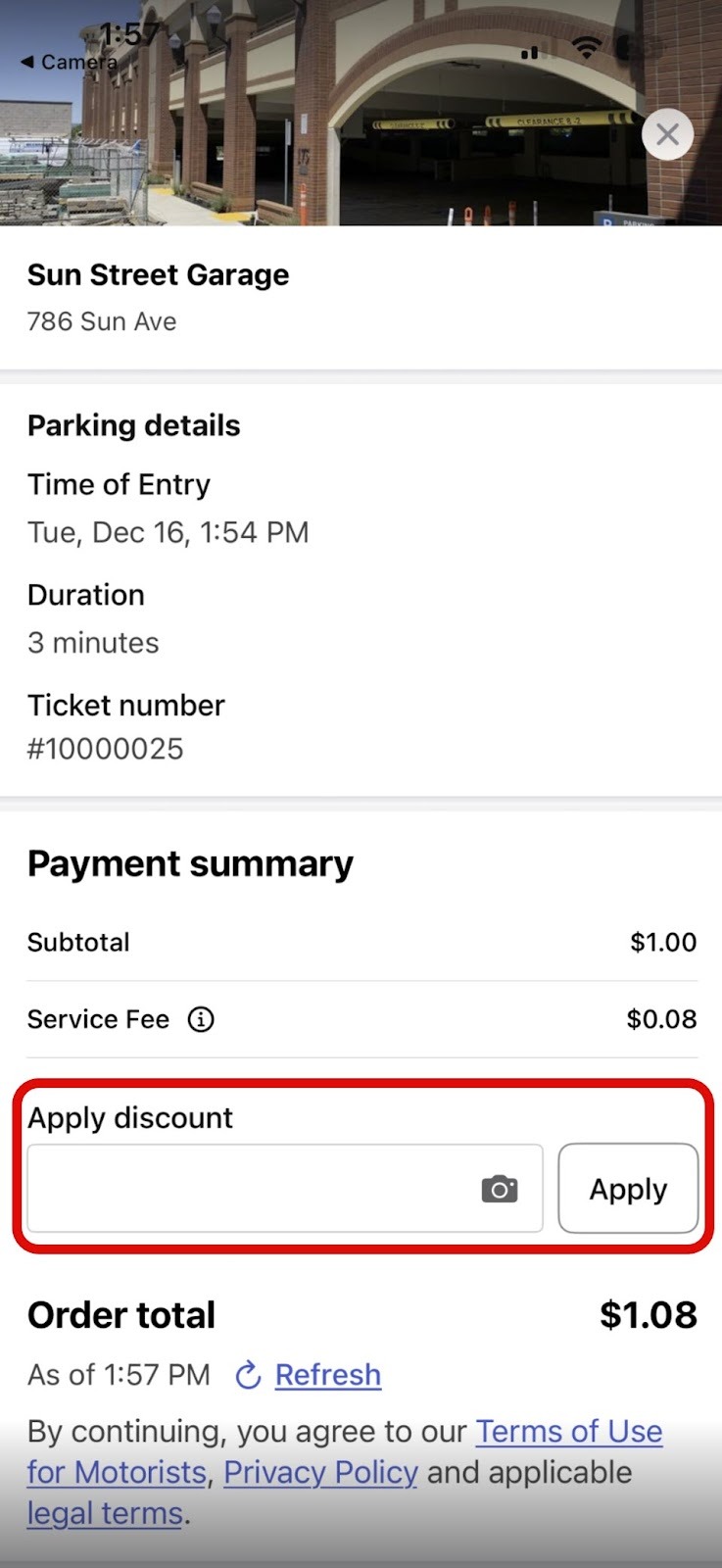
Parkonect Validation barcodes can be applied through the Digital Ticket Checkout process. These discounts are applicable to the base parking fee and other associated fees.
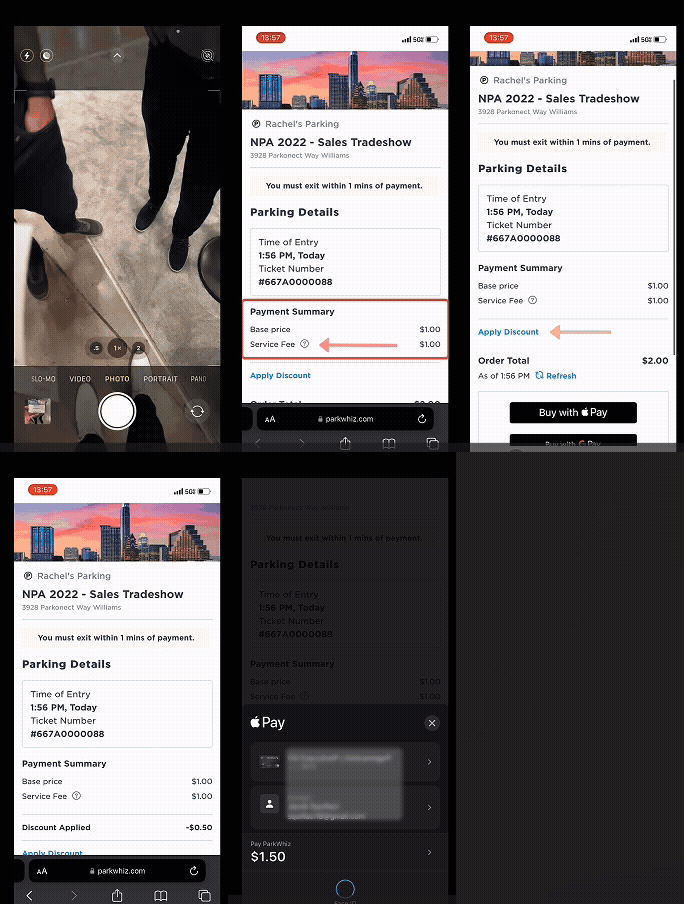
While on the Payment Summary screen, tap Apply Discount. Tap the Camera to initiate the barcode scanner. Or Enter a validation or coupon reference code in the Discount Code field, and tap Apply. The discount is itemized in the payment summary. |
Mobile Number Entry Compatibility
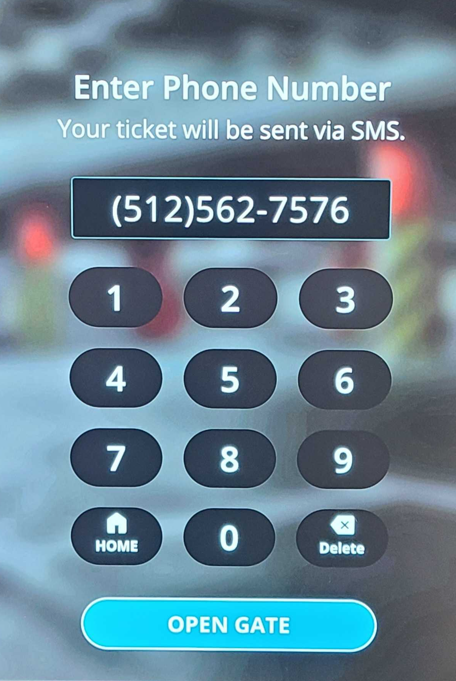
The Digital Ticket Checkout (DTC) system supports mobile number entry as an alternative to pulling a paper ticket. At the entry kiosk, a mobile number can be entered on the screen, this number acts as the digital ticket.
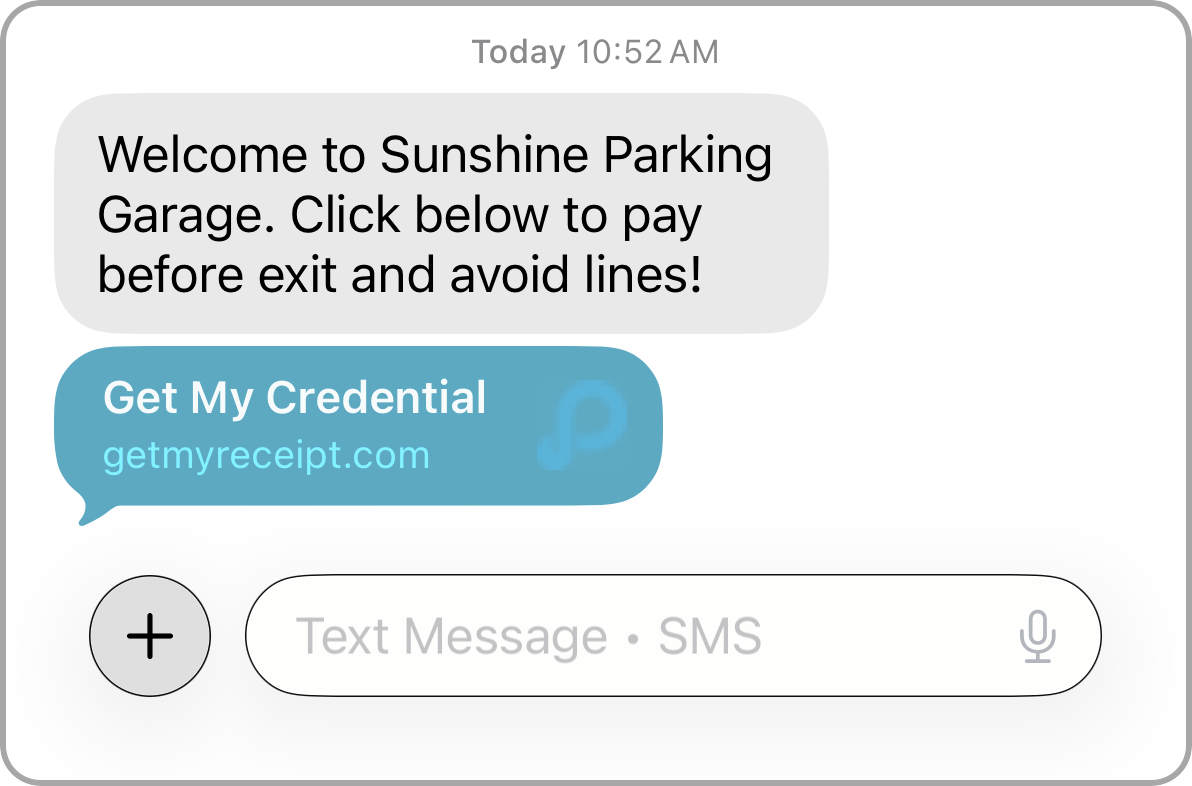
After entry, an automatic text message is sent to the entered mobile number with a link to the digital payment page. Payment can be completed through the link before leaving, and a QR code is provided to scan at the exit.
Digital Ticket Checkout Demo
Compatibility
Reporting
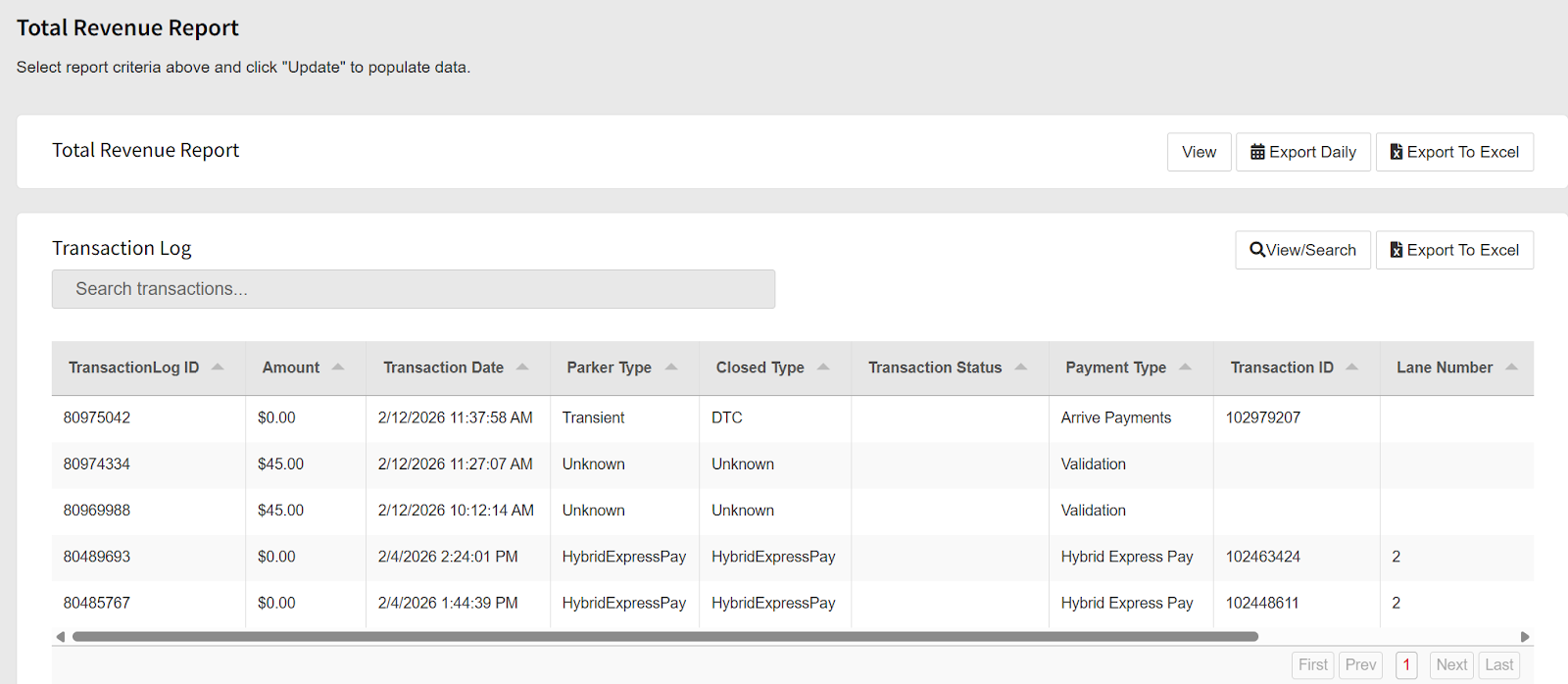
- Total Revenue Report: Located in the Transaction Log Report filtered by DTC Closed Type.
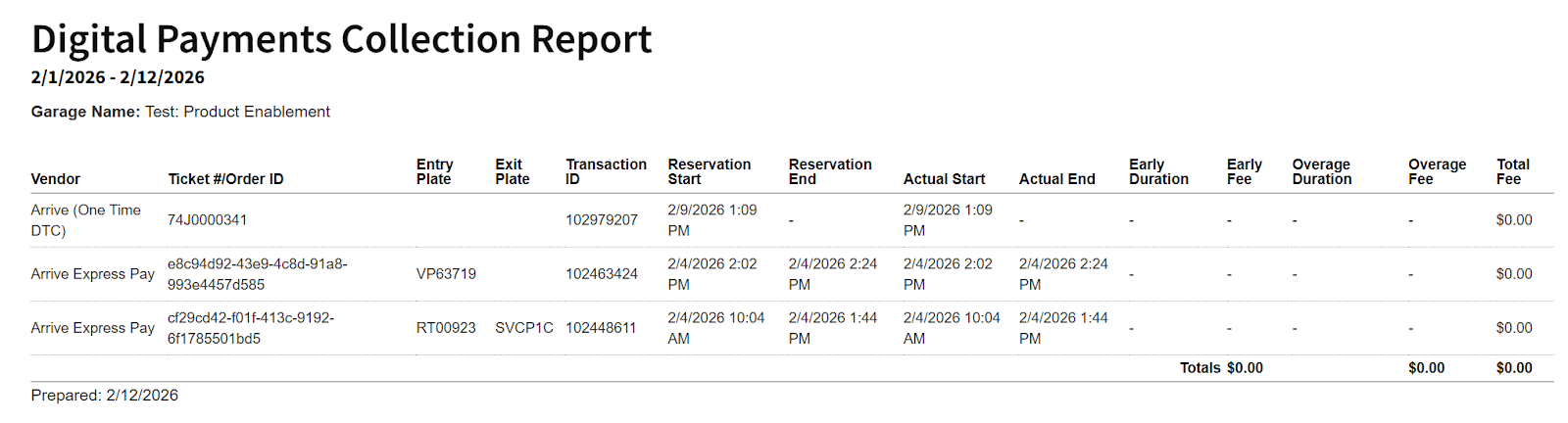
- Digital Payments Collection Report: Detailed digital payment collection report, filtered by “Arrive (One Time DTC)” as a vendor. With this filter, the report only displays DTC transactions.
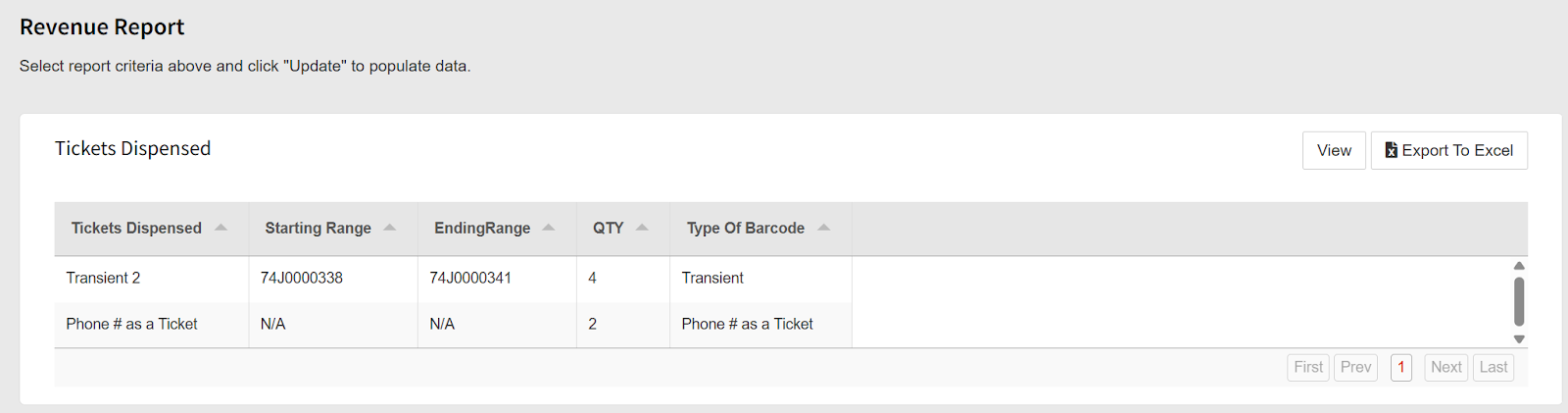
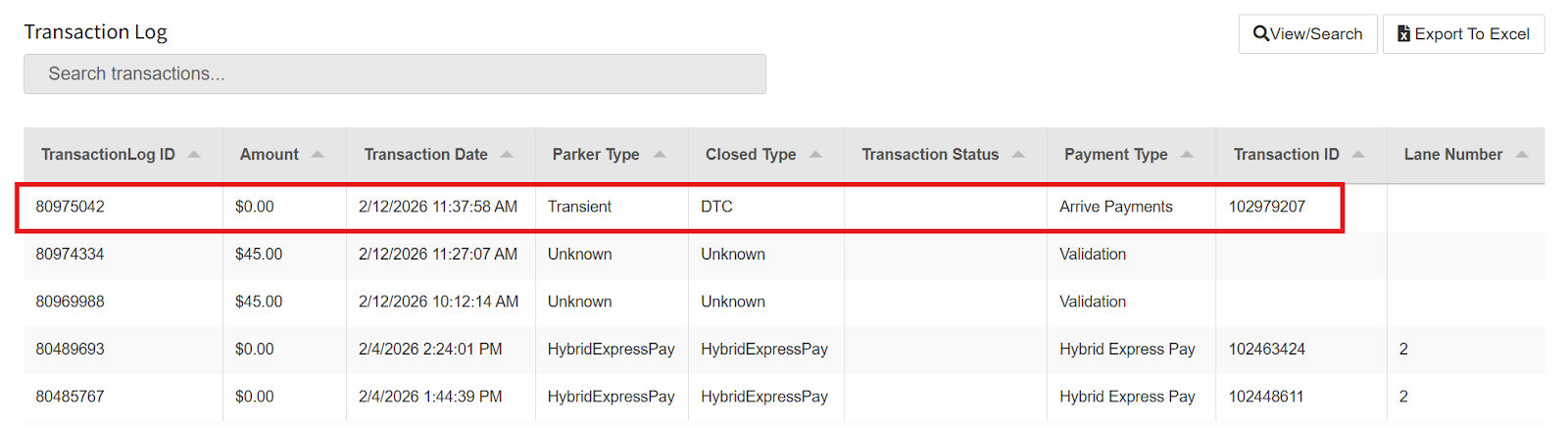
- Revenue Report: Transient tickets processed through ParkWhiz can be seen in the Tickets Dispensed section. Validated tickets are shown in the Transaction by Type section. ParkWhiz entries can be found in the Transaction Log section with the “Closed Type” DTC.
Was this article helpful?
That’s Great!
Thank you for your feedback
Sorry! We couldn't be helpful
Thank you for your feedback
Feedback sent
We appreciate your effort and will try to fix the article