EXTERNAL BILLING
Allows parkers to access parking while their payments are charged through an external system (eg, their organization’s payroll system) rather than paying at the kiosk. As a Parking Operator, you use EOD reporting to charge back your membership parkers.
How External Payment Source Works
- Parker enters and exits the facility using their membership credentials
- The system records the parking transaction internally rather than processing payment at the kiosk.
- The system automatically marks the transaction as paid in the parking system.
- At the end of the day, partners retrieve the daily transaction records.
- Parking fees are then charged to the member through their payroll system, departmental budget, or any system as a Parking Operator you are using to bill your parkers.
Click here for information regarding third-party members creating monthly and membership accounts through our API integrations.
Bypass Charge Summary
This payment type is compatible with a Bypass Charge Summary Screen configuration.
If bypass is not enabled, parkers will see a Charge Summary screen at the end of their parking session. The screen will display the parking charge details and include a button for the parker to acknowledge the future charge.
Although the system displays the charge amount, it does not process the payment in real time.
End-of-Day Processing
All transactions are included in the end-of-day (EOD) export generated by the system. Partners use this export to:
- Review the recorded parking transactions.
- Reconcile charges.
- Process the actual deductions through their payroll system, budget, or any system being used to charge the parkers.
Refunds
The system still provides Ticket Search and Refund functions for admin and record-keeping purposes. Refund actions do not process an actual financial transaction, and any financial adjustments must be handled externally by the partner organization through their own system (eg, payroll, HR system).
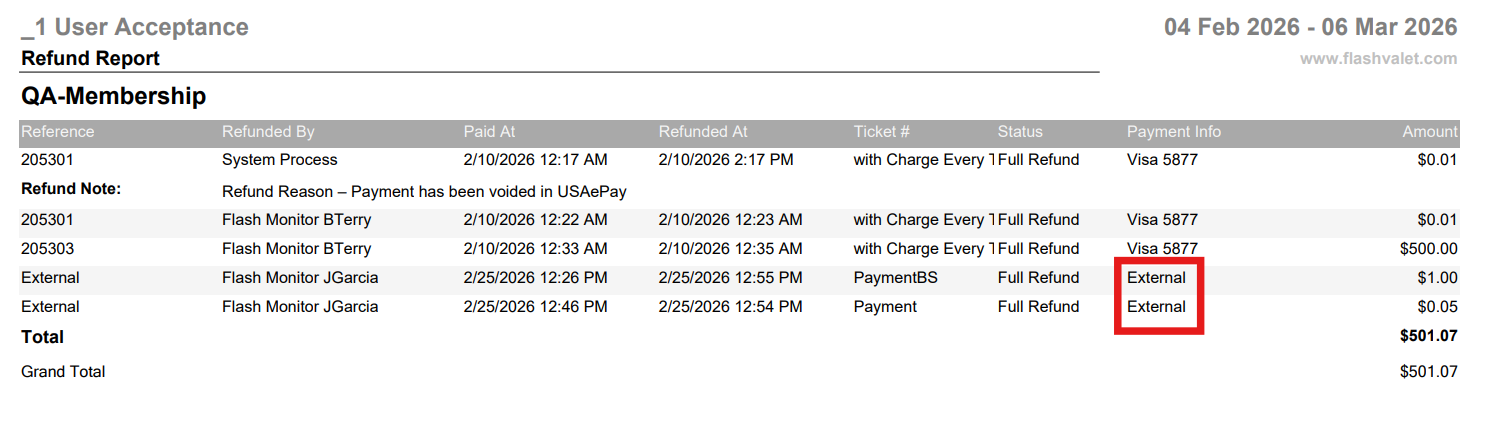
Reporting
Transactions are reflected in transactional reports as collected revenue. These are identified using the payment type External Member, which marks the transaction as paid, and is included in Revenue Summary reports.
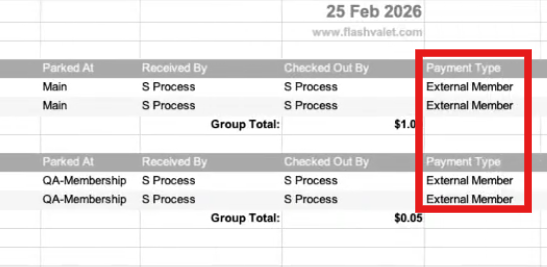
In reports where a Payment Type column is available, these transactions appear as External Member, allowing admins to distinguish externally processed payments from standard payment methods and track revenue associated with external systems.
Was this article helpful?
That’s Great!
Thank you for your feedback
Sorry! We couldn't be helpful
Thank you for your feedback
Feedback sent
We appreciate your effort and will try to fix the article