"A VEHICLE WAS TOWED. HOW SHOULD I HANDLE THIS?"
Description
When a vehicle is towed, it skips the exit camera, leaving its parking session open.
Call Script for Client:
“Thank you for contacting support! I would be glad to help you close the active ticket in our system and reconcile your billing to prevent any incorrect charges. I'll process that update for you right away. May I please have your license plate and/ or ticket number.”
Agent Instructions & Details
- In order to solve this issue and ensure the customer’s account is updated cleanly, gather the customer’s details and submit an official invalidation request directly to ParkWhiz Support.
To get this processed, request the following details:
- The driver’s full name, phone number, and email address.
- The driver's vehicle license plate number and the ticket number.
- A quick confirmation of what happened at the location so it can be included in a detailed note for the support team.
- Contact ParkWhiz Help (help@parkwhiz.com) with the driver’s information.
Call Script for Client:
"Perfect, thank you! I have compiled all of your information and am submitting this request. Your ticket will be invalidated. Is there anything else I can assist you with today?"
- If the car has left the facility- Close the Parkonect ticket in Parkonect Admin:
Log into the Parkonect Admin portal.
- Select a Garage > [Garage]
- Select the ticket by clicking the (+) sign.
- Click the logout button.
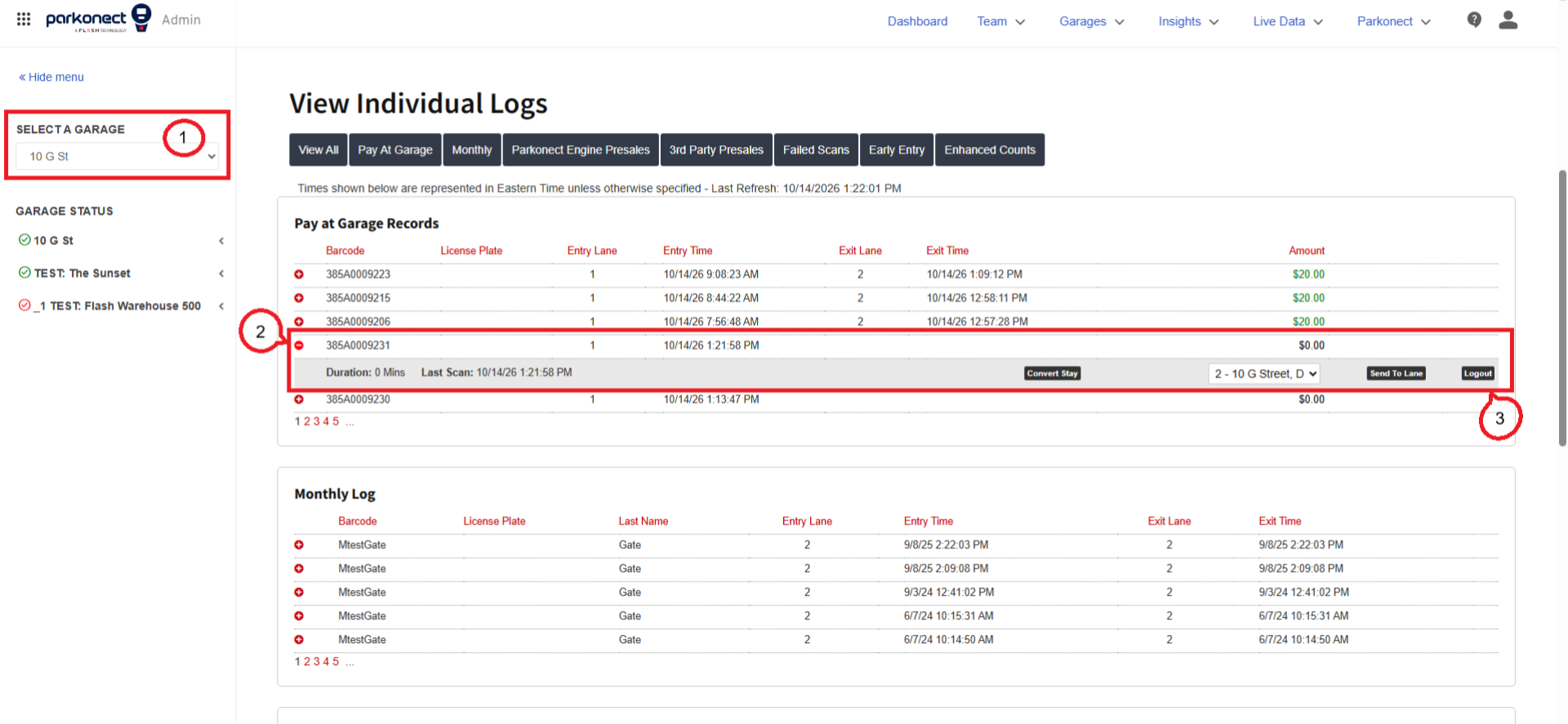
- In the next window, click the logout button.
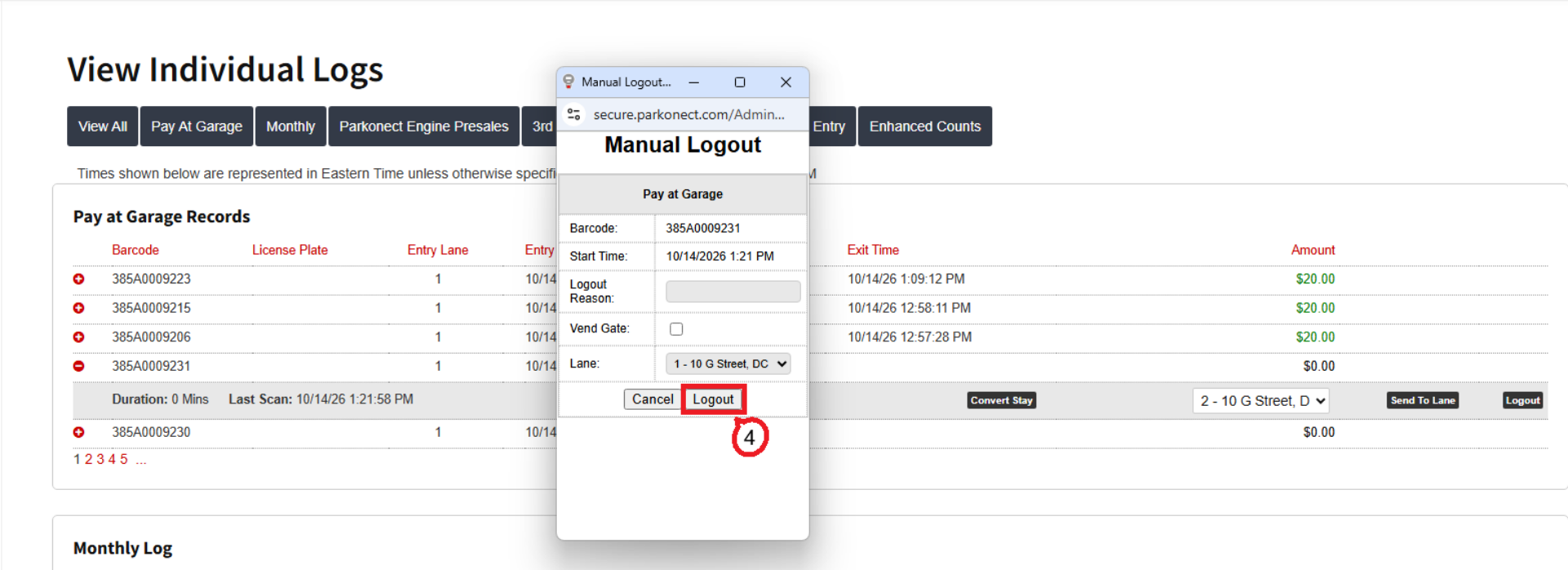
Call Script for Client:
"I’ve closed your ticket in the dashboard and requested Support to cancel the Express Pay session so you aren’t overcharged. All set on our end! Please make sure to contact the towing company in order for you to retrieve your vehicle."
Was this article helpful?
That’s Great!
Thank you for your feedback
Sorry! We couldn't be helpful
Thank you for your feedback
Feedback sent
We appreciate your effort and will try to fix the article