Customer Scenario
"I started an Express Pay session, but the gate didn't vend on exit, and the attendant vended me out."
What Happens If the Driver Was Vended Out by Support
If a parker exited after calling Support and was manually vended out:
- The Express Pay session will likely remain Open
- The PARCS ticket may still be active
- The payment will not reconcile automatically
If an Express Pay user has an open session, they cannot start a new Express Pay session until the existing one is closed.
Required Actions:
- Contact Flash Support to invalidate the ParkWhiz session.
- Provide Support with the parker's information (license plate or phone number)
- Location name
- Provide Support with the parker's information (license plate or phone number)
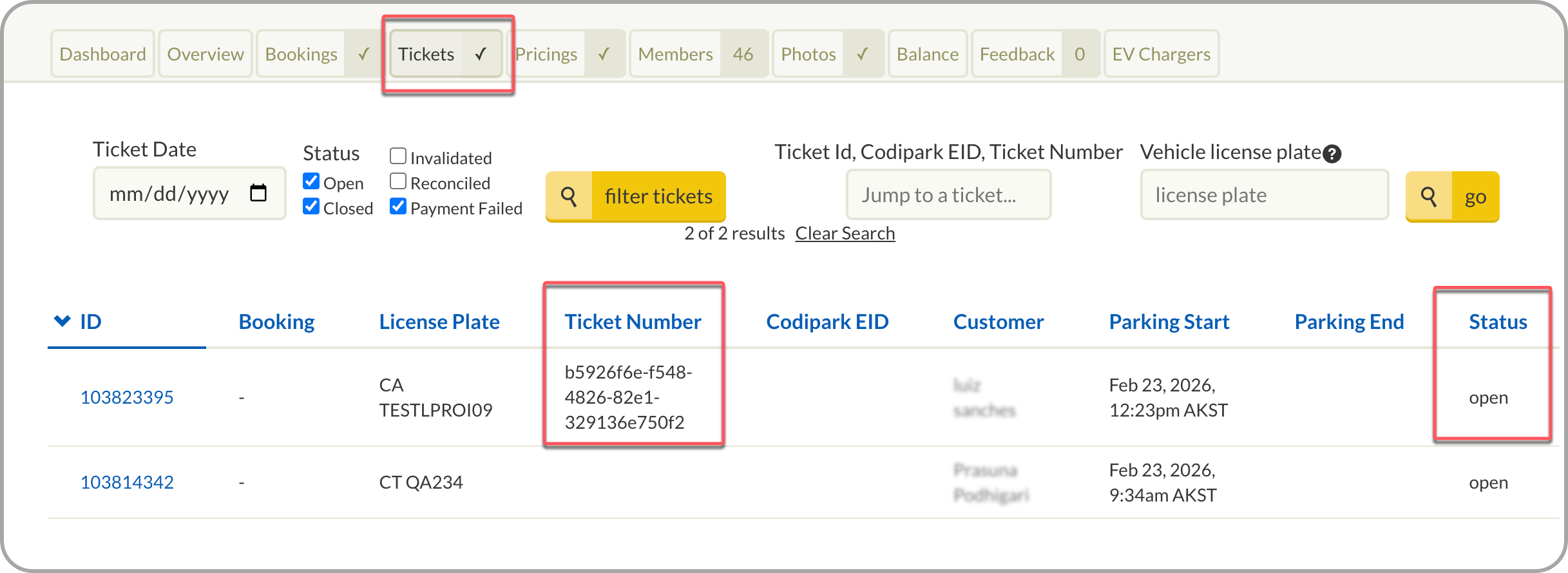
This information can be verified in ParkWhiz Admin under the Tickets tab, which displays the current status of tickets.
If an External Ticket Number is present, this confirms the ParkWhiz session was successfully linked to a corresponding PARCS ticket number.
2. Soft close/logout the PARCS ticket in the PARCS platform.
- Parkonect -> Use Garage Log
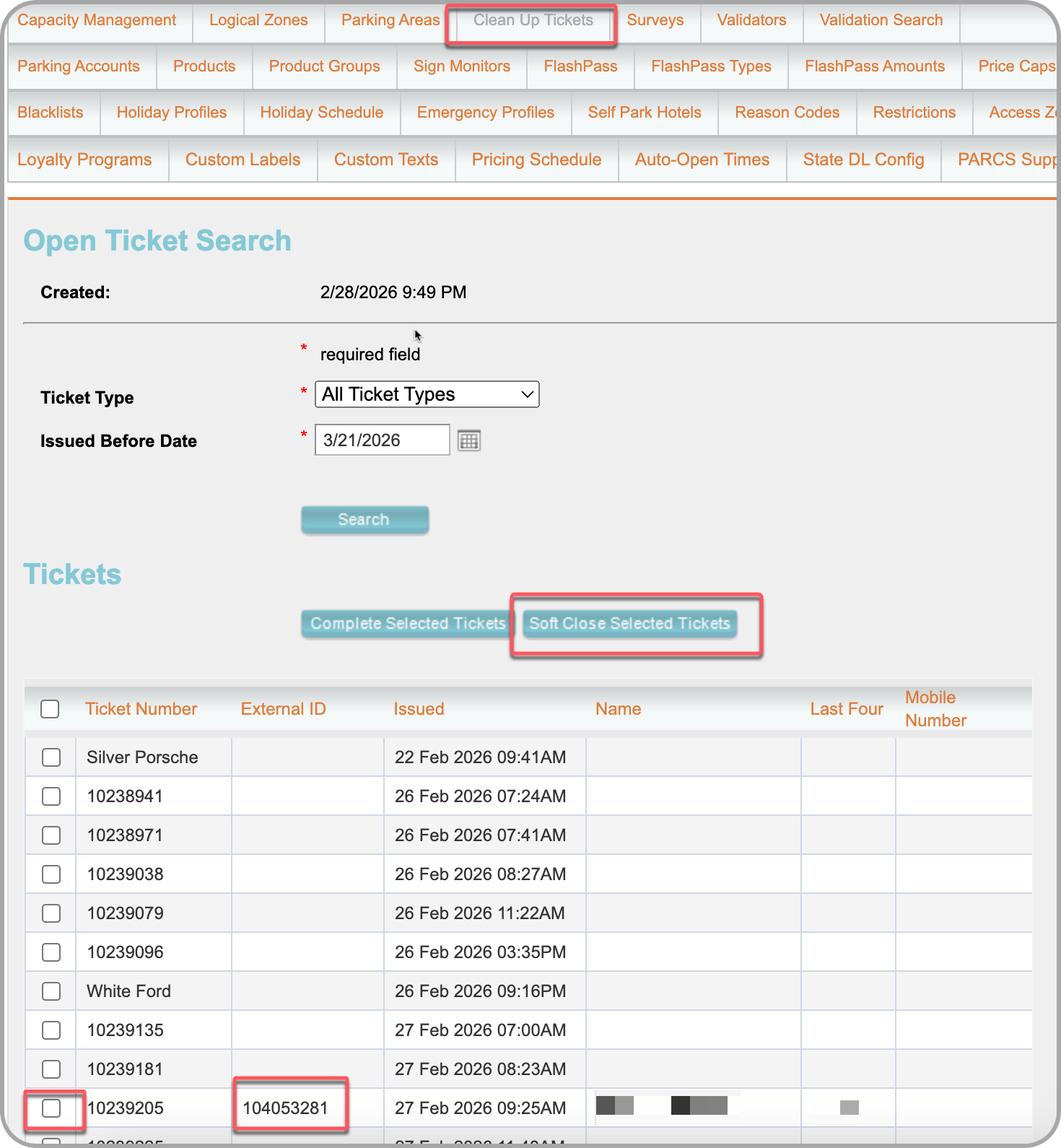
- Flash PARCS -> Use Clean Up Tickets
Parkonect Garage Log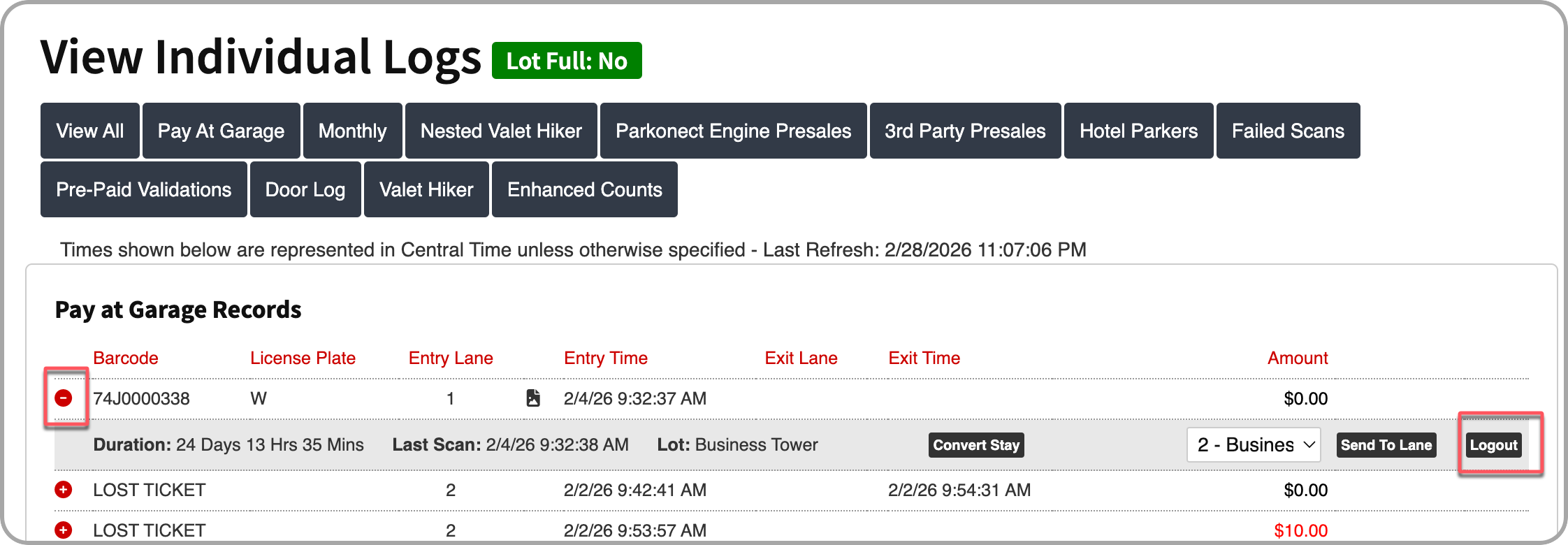
Flash PARCS Clean Up Tickets
Was this article helpful?
That’s Great!
Thank you for your feedback
Sorry! We couldn't be helpful
Thank you for your feedback
Feedback sent
We appreciate your effort and will try to fix the article