Customer Scenario
"I no longer have this vehicle. How can I delete it from my Express Pay Account?"
If you no longer have a vehicle saved to your Express Pay account, you can remove it from your vehicle list in the ParkWhiz app.
Steps to Remove a Vehicle
- Download the ParkWhiz app (if you don’t already have it installed).
- Log in using one of the following:
- Phone number
- Email and password
- Apple, Google, or Samsung account
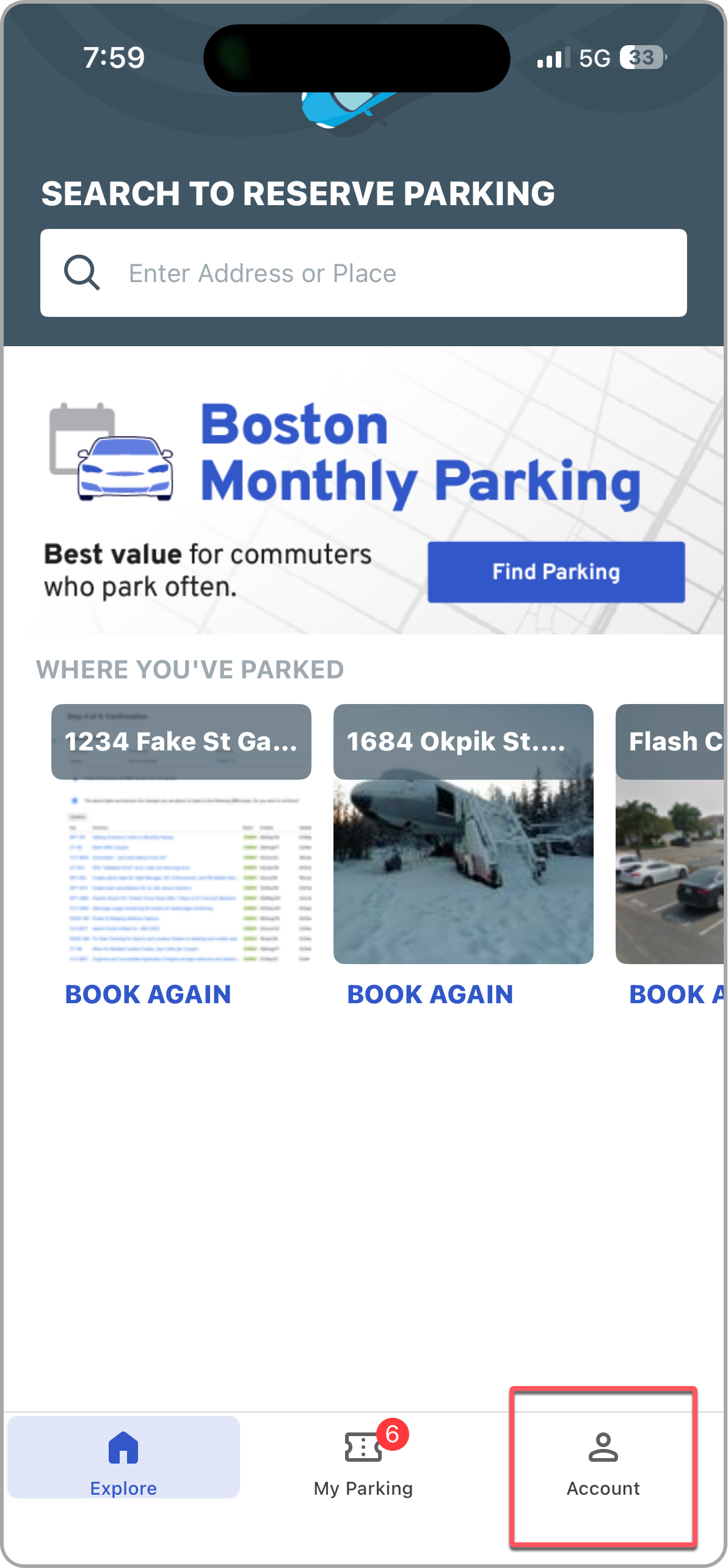
- Tap the Account tab in the bottom-right corner.
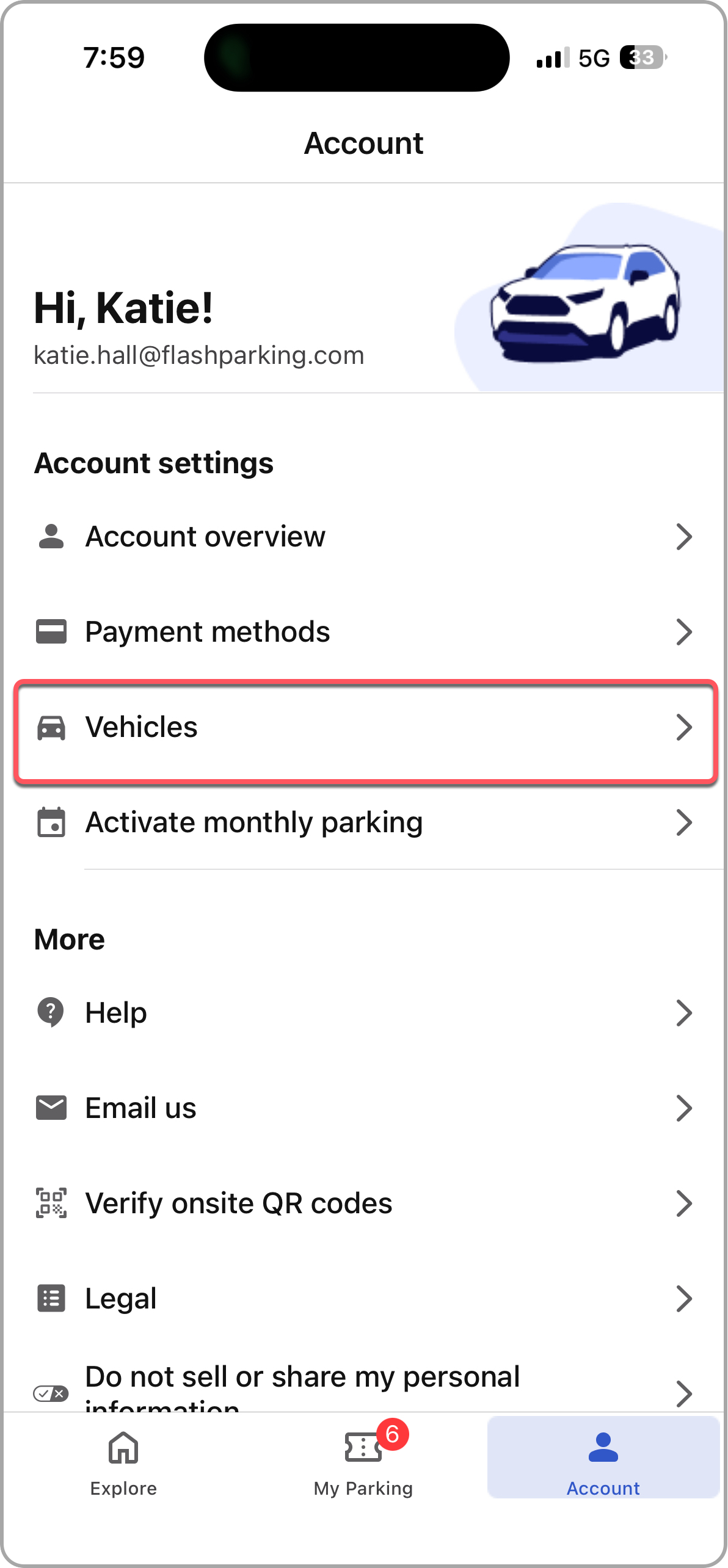
- Select Vehicles.
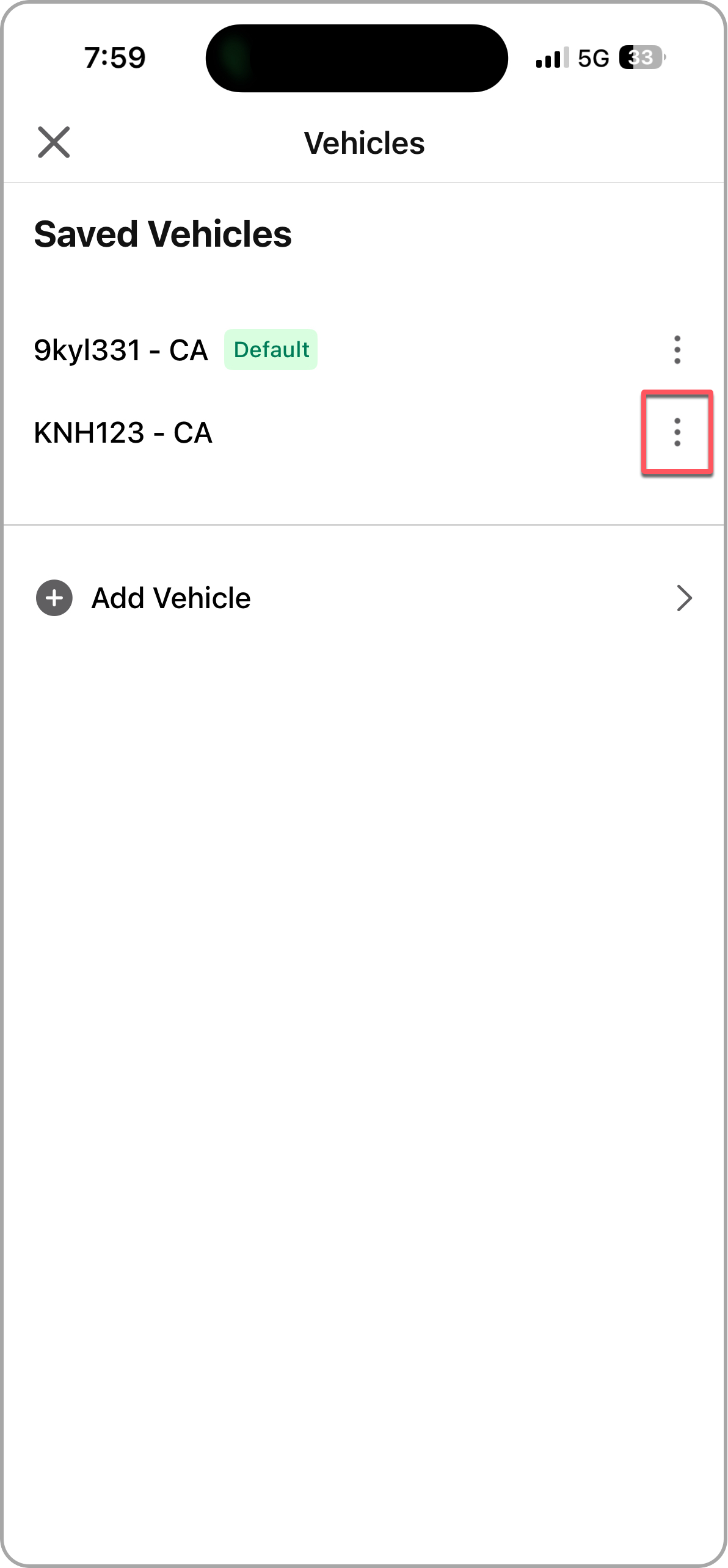
- Tap the three dots (⋯) next to the vehicle you want to remove.
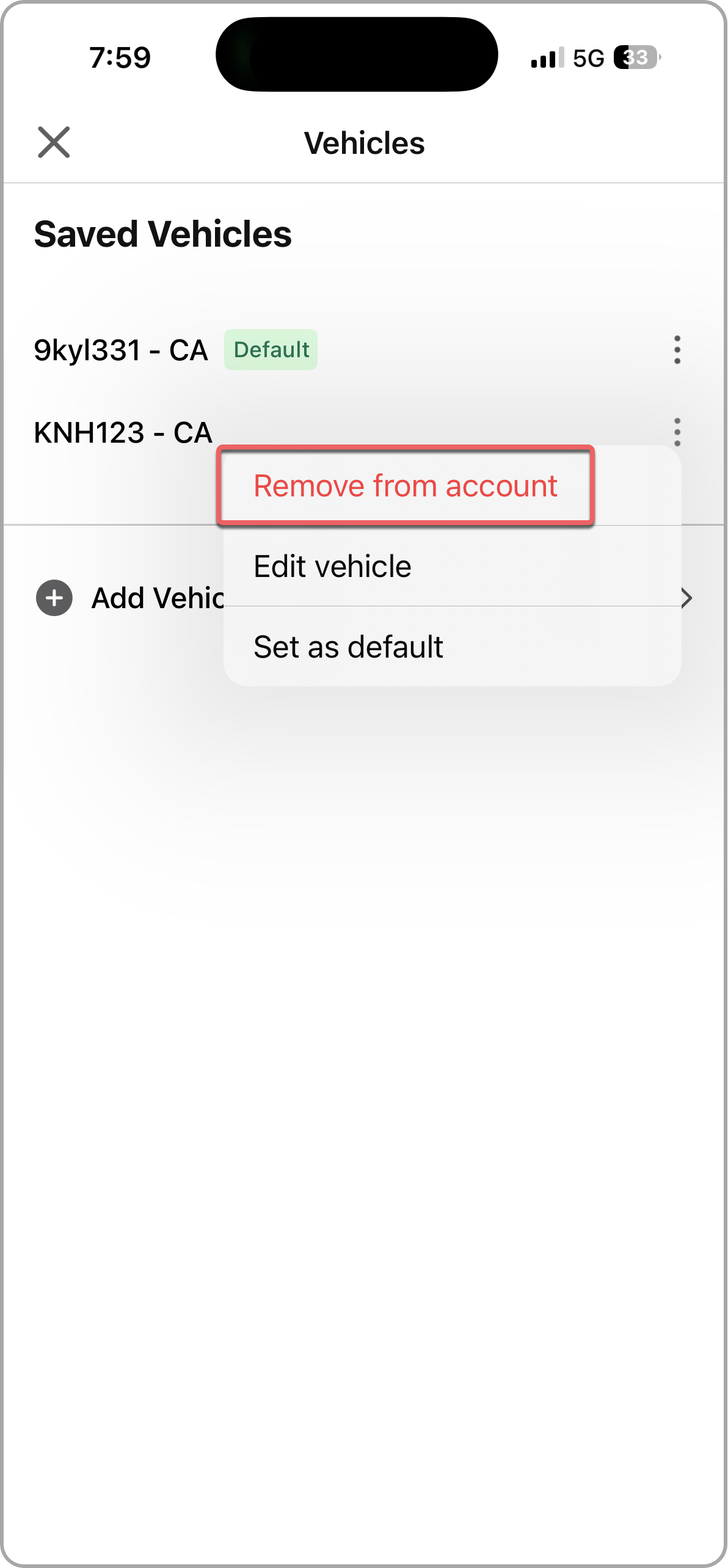
- Select Remove from Account.
Once removed, the license plate will no longer be associated with your Express Pay account.
 |  |
 |  |
Was this article helpful?
That’s Great!
Thank you for your feedback
Sorry! We couldn't be helpful
Thank you for your feedback
Feedback sent
We appreciate your effort and will try to fix the article