FLASH VALET APP - SWITCH REGIONS
Flash Valet operates across separate regional environments: United States and Canada, each with its own infrastructure. Users must select the correct region before logging in to access their assigned companies and locations.
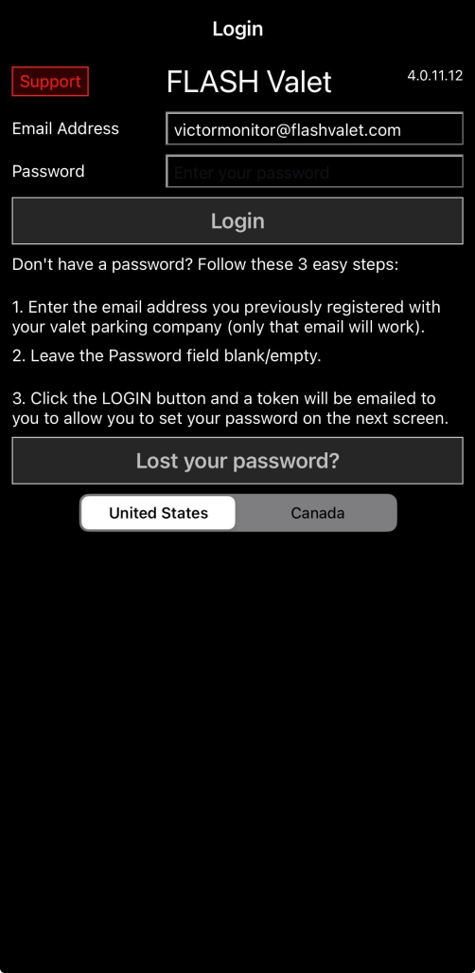
Requires Flash Valet app ver 4.0.11.12 or later
Why This Is Done
Flash Valet regions are separated to support infrastructure and regulatory requirements.
- Each region operates on its own infrastructure.
- Data is stored and managed within its respective region.
- Separation supports country-specific regulations (e.g., Canada data handling requirements).
Use Case
Region selection ensures users access the correct environment tied to their account.
- Users created in the United States region can only access US companies and locations.
- Users created in the Canada region can only access Canada companies and locations.
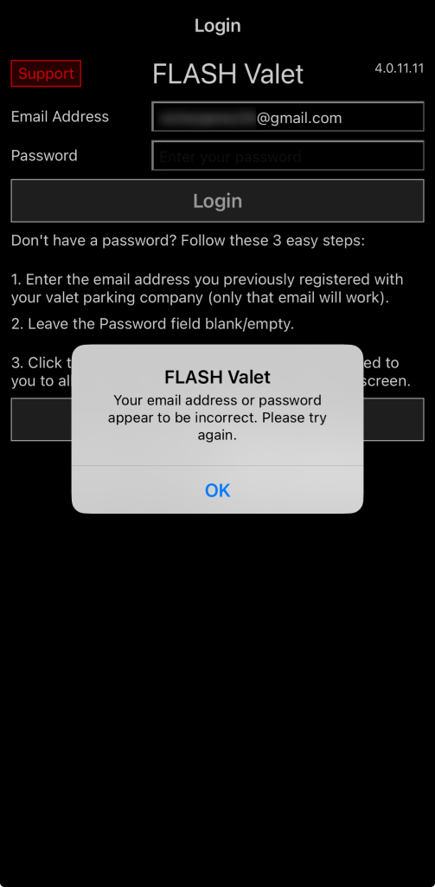
- Selecting the wrong region prevents access and may return a login error.
- Supports expansion by allowing additional regions to be added without impacting existing environments.
How It Works
- Open the Flash Valet app.
- On the login screen, select the correct region (United States or Canada).
- Enter credentials.
- Tap Log In.
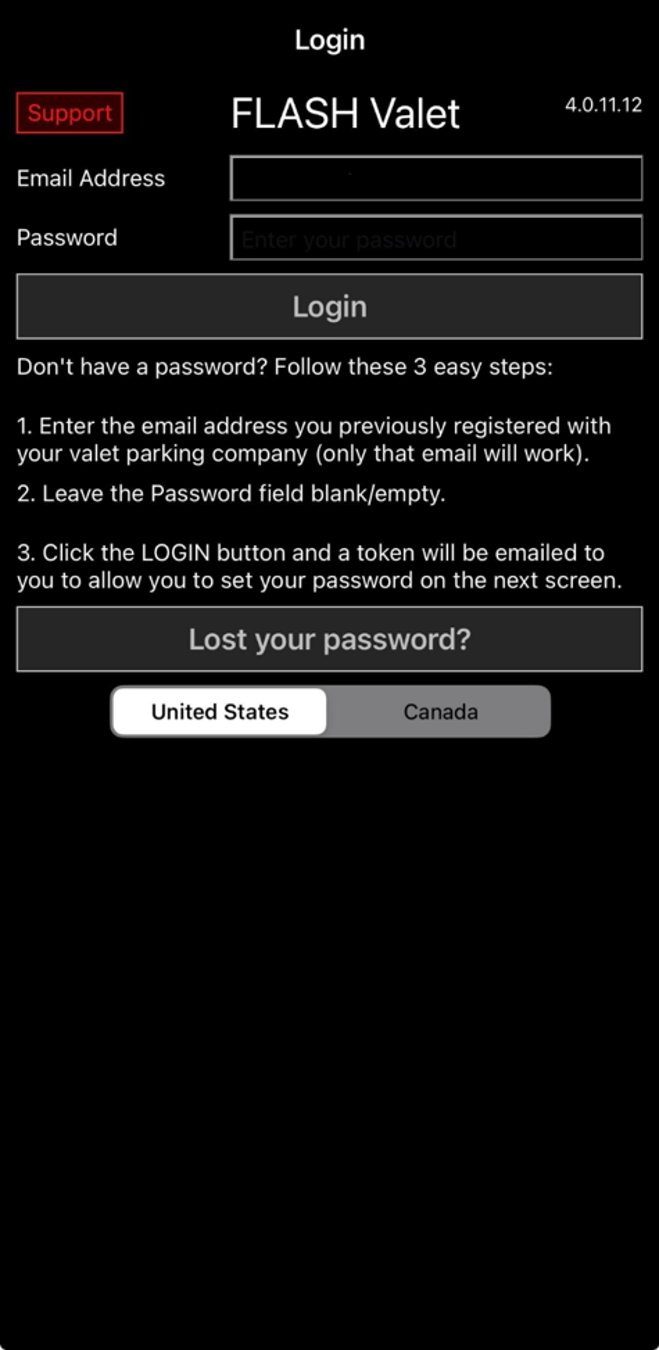
After logging in, only companies and locations within the selected region are available.
If the Wrong Region Is Selected
If login fails due to incorrect region selection:
- Click OK.
- Return to the login screen.
- Select the correct region.
- Log in again.
Notes
- Region must be selected before logging in.
- Regions do not share users, companies, or locations.
- A login error may indicate the wrong region is selected, not invalid credentials.
Was this article helpful?
That’s Great!
Thank you for your feedback
Sorry! We couldn't be helpful
Thank you for your feedback
Feedback sent
We appreciate your effort and will try to fix the article