TICKET TAKEOVER
The Ticket Takeover feature allows parkers to scan their paper ticket or manually enter their license plate to start their session.
How it Works
- Following the Express Pay flow, the user lands on the ‘Scan ticket / Enter License Plate’ page. They may be required to log in first.’
- A new page to choose the desired method to find their session will appear when the driver is ready to enter their license plate or confirm their saved vehicle.
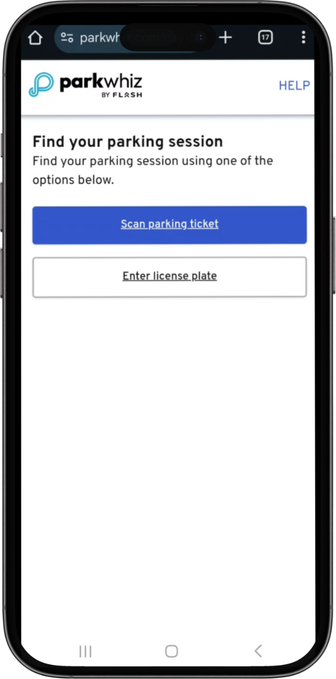
Scan Parking Ticket
- If the scan parking ticket option is chosen, the driver will be taken to a page to scan the ticket.
- After a successful scan, the driver will be prompted to add/confirm their vehicle.
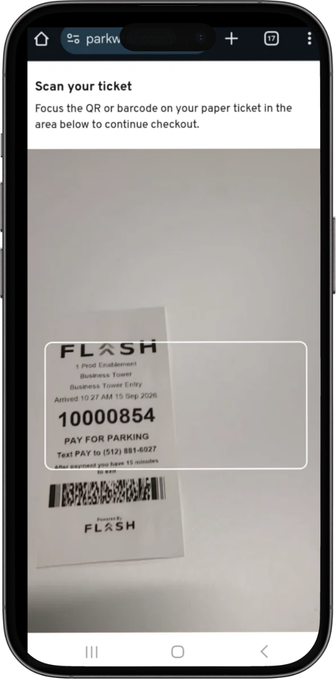
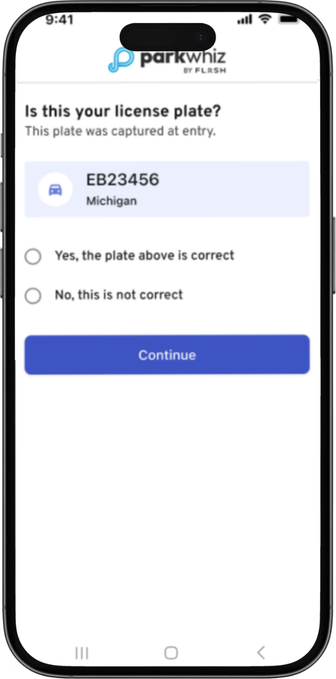
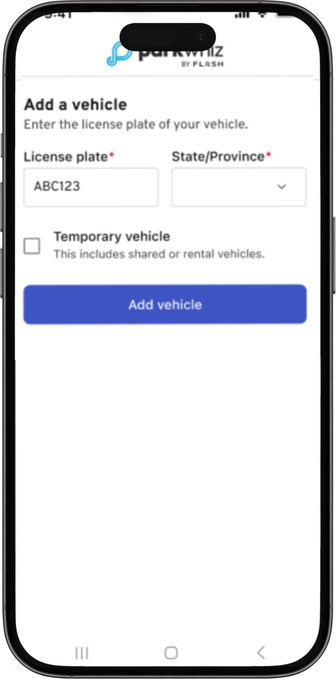
Scanning ticket LPR scan included plate LPR scan did not include plate
Enter License Plate
- If Enter License Plate is chosen, it will follow the regular path to add a new vehicle or select a saved vehicle if they are an existing user with vehicles on their account.
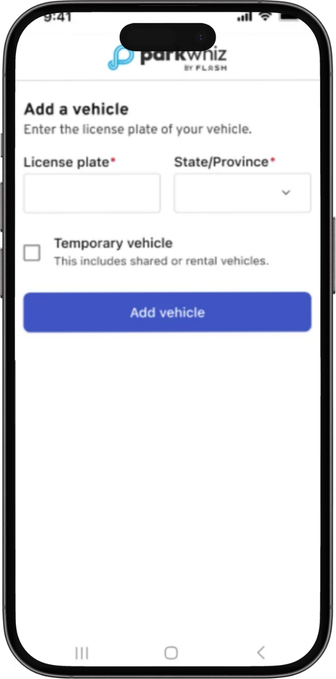
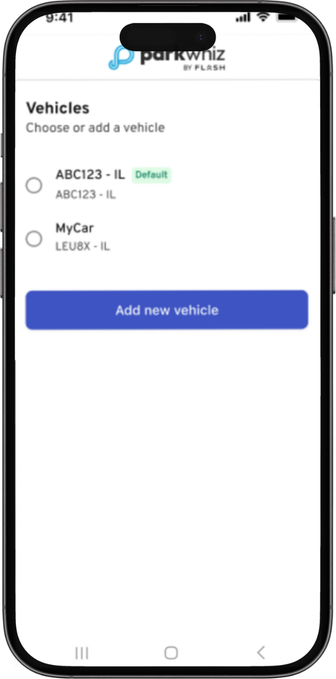
No saved vehicle Saved vehicle(s)
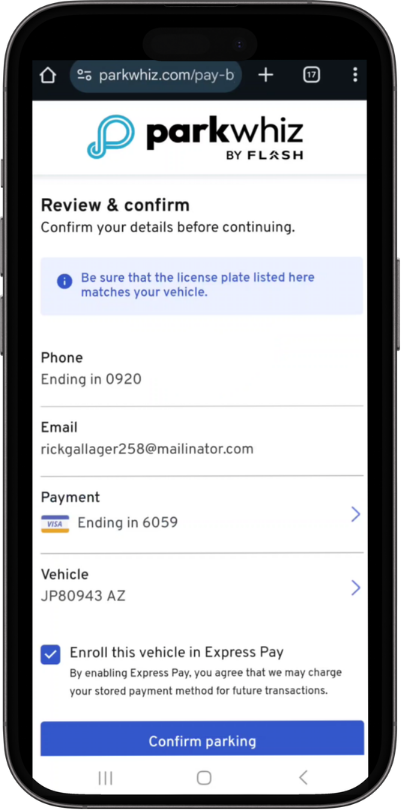
- After completing the process, the Express Pay flow will take the driver to add a payment method, pay/confirm, and start the session.
Was this article helpful?
That’s Great!
Thank you for your feedback
Sorry! We couldn't be helpful
Thank you for your feedback
Feedback sent
We appreciate your effort and will try to fix the article