Flash Valet: Valet Monthly Vehicle Request

Modified on Fri, 6 Nov at 8:29 AM

VALET MONTHLY VEHICLE REQUEST


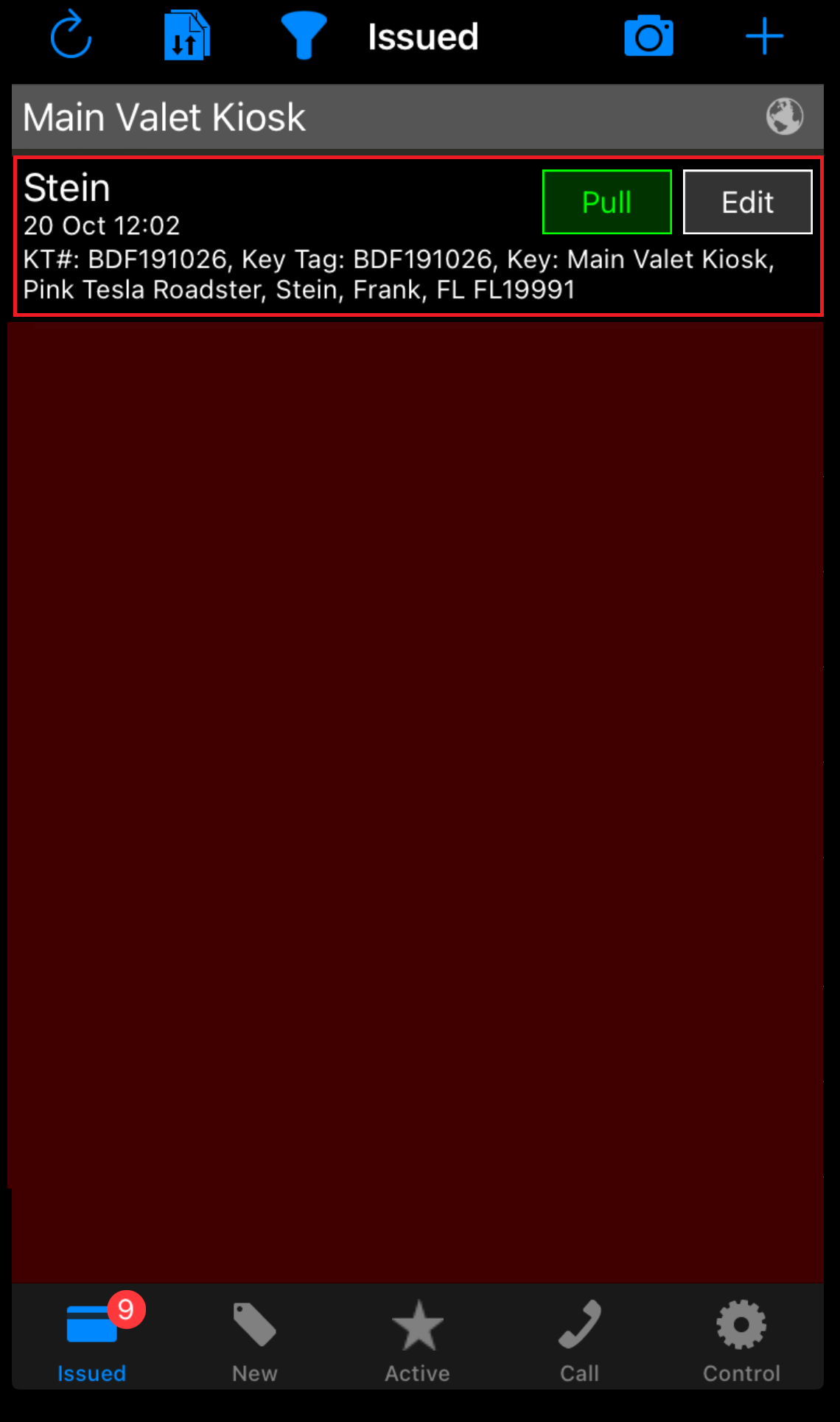
  1. The Valet Attendant scans the customer’s monthly key tag to begin the parking session.

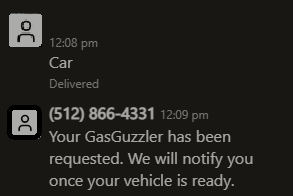
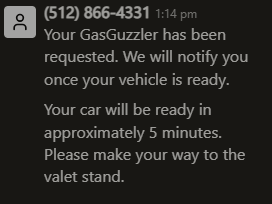
  1. When a guest is ready to end their parking session, they send an SMS with the word “Car” to the location’s dedicated phone number. As soon as the text is sent, the system automatically sends a confirmation back to the parker


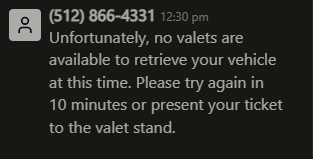
  1. If there is no Valet Attendant present to retrieve the car, the system will send a message warning the parker that no attendant is present at the moment and asking them to try again within 10 minutes.

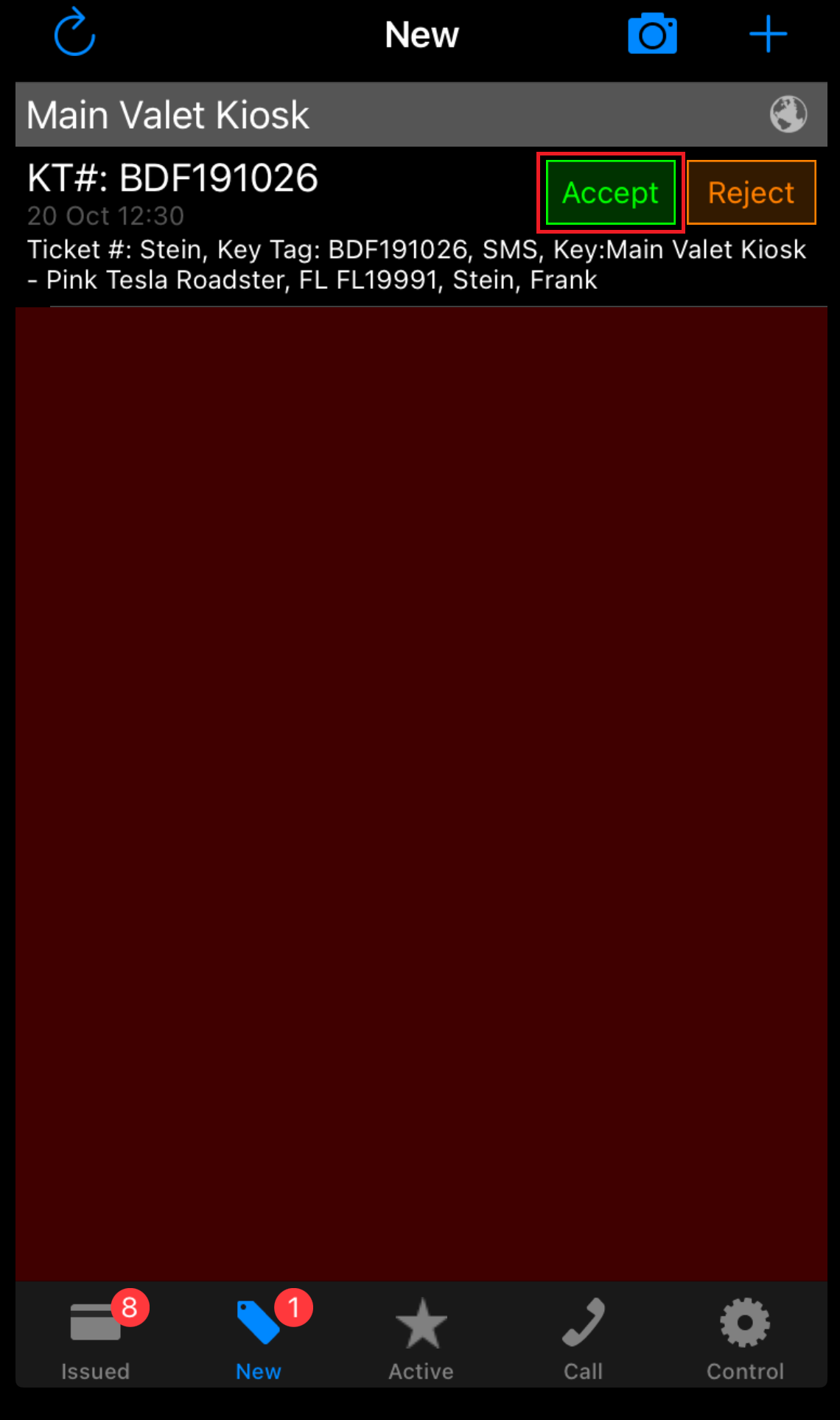
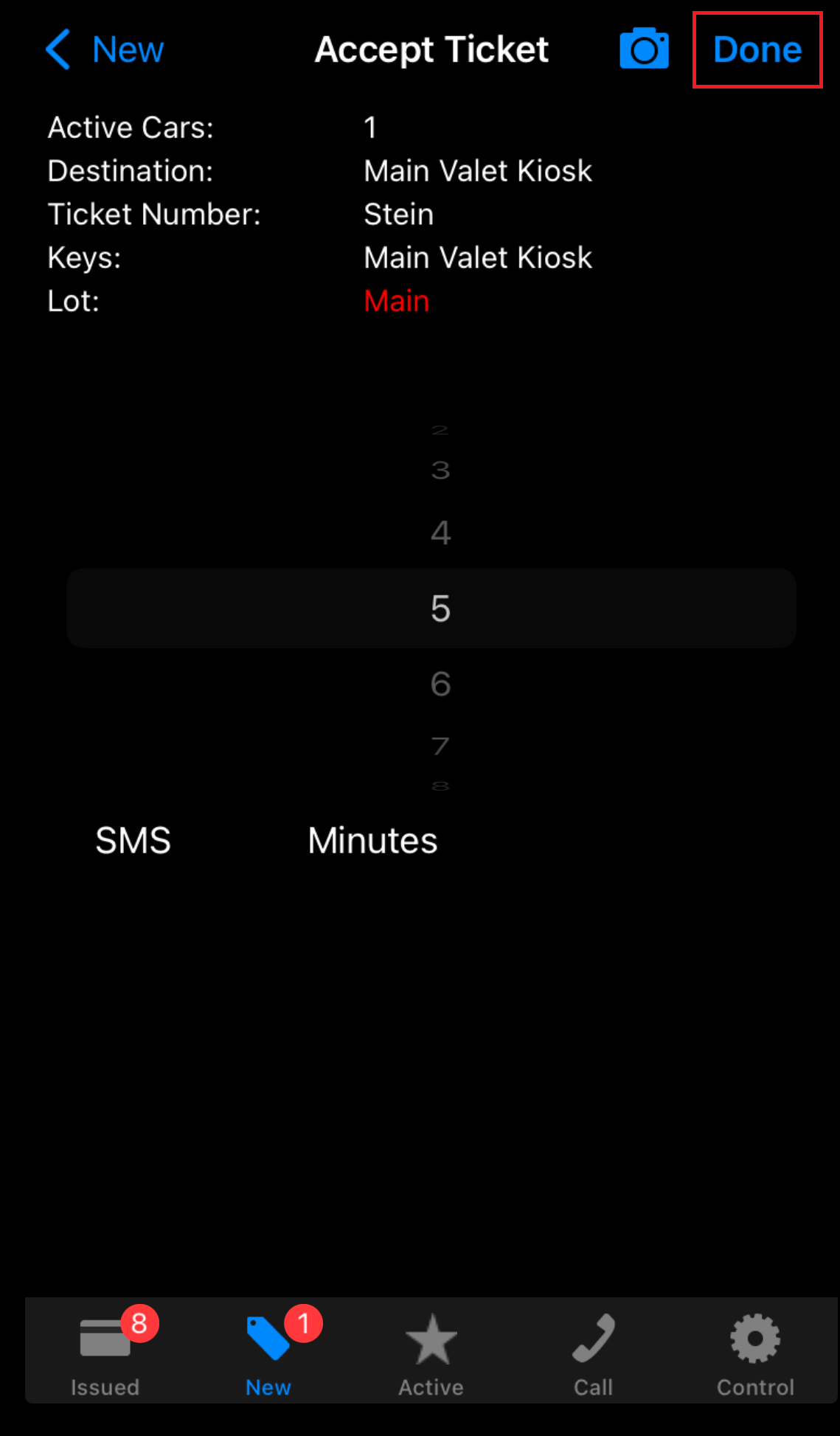
  1. The Valet Attendant will receive the retrieval request on the Valet App. By tapping the “Accept” button, the valet is shown a confirmation page to enter the minutes for vehicle retrieval.

  1. Once the retrieval minutes are selected, tap “Done”. This action sends an SMS to the parker informing them how long it would take for their vehicle to be ready for pickup.


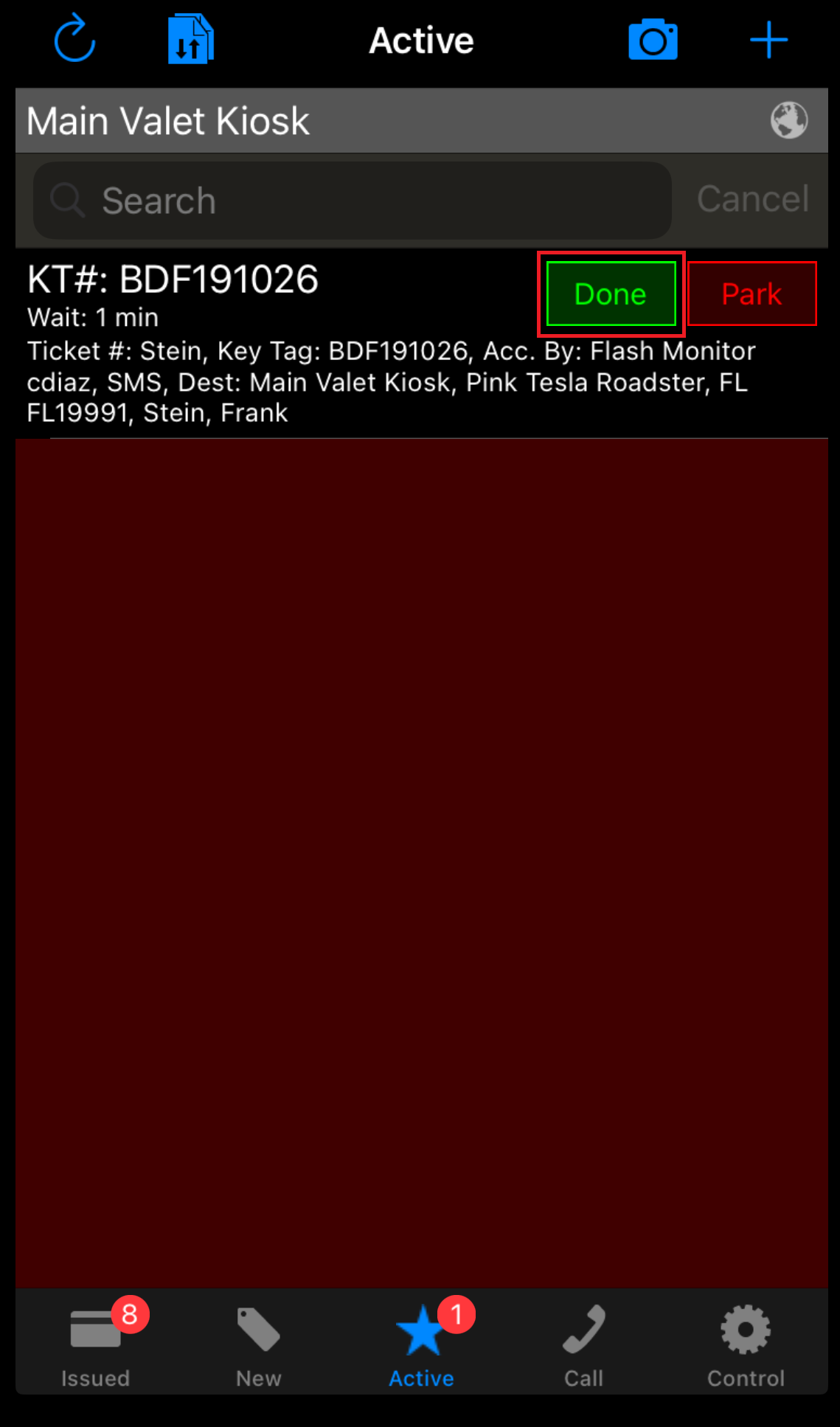
  1. The monthly ticket is moved to the Active tab. Once the parker retrieves their vehicle, tap “Done” to end their session.

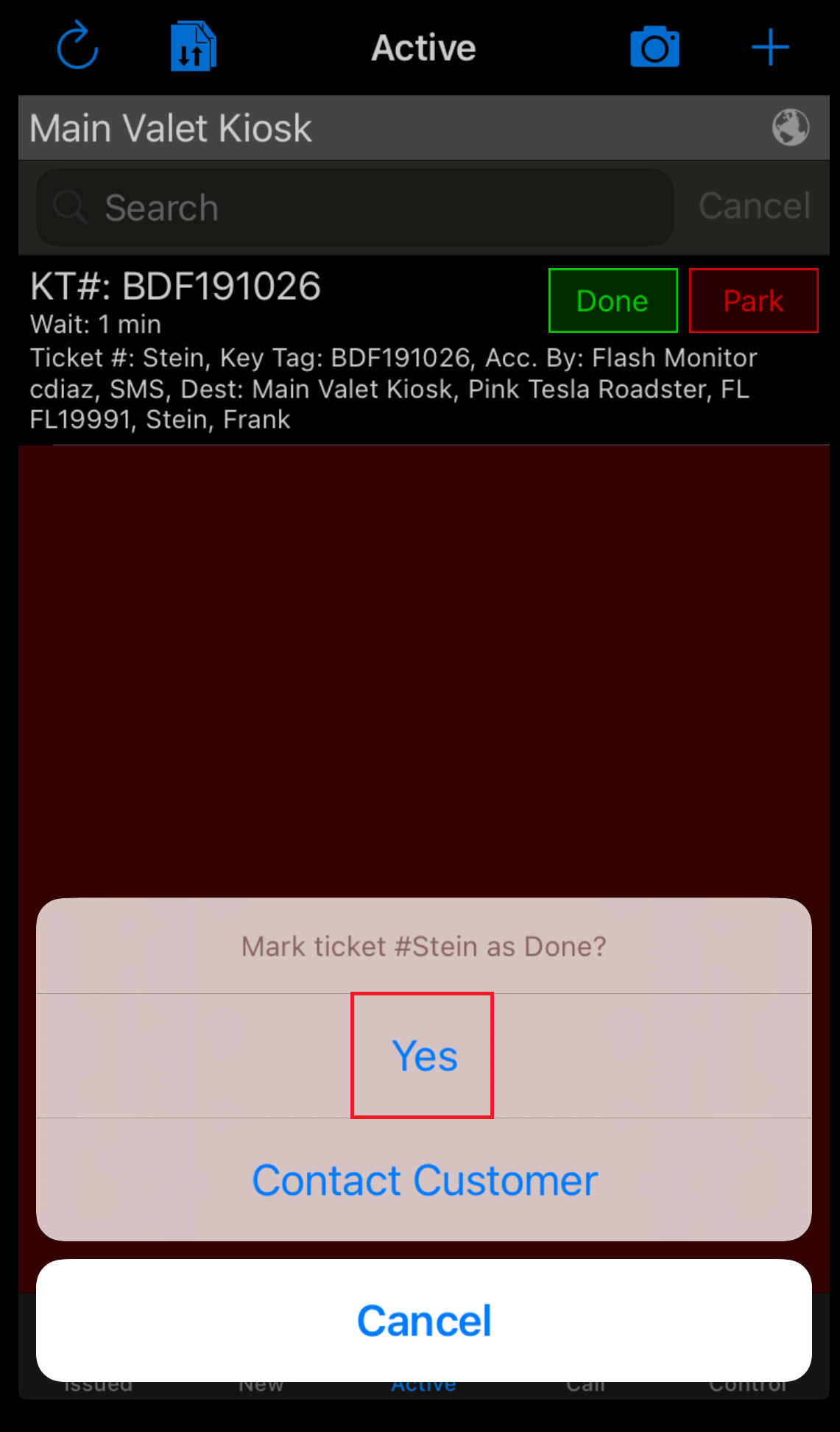
  1. A confirmation pop-up will appear; tap “Yes”.


Was this article helpful?

That’s Great!

Thank you for your feedback

Sorry! We couldn't be helpful

Thank you for your feedback

Let us know how can we improve this article!

Select at least one of the reasons
CAPTCHA verification is required.

Feedback sent

We appreciate your effort and will try to fix the article