MOBILE NUMBER ENTRY WITH EXPRESS PAY
This Flash PARCS feature allows transient parkers to enter the parking facility using their mobile phone number and receive an automatic SMS (to the entered mobile number) that includes a link directing them to pay via Express Pay.
This tutorial shows the parker’s screen-by-screen experience.
Entry Kiosk
1. The driver taps the Other Access Options button.
The default ticket button can be configured to present Mobile Number Entry on the initial screen. This moves the "Get A Ticket" (paper ticket) option under the "Other Access Options".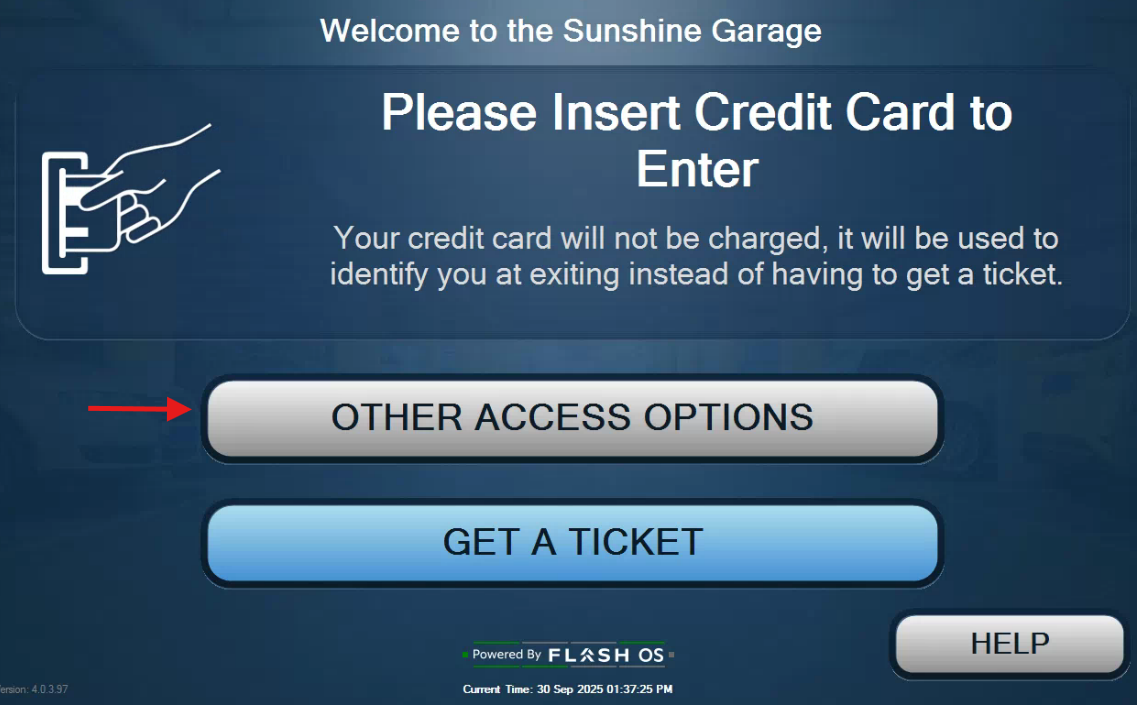
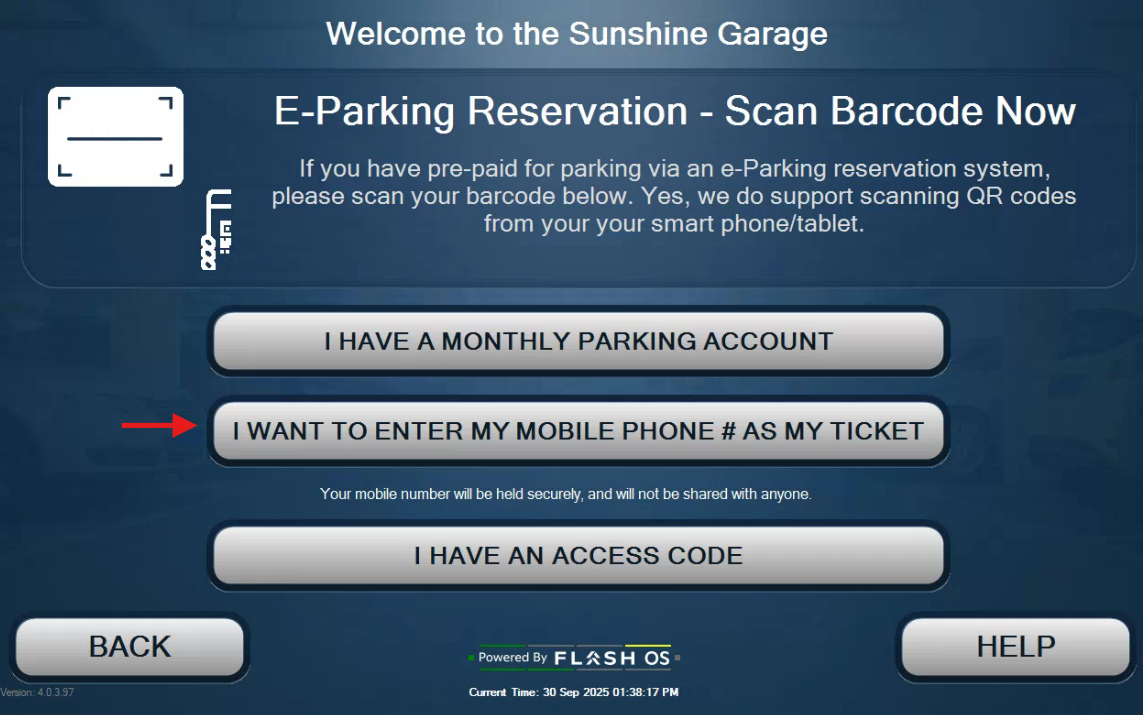
2. In the next screen, driver taps the I want to enter my mobile phone # as my ticket button.
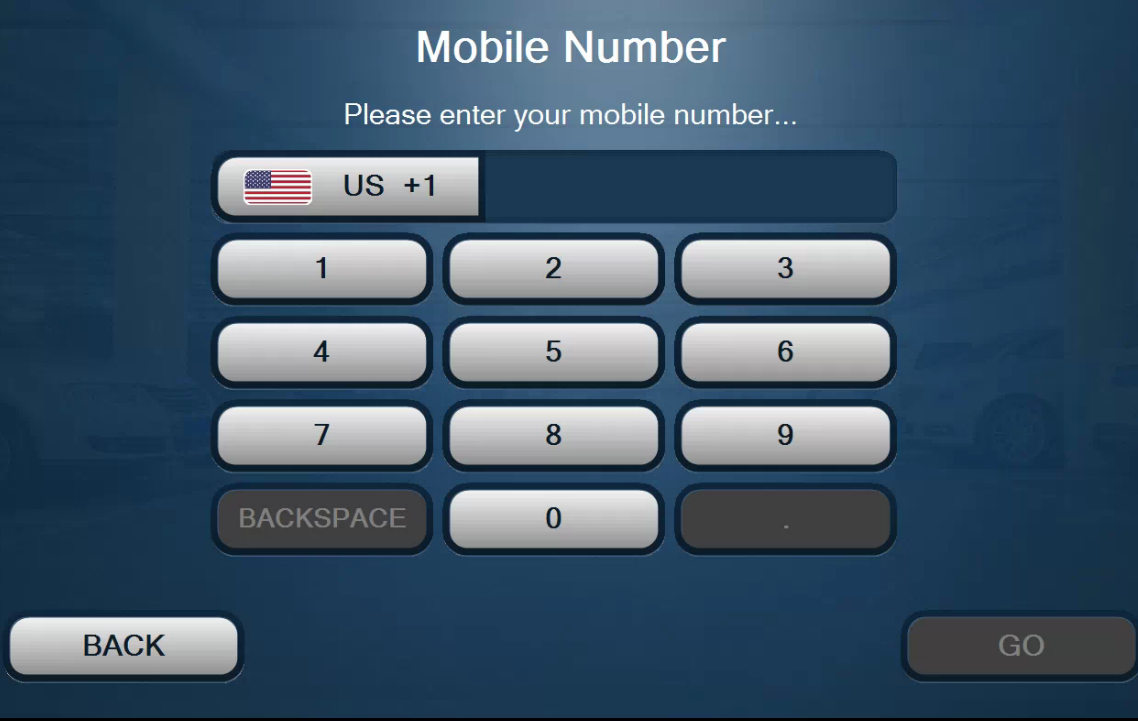
3. Then enter their 10-digit mobile number.
4. Finally, confirms the mobile phone number.
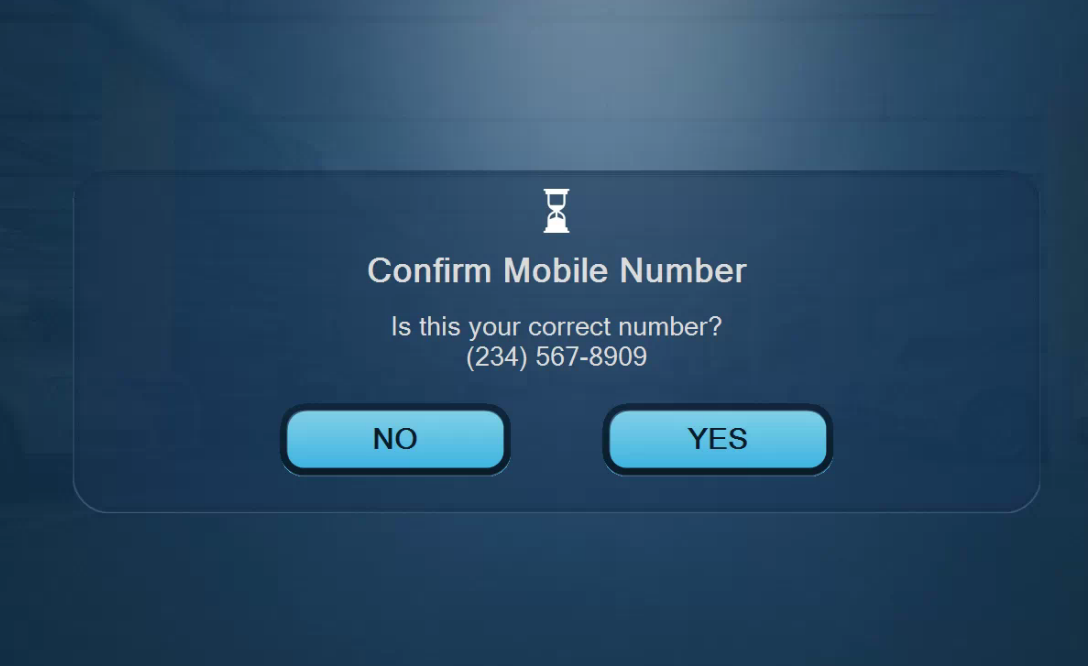
5. The system verifies that the mobile number is not already in use at the facility, and the driver enters through the open gate.
Automatic SMS Notification
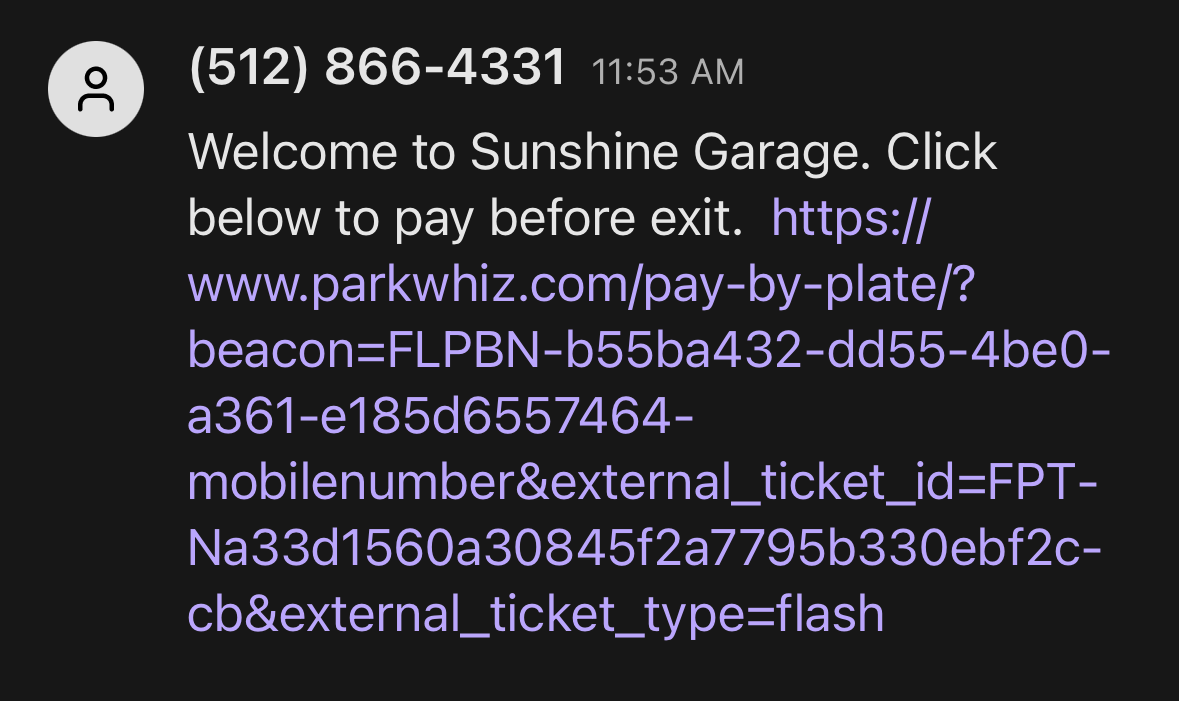
The driver clicks the link sent via SMS, which takes them to Express Pay to match their parking session to the captured license plate and to add a credit card on file.
If the driver chooses not to use Express Pay, they will be presented with the amount due on the Exit kiosk via the LPR auto-present fee functionality or they can enter their mobile number on the exit kiosk.
Was this article helpful?
That’s Great!
Thank you for your feedback
Sorry! We couldn't be helpful
Thank you for your feedback
Feedback sent
We appreciate your effort and will try to fix the article